BUILT DIFFERENT — The Identity of Mahi
Create an epic cinematic AI image using this high-quality prompt optimized for Gemini AI image generation.
Prompt Content
Use this prompt in your favorite AI image generator.
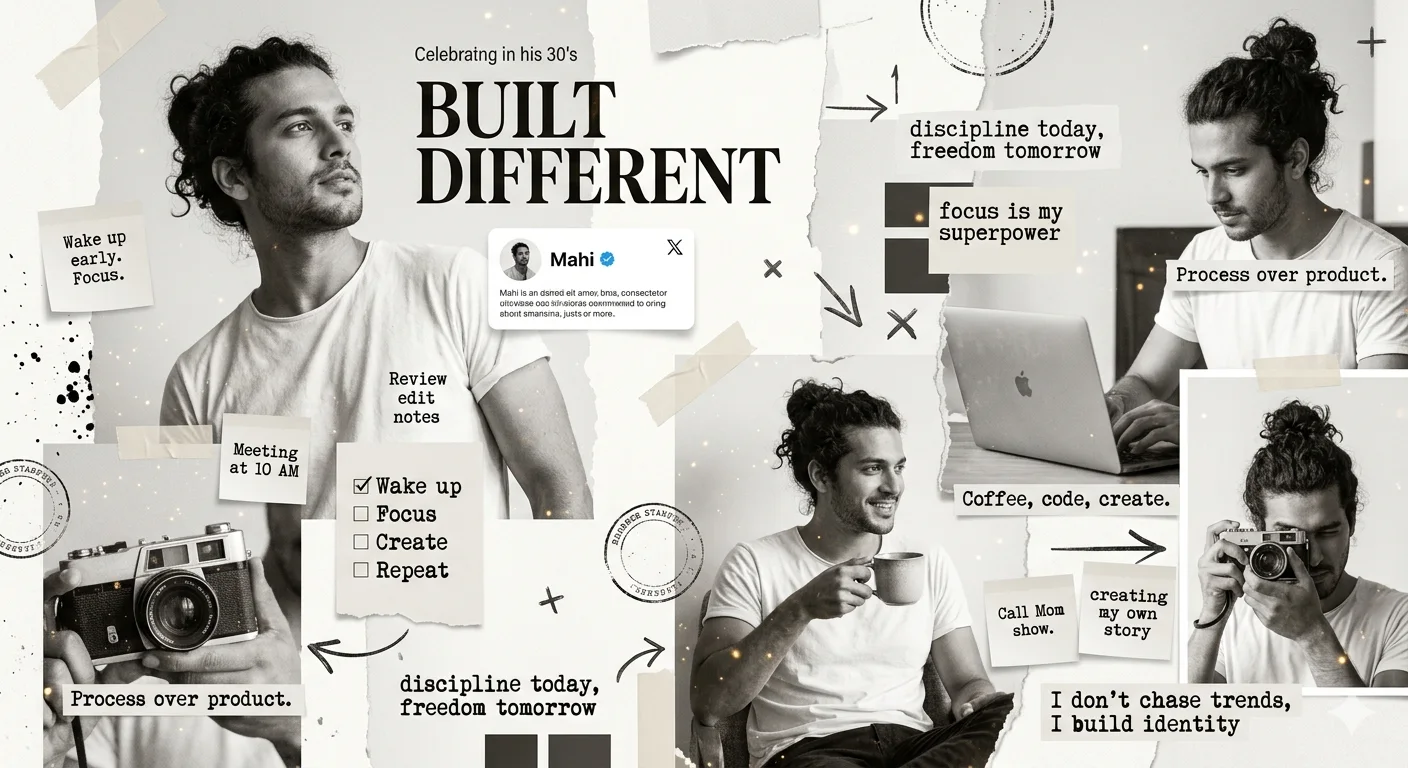
A bold, editorial-style digital collage in a monochrome white and beige theme with subtle warm highlights. A man in his 30's with curly dark hair styled in a messy bun appears in multiple dynamic poses: looking up confidently, sitting casually with coffee, using a laptop, and holding a vintage camera. The composition uses a torn paper collage aesthetic with layered textures, ripped edges, tape pieces, and shadow overlaps.Mix realistic photography style with artistic grain and ink splatter effects. Add strong typography in mixed fonts: large serif headline: "BUILT DIFFERENT" handwritten notes and scribbles typewriter-style captions bold sans-serif blocks Include creative elements: minimal profile card with the name "Mahi" and verified badge sticky notes with goals and reminders checklist items like "wake up, focus, create, repeat" abstract symbols, arrows, crosses, and stamps subtle golden dust particles for depth Add motivational phrases: "discipline today, freedom tomorrow" "focus is my superpower" "creating my own story" "I don’t chase trends, I build identity" Keep layout asymmetrical, slightly messy but visually balanced, like a high-fashion magazine mood board. Ultra-detailed, high contrast, soft natural lighting, editorial photography + collage fusion, 4k quality.
About This Prompt
Auto GeneratedThis is a high-quality Cinematic AI prompt crafted by Admin. It is designed to produce cinematic, film-quality visuals with minimal iteration. The prompt uses carefully selected descriptors and stylistic cues optimised for Gemini AI, making it ideal for creators who want consistent, professional results.
How To Use
Reusable Guide- 1Copy the prompt using the "Copy Prompt" button above.
- 2Open your preferred AI model (Gemini AI) and paste the prompt into the input field.
- 3Optionally, replace bracketed placeholders (e.g. [subject], [style]) with your own values to personalise the output.
- 4Run the prompt and review the result — iterate by tweaking descriptors for different moods or compositions.
- 5Save or export your favourite generations directly from the AI tool's interface.
For best results, use this prompt as-is before making edits — the defaults are already optimised.