DRAGON ASCENT: Wrath of the Skyrider
Create an epic fantasy AI image using this high-quality prompt optimized for Gemini AI image generation.
Prompt Content
Use this prompt in your favorite AI image generator.
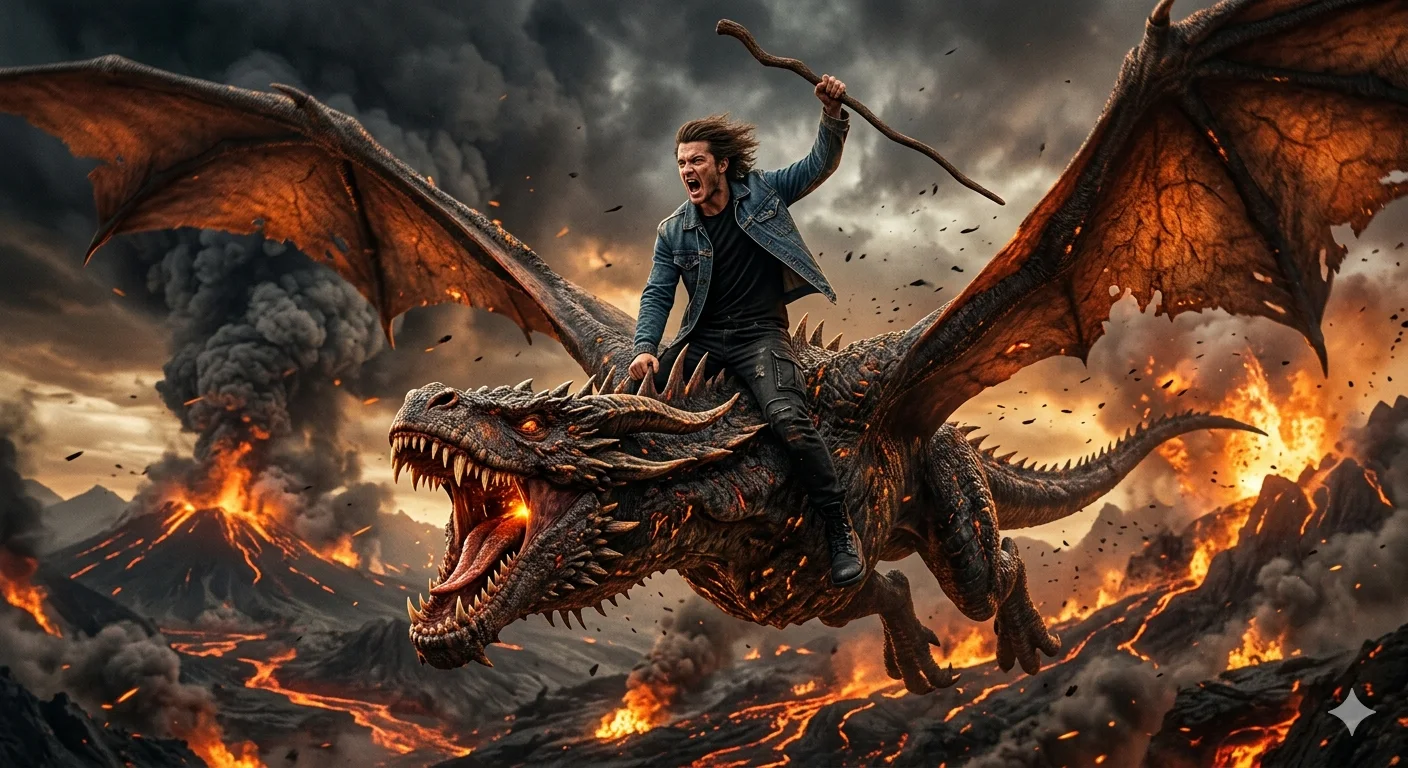
A hyper-realistic cinematic scene of a young human man riding a massive flying dragon mid-air. The man is wearing a blue denim jacket, black t-shirt, black jeans and black boots, standing aggressively on the dragon's neck, mouth open shouting, holding a curved wooden staff raised in one hand. Wind-blown hair and intense expression. The dragon is roaring with mouth open, sharp teeth visible, large wings spread wide, detailed scales and battle-worn textures.Volcanic landscape below with fire, lava, smoke, ash clouds and glowing embers. Dramatic fire-and-ash lighting, warm orange glow and dark stormy sky. Epic fantasy movie poster style, ultra-realistic, cinematic, high detail.
How To Use
Reusable Guide- 1Copy the prompt using the "Copy Prompt" button above.
- 2Open your preferred AI model (Gemini AI) and paste the prompt into the input field.
- 3Optionally, replace bracketed placeholders (e.g. [subject], [style]) with your own values to personalise the output.
- 4Run the prompt and review the result — iterate by tweaking descriptors for different moods or compositions.
- 5Save or export your favourite generations directly from the AI tool's interface.
For best results, use this prompt as-is before making edits — the defaults are already optimised.