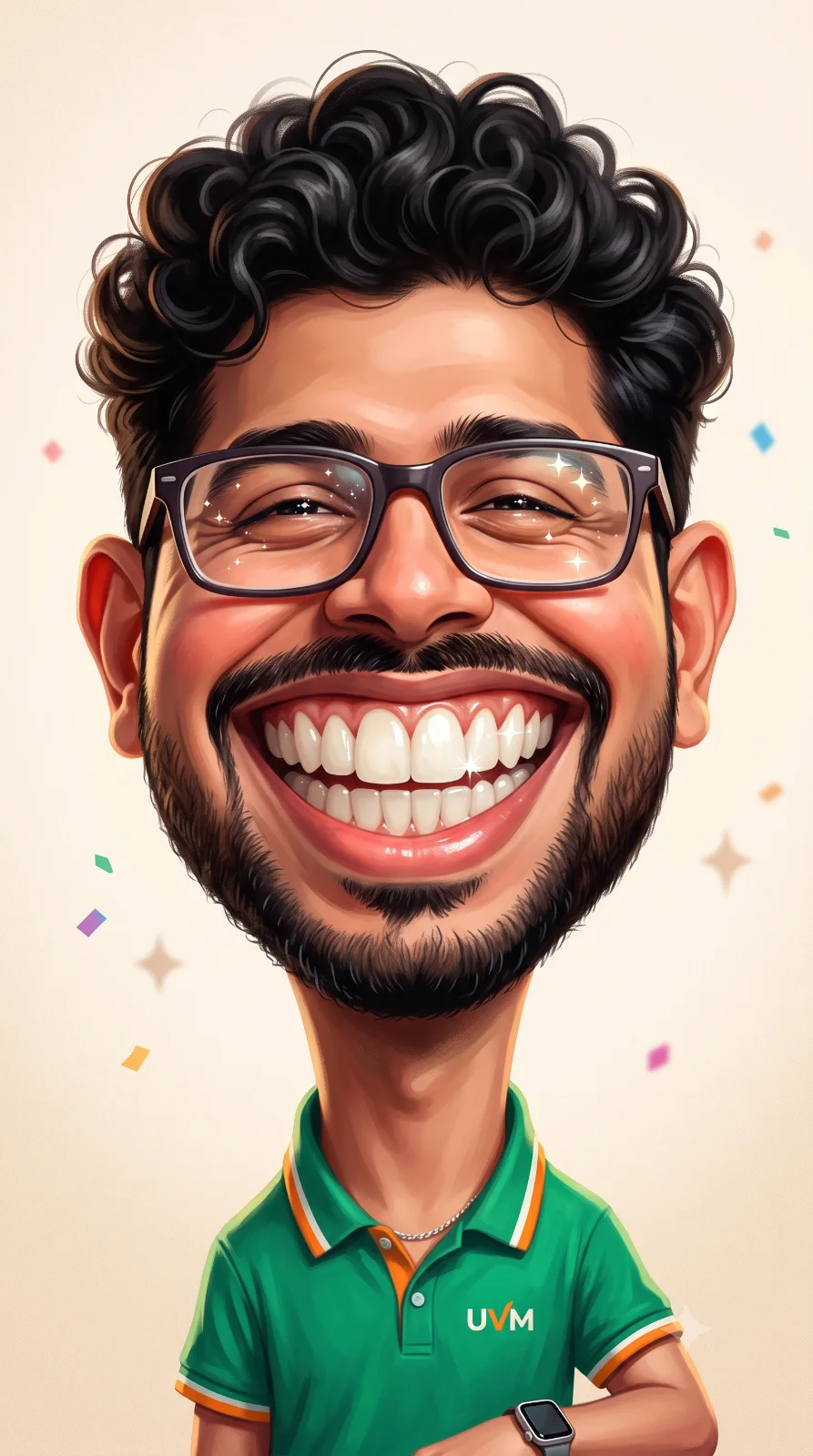
Exaggerated Caricature of Umesh Character
A detailed anime image titled "Exaggerated Caricature of Umesh Character", crafted with approximately 221 words of visual direction for Gemini AI. It produces a finished visual showcasing clear subject focus, harmonious color treatment, and refined environmental context suitable for portfolio, editorial, or commercial concept projects. Controlled studio-style lighting balances highlights and preserves micro-textures across surfaces without harsh blowout. Specific tactile material descriptors prevent flat procedural rendering, prompting the AI to render realistic tactile surface qualities. Industry-standard editorial and compositional cues guide the generative model toward balanced framing and restrained color harmony.
Prompt Content
Use this prompt in your favorite AI image generator.
Use the locked Umesh character exactly. Preserve his facial features, curly black hair, trimmed beard, rectangular glasses, warm skin tone, body proportions, and identity with NO changes. Transform only into an ultra-exaggerated premium caricature while keeping him instantly recognizable Create a premium ultra-exaggerated caricature portrait with a massive joyful smile, oversized sparkling teeth, expressive closed happy eyes, slightly enlarged ears, elongated neck, oversized head (75% of the frame), tiny shoulders, soft painterly rendering, and polished editorial illustration quality. Character Umesh wearing a vibrant emerald-green polo T-shirt with subtle geometric texture. Orange collar and sleeve piping for strong color contrast. Small modern "UVM" chest emblem.Minimal silver chain. Smartwatch. Confident, cheerful, wholesome personality. Looking straight at the camera with the biggest infectious smile possible. Background Clean minimalist warm cream-to-light beige gradient. Soft paper texture. Tiny colorful confetti dots. Floating sparkles. Minimal abstract paint strokes. Clean premium composition with lots of negative space. Lighting Soft studio lighting. Warm rim light. Smooth skin shading. Bright glossy teeth. Catchlights in the eyes. High dynamic range. Style Ultra-premium caricature illustration. Editorial digital painting. Semi-realistic cartoon. Oversized facial proportions. Extremely expressive smile. Clean brushwork. Rich color harmony. Soft painterly texture. Crisp edges. High detail. 9:16 vertical. Ultra HD 16K. No watermark. No text. Preserve the locked Umesh identity exactly. Fun, positive, energetic, and highly shareable social-media profile artwork.
How To Use
Reusable Guide- 1Copy the complete prompt text into your preferred AI image generator (e.g., Gemini AI).
- 2Review the initial output against the recommended aspect ratio (1:1) to verify composition.
- 3Customize the key variables above (such as subject & focal point or lighting & atmosphere) to suit your creative vision.
- 4Refine the guidance scale or apply negative prompt exclusions to eliminate any artifacts without compromising image fidelity.
For best results, use this prompt as-is before making edits — the defaults are already optimised.