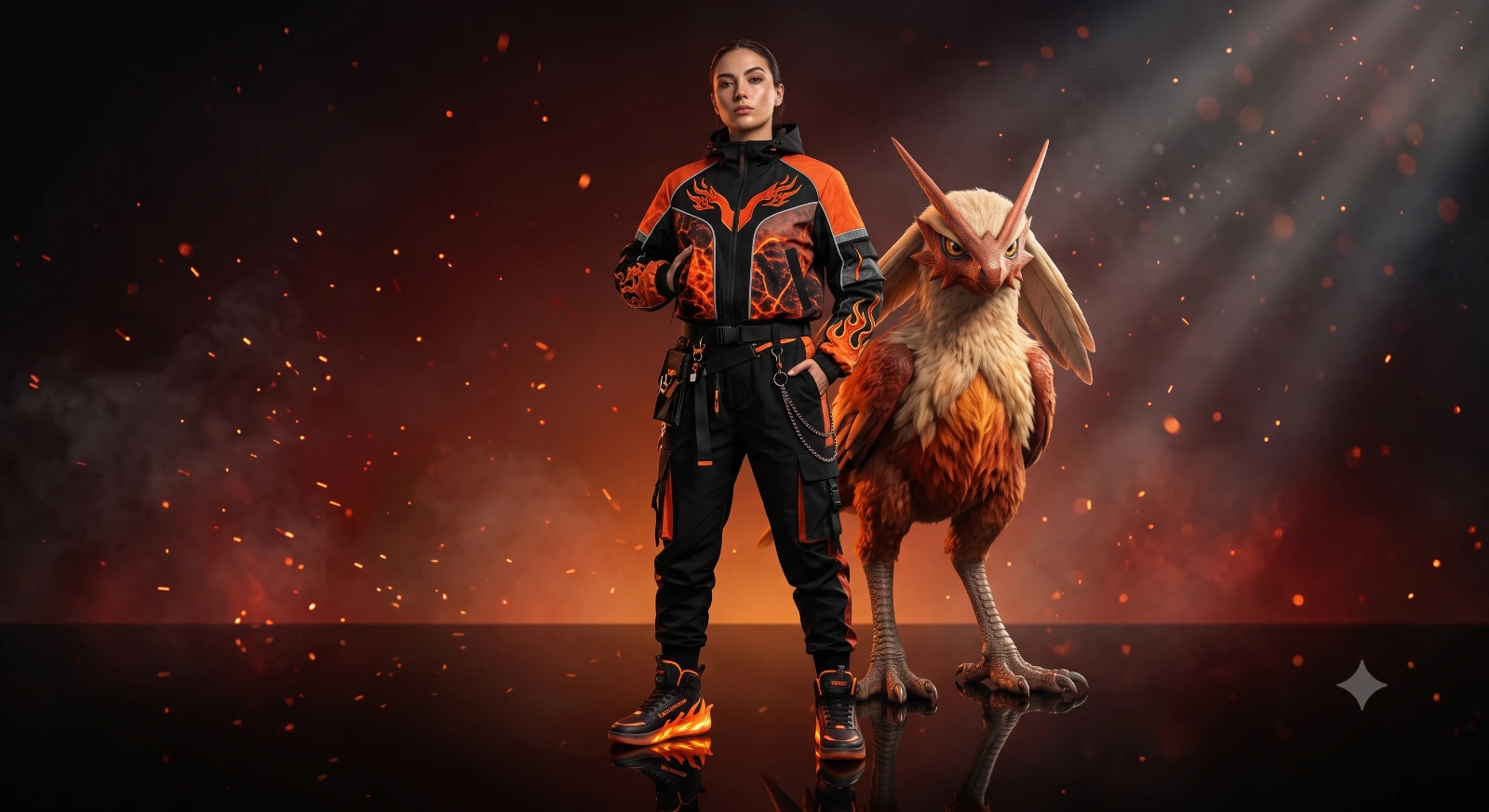
Fashion Portrait With Pokémon Companion
A detailed fantasy image titled "Fashion Portrait With Pokémon Companion", crafted with approximately 180 words of visual direction for Gemini AI. It produces a finished visual showcasing clear subject focus, harmonious color treatment, and refined environmental context suitable for portfolio, editorial, or commercial concept projects. Chiaroscuro lighting introduces deep shadow contrast, evoking mood and artistic gravitas. Shallow depth of field with creamy optical bokeh draws immediate visual attention to fine subject details. Specific tactile material descriptors prevent flat procedural rendering, prompting the AI to render realistic tactile surface qualities.
Prompt Content
Use this prompt in your favorite AI image generator.
Use the face from the uploaded photo as reference. Create a hyper-realistic editorial fashion portrait of a slim person standing on a glossy reflective floor. Preserve the facial identity from the uploaded image with high accuracy while giving the subject a confident, luxury fashion pose. The outfit is premium streetwear inspired by a random Fire-type Pokémon. Use a bold color palette of fiery orange, deep red, black, glowing ember accents, flame graphics, lava textures, subtle ash details, premium sneakers, layered accessories, and futuristic fashion styling. Beside the person stands one random Fire-type Pokémon from any generation (do not choose Charizard every time), recreated as a photorealistic living creature with realistic skin, scales, fur, eyes, and natural proportions while remaining instantly recognizable. The background features a smooth cinematic gradient based on the Pokémon's colors with floating sparks, subtle smoke, glowing embers, and atmospheric haze. Ultra-realistic editorial photography, cinematic dramatic lighting, volumetric light rays, shallow depth of field, HDR, razor-sharp focus on the face, ultra-detailed skin texture, premium fashion magazine quality, reflections on the floor, 85mm lens, f/1.8, 8K, masterpiece, highly detailed.
How To Use
Reusable Guide- 1Copy the complete prompt text into your preferred AI image generator (e.g., Gemini AI).
- 2Review the initial output against the recommended aspect ratio (1:1) to verify composition.
- 3Customize the key variables above (such as world-building setting or technological / magic fx) to suit your creative vision.
- 4Refine the guidance scale or apply negative prompt exclusions to eliminate any artifacts without compromising image fidelity.
For best results, use this prompt as-is before making edits — the defaults are already optimised.