Futuristic Luxury Headphone Ad
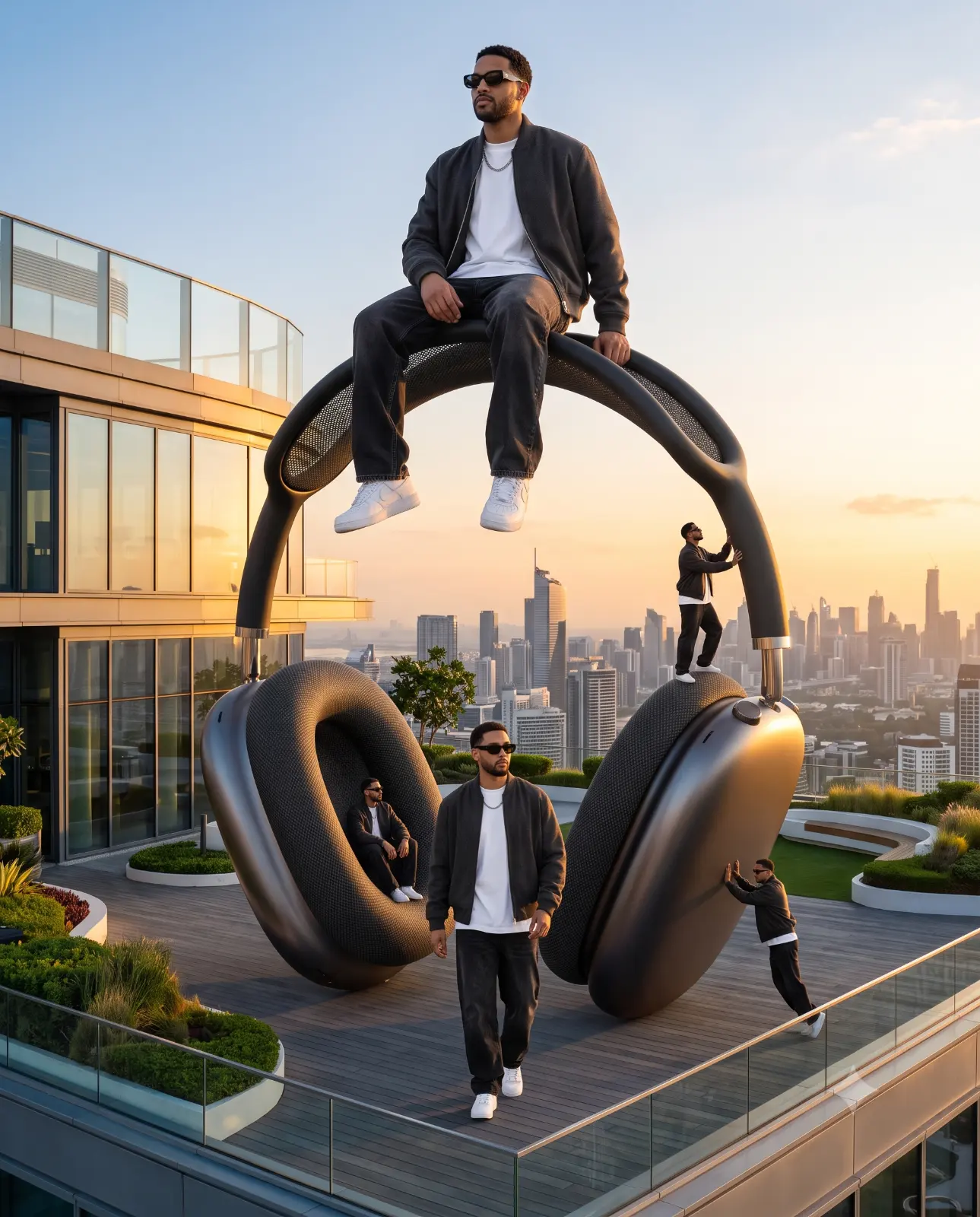
A detailed cinematic image titled "Futuristic Luxury Headphone Ad", crafted with approximately 165 words of visual direction for Gemini AI. It produces a finished visual showcasing clear subject focus, harmonious color treatment, and refined environmental context suitable for portfolio, editorial, or commercial concept projects. Natural golden-hour directional light creates warm skin tones and long, soft cast shadows that build volumetric depth. Industry-standard editorial and compositional cues guide the generative model toward balanced framing and restrained color harmony.
Prompt Content
Use this prompt in your favorite AI image generator.
Use the uploaded reference image as the ONLY identity reference. Preserve my exact facial identity with maximum accuracy. Scene: A futuristic luxury rooftop. Giant premium wireless headphones stand vertically like a modern monument. One huge version of me sits comfortably on top while a normal-size version walks below. Tiny versions of me interact with different parts of the headphones creating a surreal luxury campaign. Composition: Giant Me: Sitting on top of the headphones. Normal Me: Walking confidently. Mini Me 1: Sitting inside one earcup. Mini Me 2: Climbing the headband. Mini Me 3: Leaning against the ear cushion. Outfit: Luxury charcoal bomber jacket, oversized white T-shirt, washed black baggy jeans, white sneakers, silver chain, black sunglasses. Style: Apple Commercial × Sony × GQ × Vogue. Camera: Sony A7R V • 24mm Lens. Lighting: Golden sunset with cinematic reflections. Quality: Hyper realistic luxury advertisement, extremely detailed, razor sharp, 8K masterpiece. Aspect Ratio: 4:5 Negative Prompt: No face change. No hairstyle change. No AI artifacts. No watermark.
How To Use
Reusable Guide- 1Copy the complete prompt text into your preferred AI image generator (e.g., Gemini AI).
- 2Review the initial output against the recommended aspect ratio (16:9) to verify composition.
- 3Customize the key variables above (such as subject & focal point or lighting & atmosphere) to suit your creative vision.
- 4Refine the guidance scale or apply negative prompt exclusions to eliminate any artifacts without compromising image fidelity.
For best results, use this prompt as-is before making edits — the defaults are already optimised.