Pastel Pink Couple Fashion Portrait
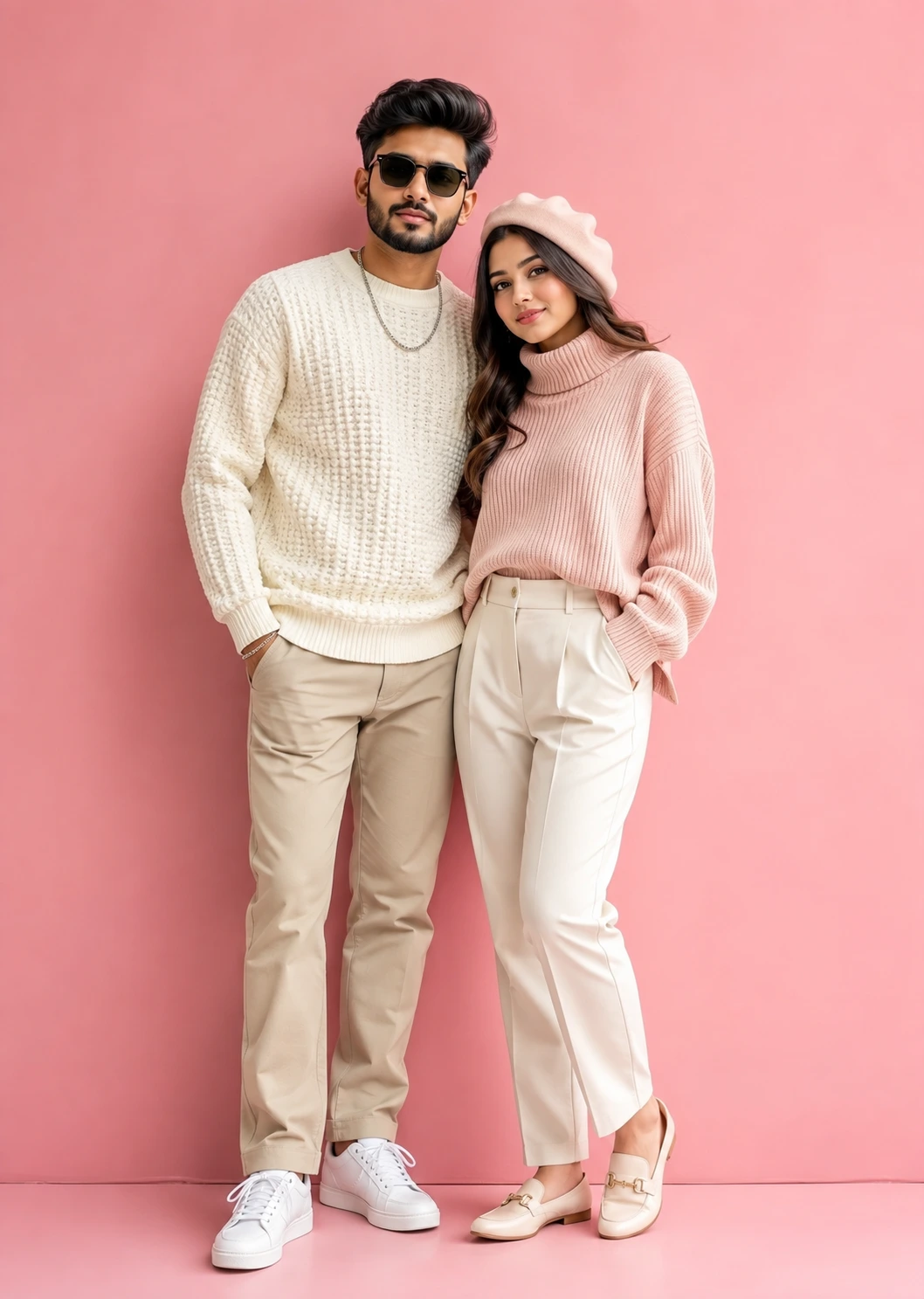
A detailed couple image titled "Pastel Pink Couple Fashion Portrait", crafted with approximately 113 words of visual direction for Chat GPT. It produces a finished visual showcasing clear subject focus, harmonious color treatment, and refined environmental context suitable for portfolio, editorial, or commercial concept projects. Controlled studio-style lighting balances highlights and preserves micro-textures across surfaces without harsh blowout. Specific tactile material descriptors prevent flat procedural rendering, prompting the AI to render realistic tactile surface qualities. Industry-standard editorial and compositional cues guide the generative model toward balanced framing and restrained color harmony.
Prompt Content
Use this prompt in your favorite AI image generator.
A stylish contemporary couple portrait featuring a fashionable young man and woman posing effortlessly against a clean pastel-pink studio backdrop. The man wears a textured ivory knit sweater with beige trousers, white sneakers, and modern sunglasses, while the woman complements the look in a cozy blush-pink turtleneck sweater, ivory tailored trousers, elegant loafers, and a chic matching beret Their relaxed pose, natural expressions, and coordinated pastel wardrobe create a fresh, romantic, and modern aesthetic. Soft studio lighting, vibrant colors, and a minimalist background emphasize the couple’s chemistry while maintaining a premium editorial fashion feel. Captured in ultra-realistic detail with crisp focus and luxury commercial styling, the image embodies youthful elegance and lifestyle sophistication.
How To Use
Reusable Guide- 1Copy the complete prompt text into your preferred AI image generator (e.g., Chat GPT).
- 2Review the initial output against the recommended aspect ratio (1:1) to verify composition.
- 3Customize the key variables above (such as couple posing & chemistry or ceremony & bridal attire) to suit your creative vision.
- 4Refine the guidance scale or apply negative prompt exclusions to eliminate any artifacts without compromising image fidelity.
For best results, use this prompt as-is before making edits — the defaults are already optimised.