Spiritbound Eclipse — The Beast Contractor’s Oath
Create an epic fantasy AI image using this high-quality prompt optimized for Gemini AI image generation.
Prompt Content
Use this prompt in your favorite AI image generator.
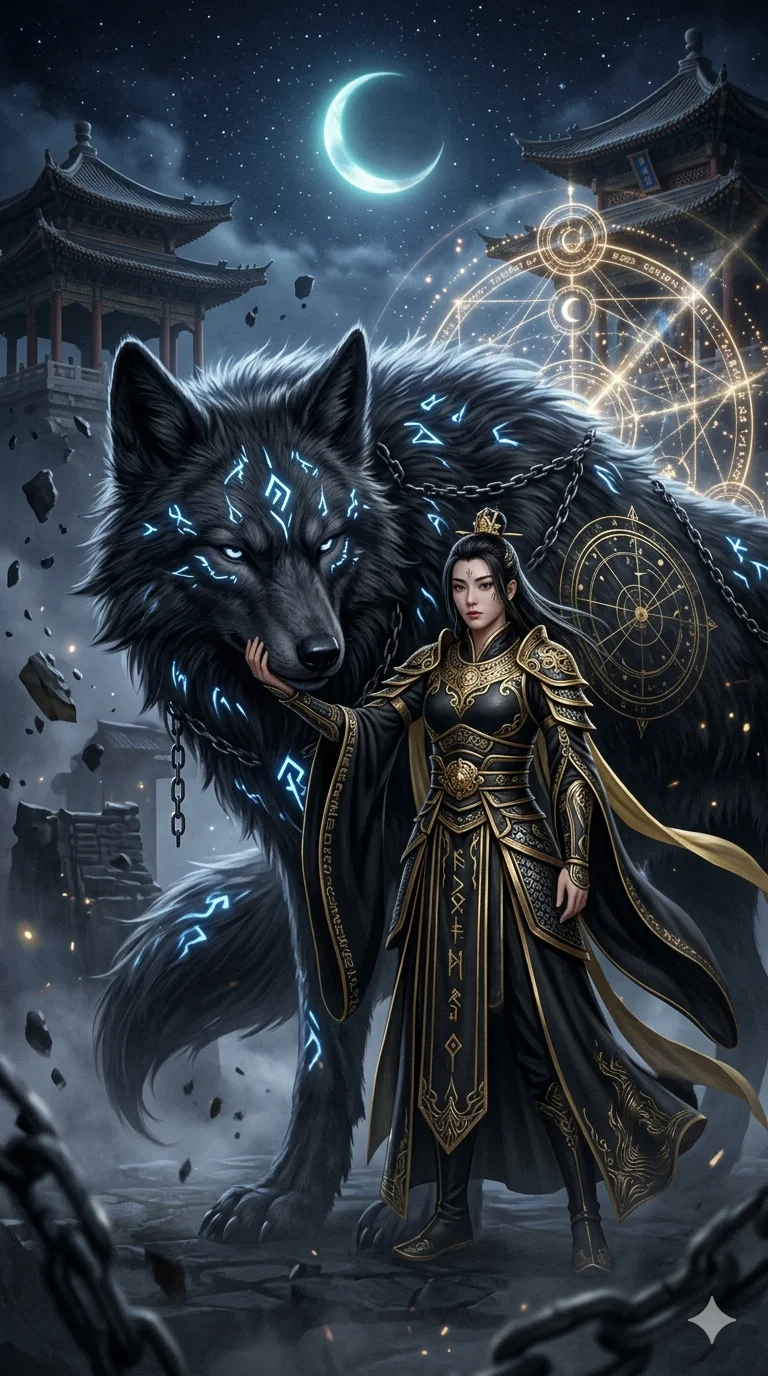
Please generate an ultra-high detail dark fantasy style group photo of 'Me and my exclusive mystical beast' based on the character photo I uploaded. Overall style reference: Eastern fantasy + cinematic dark fantasy + black, gold, and silver color scheme + epic feel. The character must retain their original facial features and be presented in the image of a 'Spirit Tamer / Contractor,' wearing a cool black-and-gold Taoist robe or Eastern battle armor, without referencing the original clothing.The character must be a full-body composition, interacting with the giant mystical beast (stroking, making eye contact, leaning against, standing side-by-side, etc.). Please automatically design the mystical beast based on the character's temperament. It can be a mythical beast such as a wolf, fox, dragon, deer, tiger, or crane, but it must possess: A giant body size Glowing runes / contract marks Elements of the dark night, lunar eclipse, astrolabe, chains, and rune arrays Ultra-fine fur flow or scales An aura where a sense of protection and a sense of oppression coexist The background must be: An epic scene featuring an ancient temple, Eastern pavilions, a crescent moon, dark clouds, floating debris, a starry sky, energy magic circles, etc. Overall atmospheric requirements: Mysterious, solemn, lonely, powerful, a sense of destiny. Aspect ratio 9:16 or 1:1. Ultra-high detail, cinematic lighting, volumetric light, particle special effects, mist, metallic details, flowing magical energy. Style keywords: dark fantasy, cinematic, ultra detailed, mystical beast, eastern fantasy, black gold aesthetic
How To Use
Reusable Guide- 1Copy the prompt using the "Copy Prompt" button above.
- 2Open your preferred AI model (Gemini AI) and paste the prompt into the input field.
- 3Optionally, replace bracketed placeholders (e.g. [subject], [style]) with your own values to personalise the output.
- 4Run the prompt and review the result — iterate by tweaking descriptors for different moods or compositions.
- 5Save or export your favourite generations directly from the AI tool's interface.
For best results, use this prompt as-is before making edits — the defaults are already optimised.