Winter Velocity — The Double Exposure Rider
Create an epic cinematic AI image using this high-quality prompt optimized for Gemini AI image generation.
Prompt Content
Use this prompt in your favorite AI image generator.
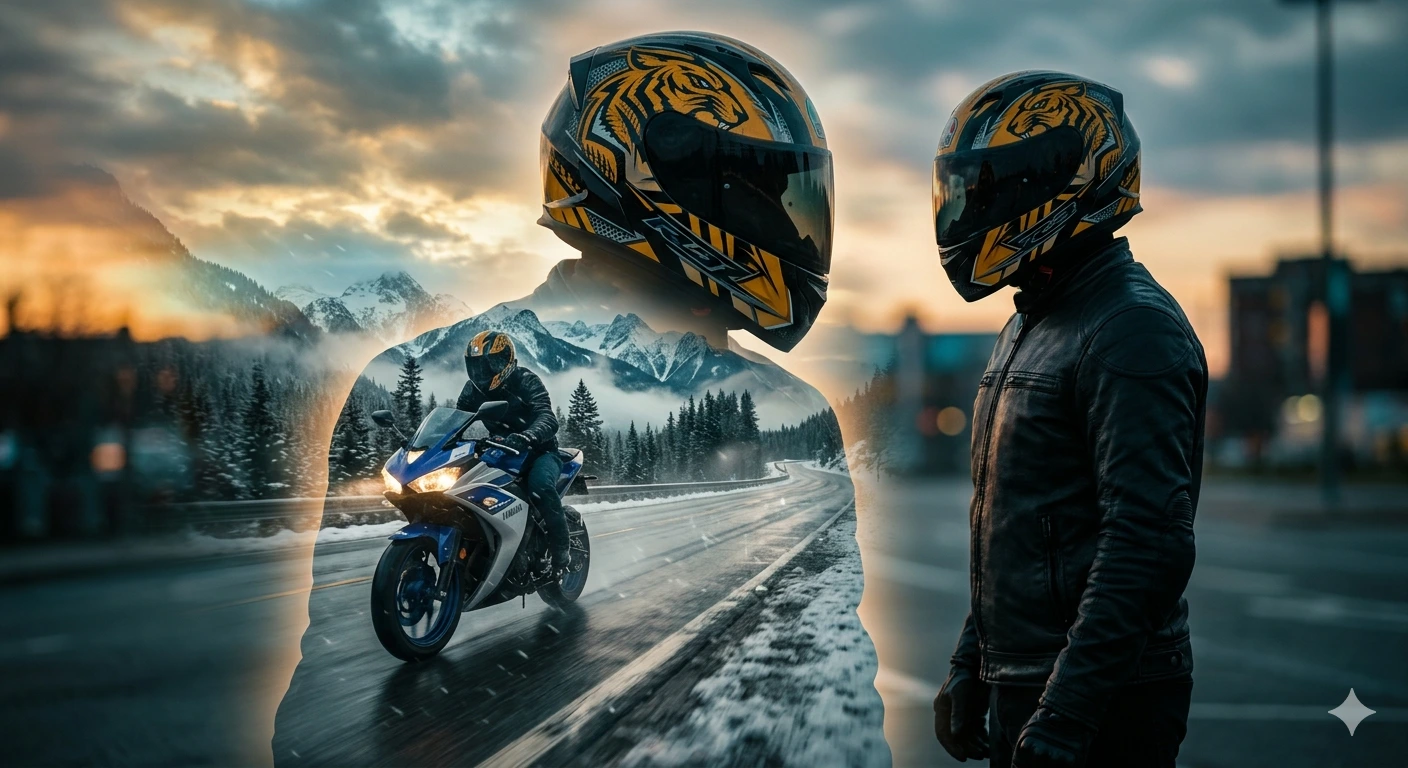
Ultra cinematic double-exposure portrait of a biker wearing a yellow and black full-face helmet with aggressive tribal tiger-style graphics, black dark visor, black leather riding jacket, standing in profile facing sideways. Inside the silhouette of the rider, a second scene shows the same biker riding a blue and white Yamaha YZF R3 2016 on a wet snowy mountain highway during winter sunset.Blue LED headlights glowing brightly through cold mist, reflective wet asphalt, snow-covered pine forests, alpine mountains, soft snowfall, golden-hour sky mixed with icy blue tones, dramatic clouds, motion blur on road and wheels, realistic water spray from tires, atmospheric fog, high contrast lighting, moody shadows, photorealistic textures, ultra detailed helmet reflections, cinematic color grading, sharp focus on rider and bike, depth of field, dynamic composition, premium motorcycle advertisement aesthetic, dark winter adventure vibe, 8k ultra realistic. Style: cinematic double exposure, photorealistic, dramatic lighting, volumetric fog, orange and teal color palette, realistic reflections, action photography.
How To Use
Reusable Guide- 1Copy the prompt using the "Copy Prompt" button above.
- 2Open your preferred AI model (Gemini AI) and paste the prompt into the input field.
- 3Optionally, replace bracketed placeholders (e.g. [subject], [style]) with your own values to personalise the output.
- 4Run the prompt and review the result — iterate by tweaking descriptors for different moods or compositions.
- 5Save or export your favourite generations directly from the AI tool's interface.
For best results, use this prompt as-is before making edits — the defaults are already optimised.