Collective Soul: The Shape of Humanity
Create an epic portrait AI image using this high-quality prompt optimized for Gemini AI image generation.
Prompt Content
Use this prompt in your favorite AI image generator.
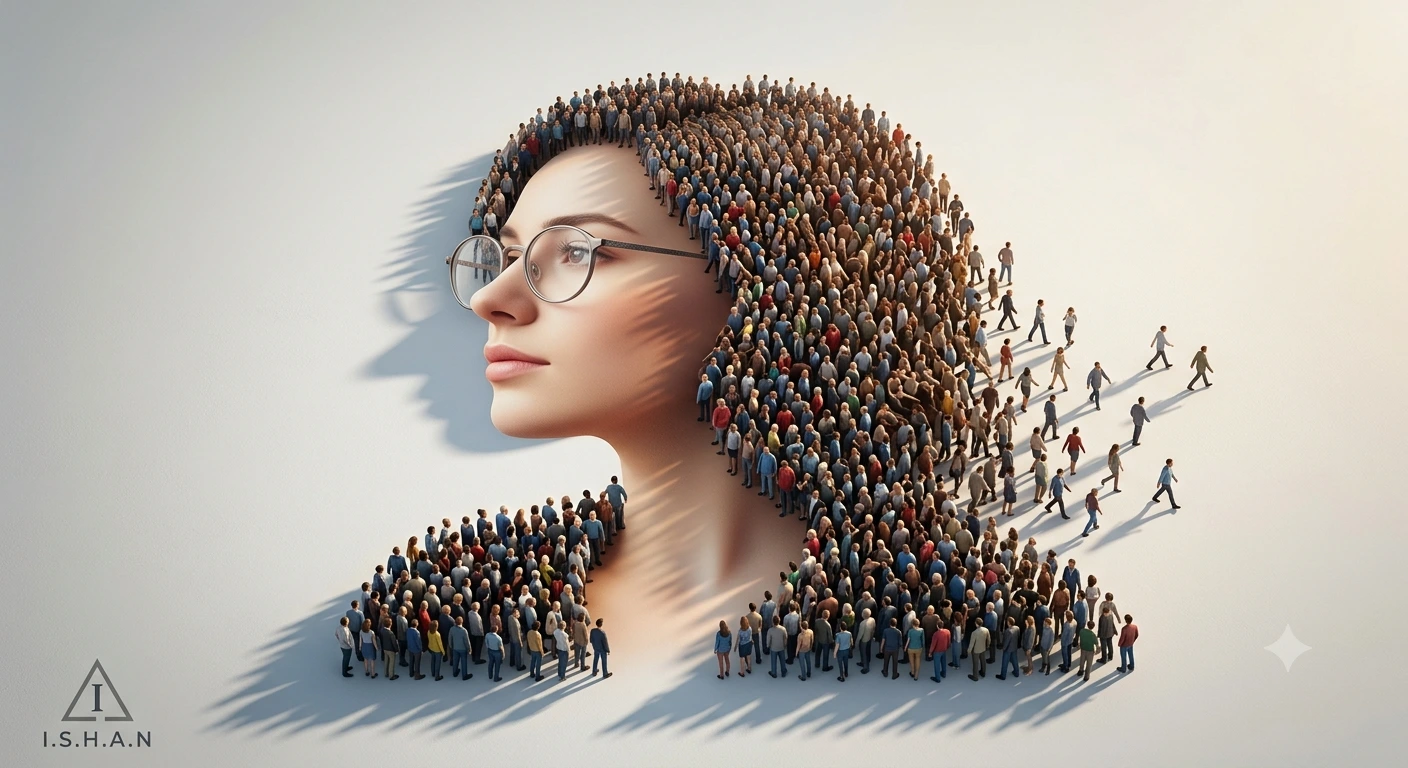
A surreal conceptual digital artwork of a woman’s side-profile portrait entirely formed by thousands of tiny human figures standing closely together. The woman has soft facial features, light skin, medium-length flowing hair, and wears modern round eyeglasses. The crowd seamlessly shapes her face, hair, neck, and shoulders, with individual people visible in different clothing colors and poses. Some people appear to be walking outward from the silhouette, creating a dynamic dissolving effect. The scene is viewed from a slightly elevated angle on a clean white background with dramatic long shadows cast across the ground by warm directional sunlight. The composition is minimalistic yet highly detailed, symbolizing collective identity, society, and human connection. Ultra-realistic, cinematic lighting, intricate crowd details, photorealistic textures, soft neutral tones, high depth of field, 8K resolution, conceptual art style, masterpiece quality.n the left bottom corner add a small triangle with a stylized "I" inside it and a text "I.S.H.A.N" beneath it. Keep the face 100% same as in the uploaded picture.
How To Use
Reusable Guide- 1Copy the prompt using the "Copy Prompt" button above.
- 2Open your preferred AI model (Gemini AI) and paste the prompt into the input field.
- 3Optionally, replace bracketed placeholders (e.g. [subject], [style]) with your own values to personalise the output.
- 4Run the prompt and review the result — iterate by tweaking descriptors for different moods or compositions.
- 5Save or export your favourite generations directly from the AI tool's interface.
For best results, use this prompt as-is before making edits — the defaults are already optimised.