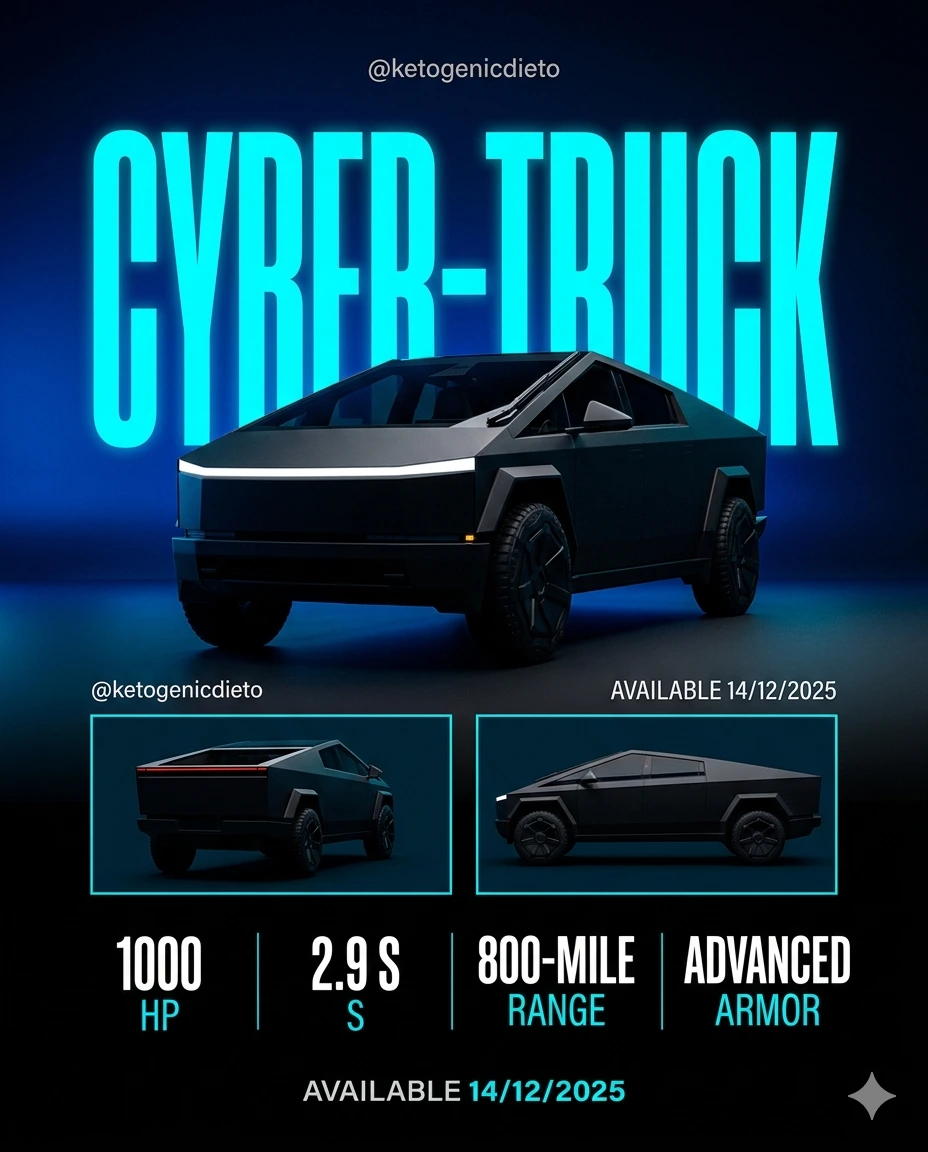
CYBER-TRUCK – Neon Armored Hyper-Performance Promotional Poster
A detailed vehicles image titled "CYBER-TRUCK – Neon Armored Hyper-Performance Promotional Poster", crafted with approximately 44 words of visual direction for Gemini AI. It produces a finished visual showcasing clear subject focus, harmonious color treatment, and refined environmental context suitable for portfolio, editorial, or commercial concept projects. This prompt balances a distinct vehicles subject with concrete composition, directional lighting, and textural cues. By explicitly defining the atmosphere and photographic parameters, it prevents the generator from resorting to generic procedural styling.
Prompt Content
Use this prompt in your favorite AI image generator.
A neon-lit cyber truck hyper-performance poster parked on a rain-slicked futuristic highway, glowing blue underglow lights, sleek matte black body, high-contrast night scene. Commercial studio lighting setup, sleek surface highlights, ultra-sharp product focus, soft drop shadows, clean high-end catalog presentation style, 8k commercial render.
How To Use
Reusable Guide- 1Copy the complete prompt text into your preferred AI image generator (e.g., Gemini AI).
- 2Review the initial output against the recommended aspect ratio (1:1) to verify composition.
- 3Customize the key variables above (such as subject & focal point or lighting & atmosphere) to suit your creative vision.
- 4Refine the guidance scale or apply negative prompt exclusions to eliminate any artifacts without compromising image fidelity.
For best results, use this prompt as-is before making edits — the defaults are already optimised.