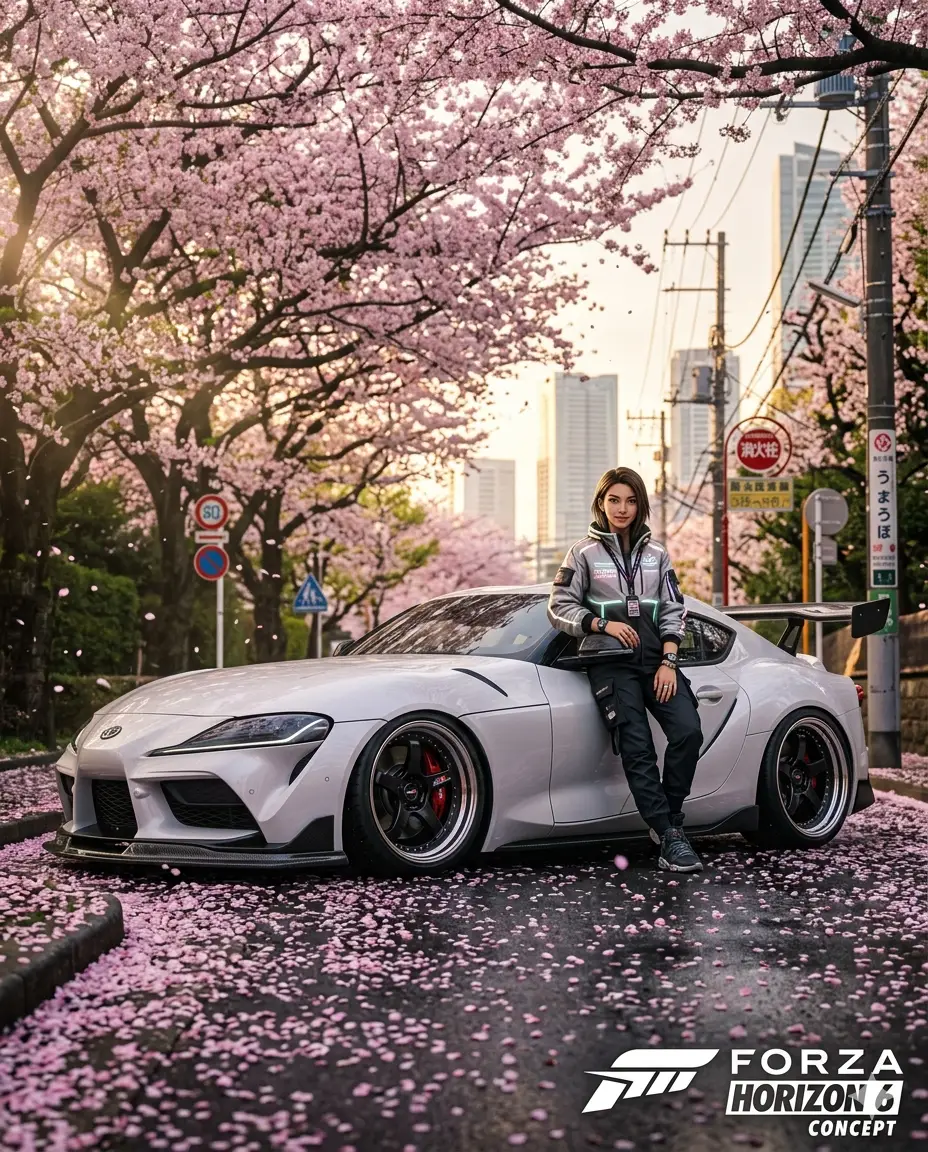
Forza Horizon 6 – Sakura Drift Concept: Tokyo Cherry Blossom Supra Scene
A detailed vehicles image titled "Forza Horizon 6 – Sakura Drift Concept: Tokyo Cherry Blossom Supra Scene", crafted with approximately 196 words of visual direction for Gemini AI. It produces a finished visual showcasing clear subject focus, harmonious color treatment, and refined environmental context suitable for portfolio, editorial, or commercial concept projects. Natural golden-hour directional light creates warm skin tones and long, soft cast shadows that build volumetric depth. Specific tactile material descriptors prevent flat procedural rendering, prompting the AI to render realistic tactile surface qualities.
Prompt Content
Use this prompt in your favorite AI image generator.
An ultra-realistic, low-angle (bottom-to-top) Forza Horizon 6 concept photograph, styled as a dramatic Instagram ad (4:5 aspect ratio). The shot captures a character leaning casually against the driver's door of a custom, highly detailed white Toyota Supra (A90) parked on a wet, asphalt road in a densely wooded suburban Tokyo street. The pavement is thickly covered in fallen pink cherry blossom (sakura) petals.The character (a young woman with sharp, photo-realistic and illustrated features, wearing a stylized 'Horizon Festival Japan' techwear jacket) is smiling slightly, with a detailed watch and rings visible. The Toyota Supra is low to the ground with massive aftermarket wheels, detailed brake calipers, and a aggressive carbon fiber spoiler. Above, a massive canopy of fully bloomed sakura trees creates a beautiful tunnel of pink and green, with rays of sunlight filtering through. The background features blurred traditional Japanese street signs (kanji and hiragana) and power lines, with towering modern Tokyo skyscrapers visible faintly through the distant haze. The bottom frame emphasizes the wet texture of the road, fallen petals, and the Supra's front bumper. The lighting is soft and golden (golden hour), emphasizing the vibrant nature against the wet concrete and carbon fiber.
How To Use
Reusable Guide- 1Copy the complete prompt text into your preferred AI image generator (e.g., Gemini AI).
- 2Review the initial output against the recommended aspect ratio (1:1) to verify composition.
- 3Customize the key variables above (such as subject & focal point or lighting & atmosphere) to suit your creative vision.
- 4Refine the guidance scale or apply negative prompt exclusions to eliminate any artifacts without compromising image fidelity.
For best results, use this prompt as-is before making edits — the defaults are already optimised.