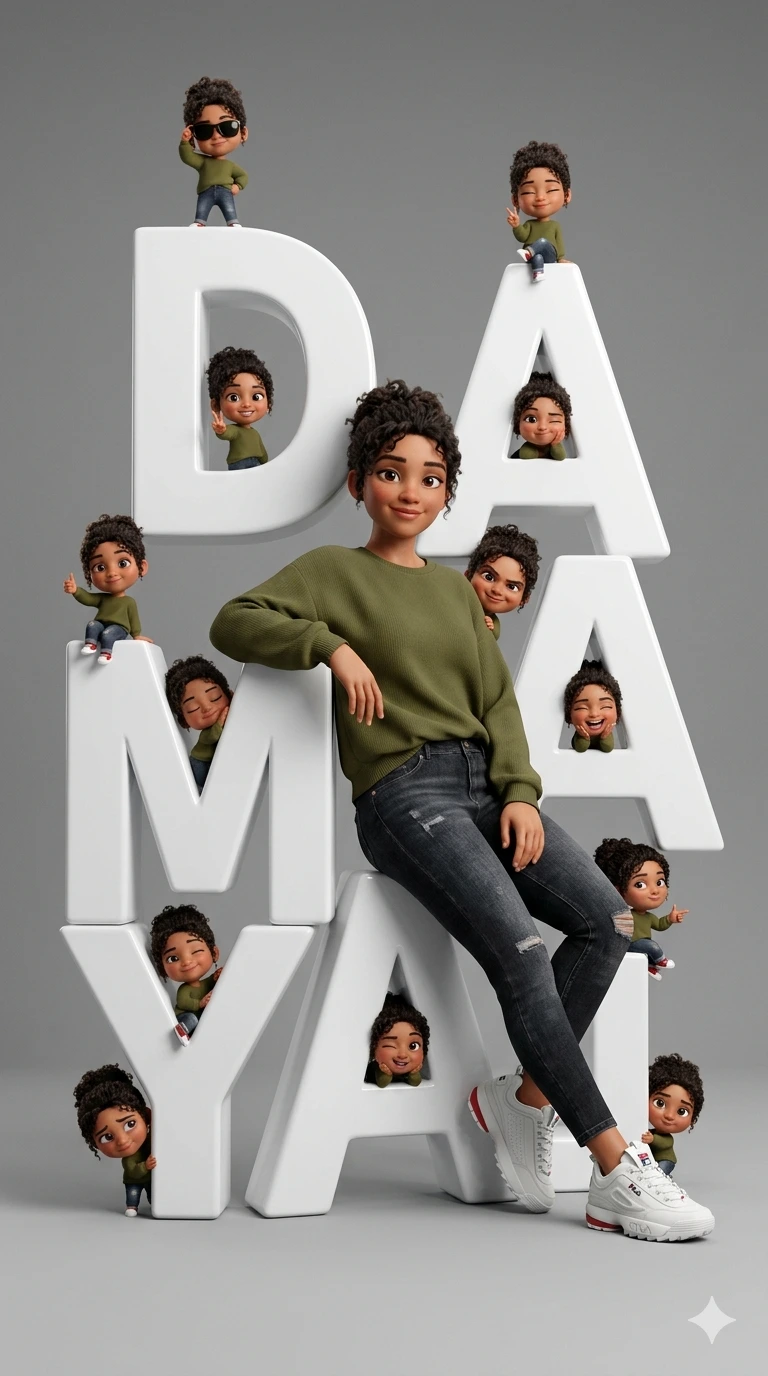
DAMAYA – Cinematic 3D Fashion Editorial with Mini Chibi Character Collage
Create an epic women AI image using this high-quality prompt optimized for Gemini AI image generation.
Prompt Content
Use this prompt in your favorite AI image generator.
Ultra-realistic fashion editorial portrait, pixar-inspired 3D cute stylish person with exact facial identity from reference photo, sitting casually and leaning confidently on giant scrambled vertical 3D white letters spelling “DAMAYA” in a clean minimalist studio. Relaxed confident pose, warm slight smile, natural proportions, realistic skin texture, soft cinematic studio lighting, ultra clean neutral gray background, high-end editorial photography aesthetic. Around the giant letters are multiple tiny chibi versions of the same character in cute Pixar-style 3D design, scattered naturally on every letter and around the composition. Each chibi has different funny poses and expressions: thumbs up, peace sign, sunglasses cool pose, lying down, cheek pose, laughing, shy pose, playful wink, finger point, sitting casually. One chibi appears peeking from behind the character’s back and shoulder as if popping out mischievously. Composition balanced and dynamic, high detail, ultra sharp focus, soft shadows, glossy 3D typography, clean luxury studio atmosphere, playful yet premium visual style, realistic + stylized hybrid rendering, octane render quality, disney pixar inspired, cinematic depth of field, highly detailed textures, 8k masterpiece. Generate the image in 9:16 aspect ratio
About This Prompt
Auto GeneratedThis is a high-quality Women AI prompt crafted by Admin. It is designed to produce stunning visuals with minimal iteration. The prompt uses carefully selected descriptors and stylistic cues optimised for Gemini AI, making it ideal for creators who want consistent, professional results.
How To Use
Reusable Guide- 1Copy the prompt using the "Copy Prompt" button above.
- 2Open your preferred AI model (Gemini AI) and paste the prompt into the input field.
- 3Optionally, replace bracketed placeholders (e.g. [subject], [style]) with your own values to personalise the output.
- 4Run the prompt and review the result — iterate by tweaking descriptors for different moods or compositions.
- 5Save or export your favourite generations directly from the AI tool's interface.
For best results, use this prompt as-is before making edits — the defaults are already optimised.