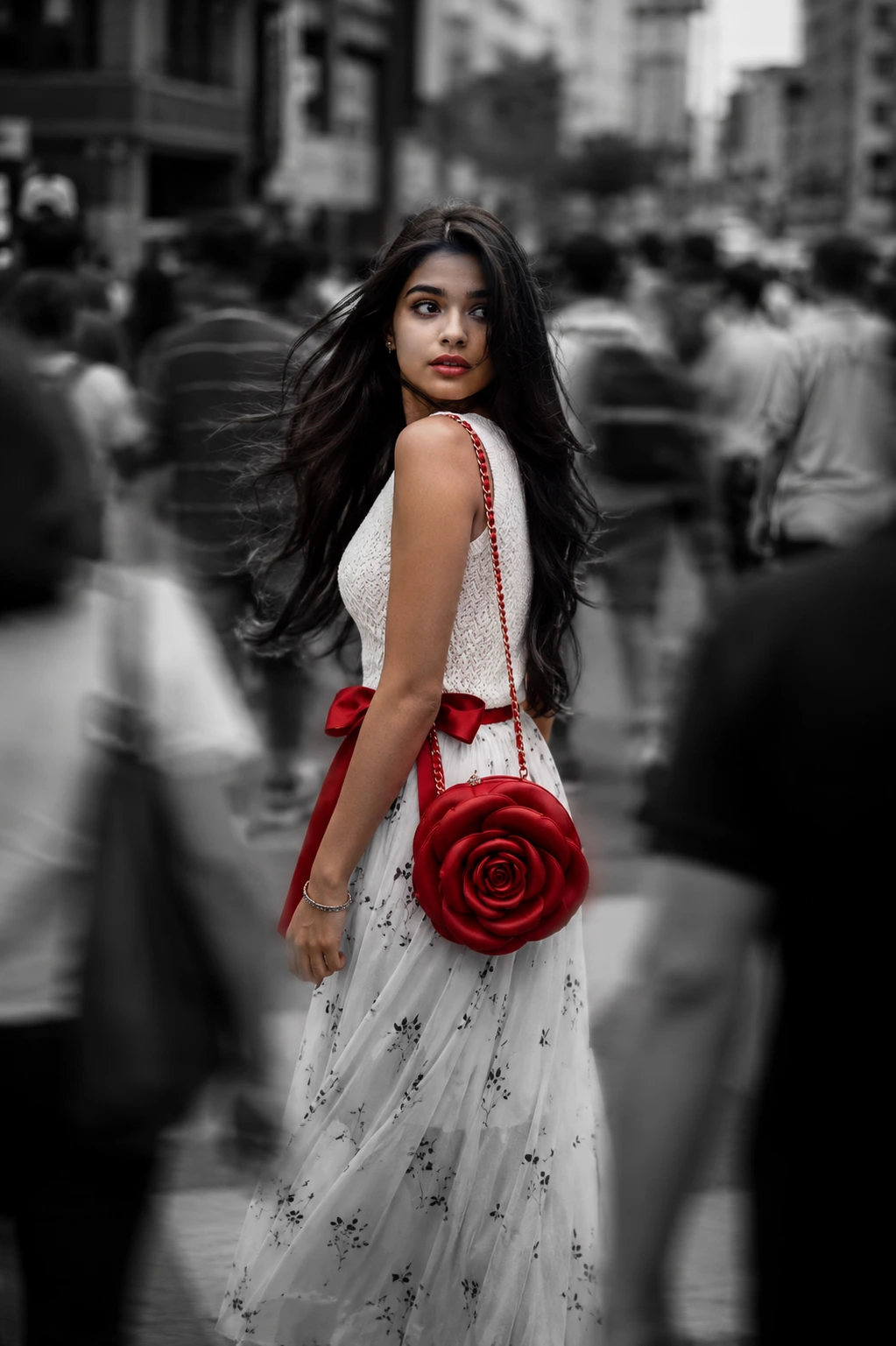
Red Rose in the Monochrome Crowd
A detailed women image titled "Red Rose in the Monochrome Crowd", crafted with approximately 191 words of visual direction for Chat GPT. It produces a finished visual showcasing clear subject focus, harmonious color treatment, and refined environmental context suitable for portfolio, editorial, or commercial concept projects. Shallow depth of field with creamy optical bokeh draws immediate visual attention to fine subject details. Specific tactile material descriptors prevent flat procedural rendering, prompting the AI to render realistic tactile surface qualities. Industry-standard editorial and compositional cues guide the generative model toward balanced framing and restrained color harmony.
Prompt Content
Use this prompt in your favorite AI image generator.
A cinematic street portrait of a young woman walking through a crowded city, with the subject perfectly sharp while the surrounding pedestrians are blurred using a dramatic panning motion effect. The entire image is monochrome black and white except for the woman, which remains the only vivid color in the scene. She wears a Sleeveless white textured knit top paired with a flowy white chiffon skirt featuring delicate black floral prints and a bold red bow waist belt.She glances back over her shoulder with a calm, thoughtful expression, loose wind-swept hair, soft natural makeup, and a luxury shoulder bag with a deep-red rose-shaped designer crafted with layered sculpted petals and a matching chain shoulder strap. The busy urban background is filled with fast-moving commuters rendered as ghostly motion blur, emphasizing loneliness amidst the crowd. Soft overcast daylight, shallow depth of field, subtle film grain, realistic skin texture, cinematic contrast, emotional storytelling, editorial fashion photography, premium fine-art street photography, ultra-photorealistic, Leica M11 look, Kodak Tri-X black and white film aesthetic with selective color, 50mm lens, f/1.8, ISO 100, 1/20s shutter speed, natural ambient lighting, high dynamic range, ultra-detailed, award-winning composition, 8K. Image
How To Use
Reusable Guide- 1Copy the complete prompt text into your preferred AI image generator (e.g., Chat GPT).
- 2Review the initial output against the recommended aspect ratio (9:16) to verify composition.
- 3Customize the key variables above (such as subject identity or focal length & lens) to suit your creative vision.
- 4Refine the guidance scale or apply negative prompt exclusions to eliminate any artifacts without compromising image fidelity.
For best results, use this prompt as-is before making edits — the defaults are already optimised.