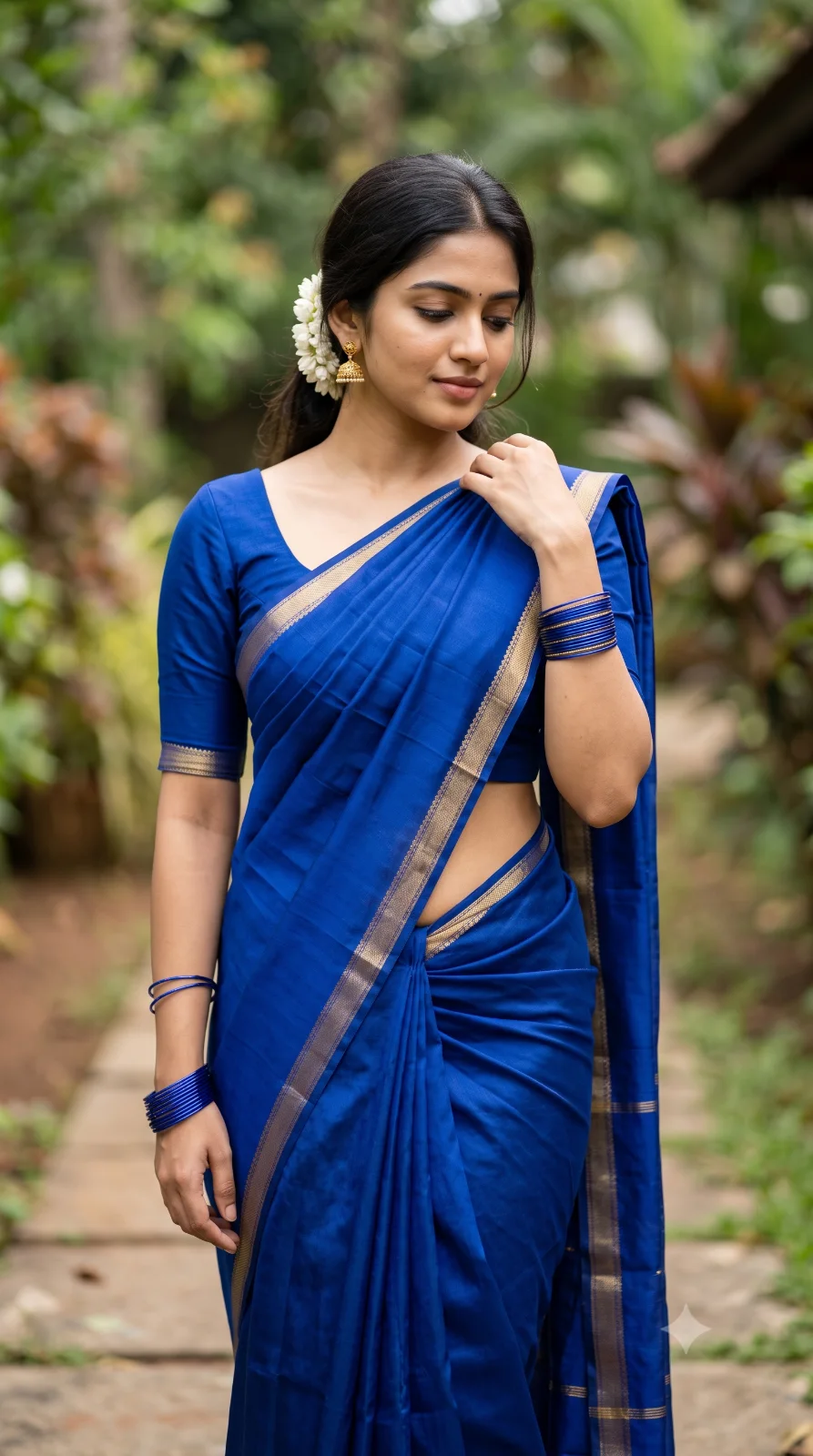
Elegant Saree Portrait: Young Woman
Create an epic women AI image using this high-quality prompt optimized for Gemini AI image generation.
Prompt Content
Use this prompt in your favorite AI image generator.
Create a portrait captures a young woman in an outdoor setting, elegantly presented in traditional attire. * *Attire:* She is wearing a vibrant, solid royal blue saree draped classically over her shoulder, accentuating her form. The ensemble is styled with matching blue bangles, subtle earrings, and a single white flower tucked behind her ear. She has bare waist midriff and belly button at maximum. * *Pose & Anatomy:* The subject stands with a gentle, downward gaze, her hand resting gracefully on her shoulder. Her physique is naturally curvaceous and feminine, featuring well-developed, proportionate breasts and a soft, shapely midriff. Her body structure is rendered with 100% anatomical accuracy, maintaining a balanced, graceful, and hourglass silhouette. * *Setting:* The background is a softly blurred outdoor environment with neutral, earthy tones, keeping the focus entirely on the subject. The lighting is soft and flattering, emphasizing the rich, bold color of her saree. * *Details:* The image is clear, sharp, and focused on her features.
How To Use
Reusable Guide- 1Copy the prompt using the "Copy Prompt" button above.
- 2Open your preferred AI model (Gemini AI) and paste the prompt into the input field.
- 3Optionally, replace bracketed placeholders (e.g. [subject], [style]) with your own values to personalise the output.
- 4Run the prompt and review the result — iterate by tweaking descriptors for different moods or compositions.
- 5Save or export your favourite generations directly from the AI tool's interface.
For best results, use this prompt as-is before making edits — the defaults are already optimised.