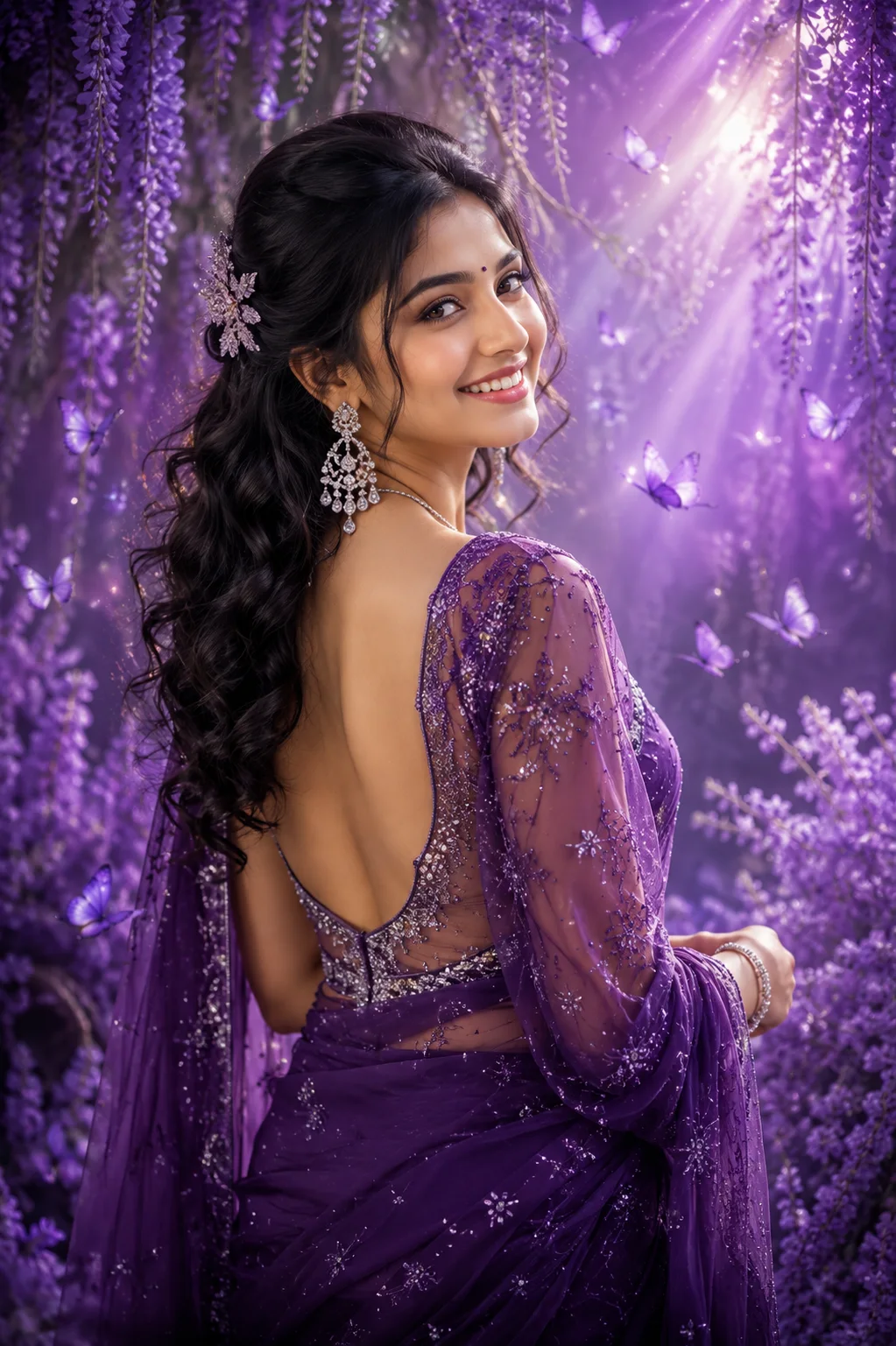
Enchanted Lavender Saree Portrait
A detailed women image titled "Enchanted Lavender Saree Portrait", crafted with approximately 220 words of visual direction for Chat GPT. It produces a finished visual showcasing clear subject focus, harmonious color treatment, and refined environmental context suitable for portfolio, editorial, or commercial concept projects. This prompt balances a distinct women subject with concrete composition, directional lighting, and textural cues. By explicitly defining the atmosphere and photographic parameters, it prevents the generator from resorting to generic procedural styling.
Prompt Content
Use this prompt in your favorite AI image generator.
Ethereal portrait photograph of a young woman with wavy dark hair styled elegantly to one side, cascading down in loose curls with a decorative hair accessory pinned near her crown. She glances back over her shoulder with a warm, radiant smile, showing a bindi on her forehead. She wears an ornate silver/diamond chandelier drop earring and a delicate matching necklace, along with a sparkling bracelet on her wrist. She's dressed in a stunning deep purple/violet saree with intricate sequin and beadwork embellishments throughout, featuring a sheer, delicately embroidered blouse with a low, open back design showing her bare shoulders and back elegantly. The backless blouse has fine crystal and thread detailing along the border. The background is a dreamy, enchanted garden filled with abundant purple wisteria and lavender flowers cascading from above and surrounding her on all sides.Delicate, glowing purple butterflies flutter throughout the scene, adding a magical, whimsical quality. Soft rays of ethereal light beam down diagonally from the upper right corner, creating a luminous, fairy-tale atmosphere. The entire color palette is a rich monochromatic scheme of deep purples, violets, and lavenders with silver sparkle accents. The lighting is soft, mystical, and glowing with a dreamy soft-focus quality throughout.The overall aesthetic is fantastical, romantic, and enchanting with a digital art/fantasy photography style. The mood is magical, elegant, and captivating.
How To Use
Reusable Guide- 1Copy the complete prompt text into your preferred AI image generator (e.g., Chat GPT).
- 2Review the initial output against the recommended aspect ratio (9:16) to verify composition.
- 3Customize the key variables above (such as subject identity or focal length & lens) to suit your creative vision.
- 4Refine the guidance scale or apply negative prompt exclusions to eliminate any artifacts without compromising image fidelity.
For best results, use this prompt as-is before making edits — the defaults are already optimised.