Eternal Bloom — The Marble Transformation Atelier
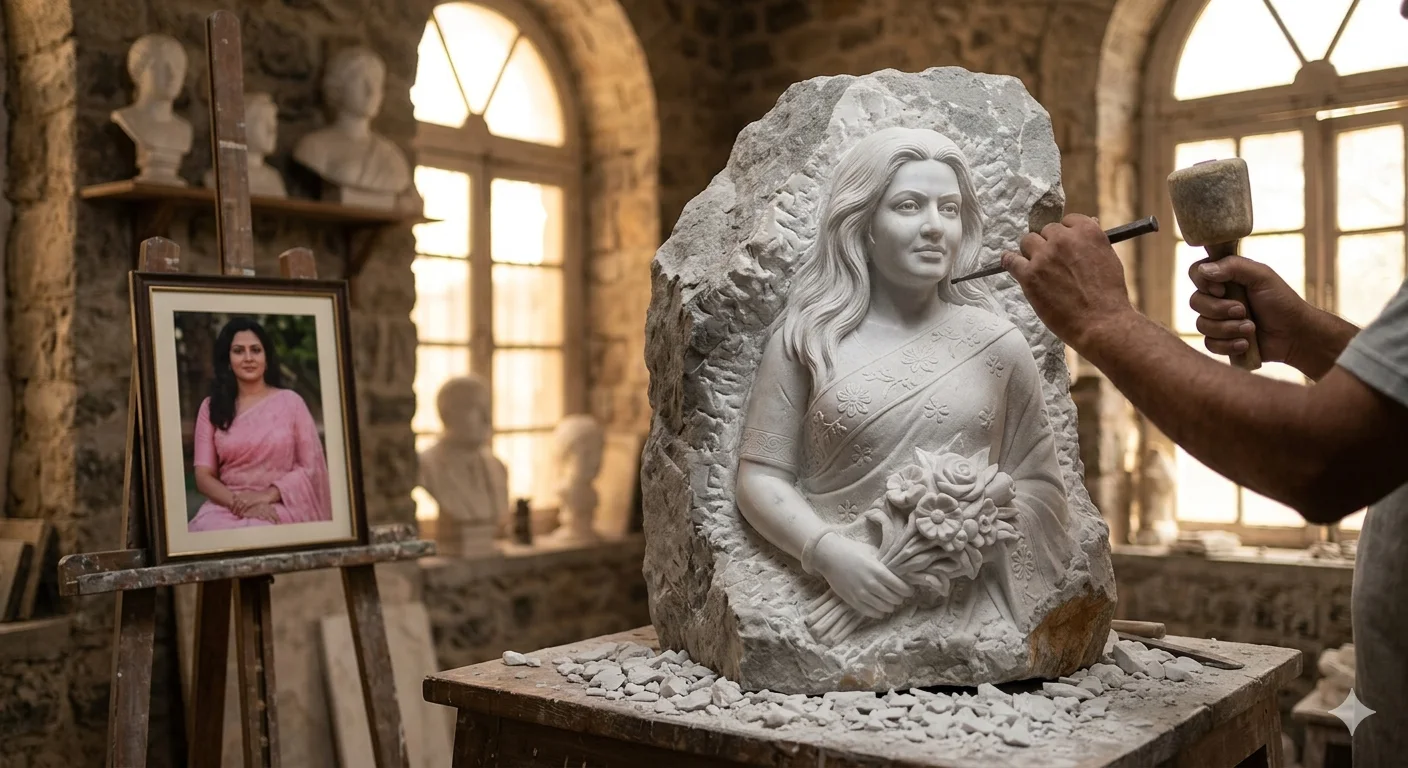
A detailed product image titled "Eternal Bloom — The Marble Transformation Atelier", crafted with approximately 103 words of visual direction for Gemini AI. It produces a finished visual showcasing clear subject focus, harmonious color treatment, and refined environmental context suitable for portfolio, editorial, or commercial concept projects. Precise rim lighting outlines the subject's silhouette, cleanly separating foreground elements from the environment. Shallow depth of field with creamy optical bokeh draws immediate visual attention to fine subject details. Specific tactile material descriptors prevent flat procedural rendering, prompting the AI to render realistic tactile surface qualities.
Prompt Content
Use this prompt in your favorite AI image generator.
Cinematic fine-art sculpture atelier, warm golden sunlight through tall window with volumetric god rays and floating dust. Center: unfinished marble sculpture emerging from rough black stone, inspired by the uploaded woman—soft symmetrical face, flowing swept-back hair, elegant floral embroidered sari, holding carved flowers. Left: wooden easel with framed color portrait of the same woman in a peach-pink sari among blooming flowers. Right: only sculptor’s hands visible carving with hammer and chisel. Classical busts blurred in background, stone fragments and tools on workbench. Ultra-realistic marble textures, dramatic rim light, soft shadows, shallow depth of field, museum-quality, transformation from photo to stone, cinematic masterpiece, 8k.
How To Use
Reusable Guide- 1Copy the complete prompt text into your preferred AI image generator (e.g., Gemini AI).
- 2Review the initial output against the recommended aspect ratio (1:1) to verify composition.
- 3Customize the key variables above (such as product hero item or pedestal & staging) to suit your creative vision.
- 4Refine the guidance scale or apply negative prompt exclusions to eliminate any artifacts without compromising image fidelity.
For best results, use this prompt as-is before making edits — the defaults are already optimised.