MOONLIT BUTTERFLY ASCENSION: Ethereal Dark Fantasy Transformation Portrait
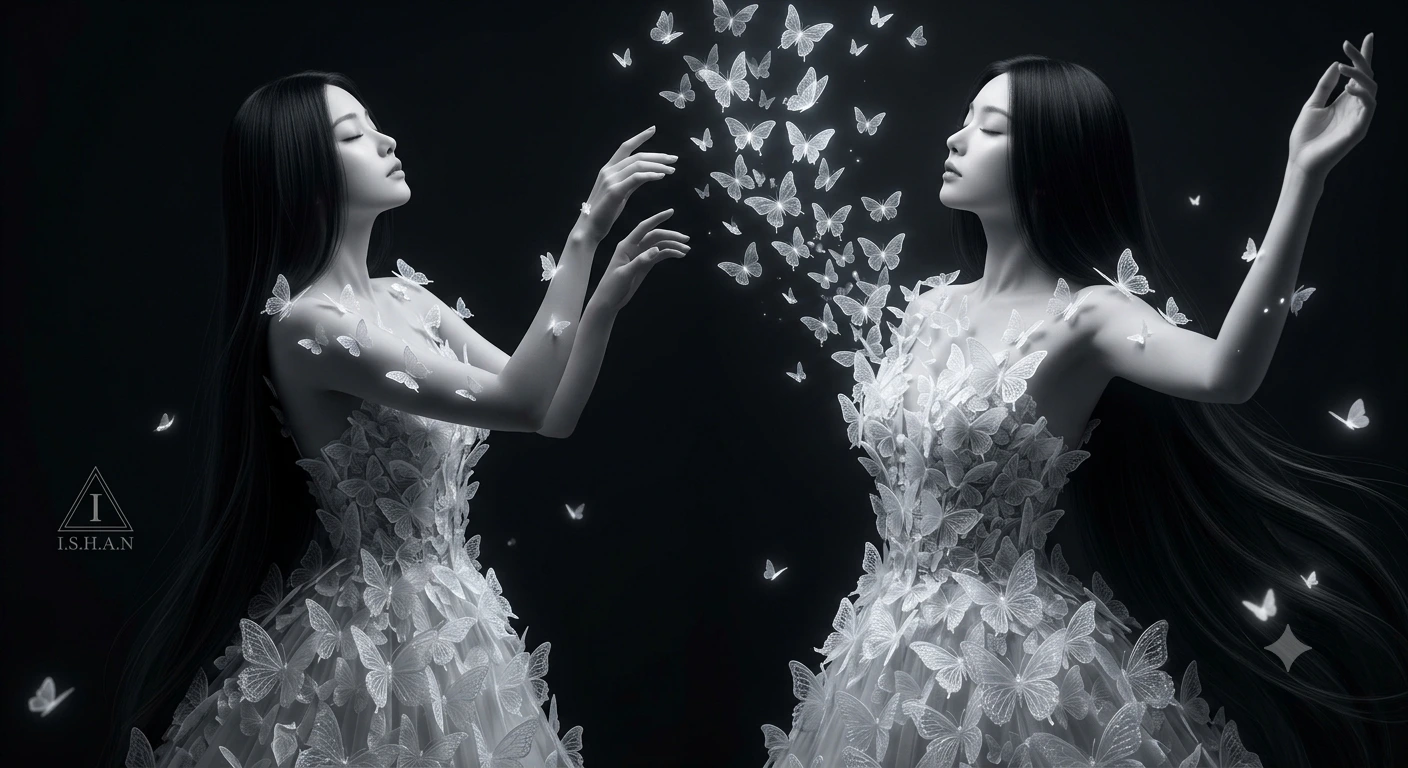
MOONLIT BUTTERFLY ASCENSION: Ethereal Dark Fantasy Transformation Portrait is a portrait image-generation prompt prepared for Gemini AI. The prompt is approximately 206 words long and describes subject identity, facial detail, lighting, pose, and camera-style direction. It gives particular attention to lighting, camera direction, environment, and other visual details. Use it as a starting point, then adjust the subject, setting, or visual treatment to match your own project.
Prompt Content
Use this prompt in your favorite AI image generator.
A surreal dark fantasy portrait of an ethereal young woman standing gracefully against a deep black background, ultra-detailed magical realism style. She has extremely long silky black hair flowing down her body, porcelain skin, delicate facial features, and closed eyes with a peaceful expression, her head tilted upward in elegance.Her entire gown is formed from hundreds of translucent white butterflies, layered like delicate lace and crystal petals, creating a breathtaking butterfly dress that wraps around her body naturally. Tiny butterflies rest on her shoulders, arms, and skin, while countless glowing white butterflies rise upward from her chest and body into the air like a magical transformation.The butterflies have soft translucent wings with intricate textures and subtle shimmer, appearing almost made of frost and moonlight. The atmosphere is cinematic, mysterious, and dreamlike, with dramatic studio lighting highlighting the contrast between the glowing butterflies and the dark black backdrop.ishan.edits94 9h Hyper-realistic details, elegant composition, soft shadows, luxury fantasy fashion aesthetic, high contrast, monochrome tones, fine-art photography style, surreal beauty, ultra-HD, 8K, masterpiece, volumetric lighting, emotional fantasy atmosphere.” In the left bottom corner add a small triangle with a stylized "I" inside it and a text "I.S.H.A.N" beneath it. Keep the face 100% same as in the uploaded picture.
How To Use
Reusable Guide- 1Copy the full prompt and paste it into Gemini AI.
- 2Keep the core subject and visual direction intact on the first generation so you can see the intended result before changing details.
- 3Replace or edit specific elements such as the subject, outfit, location, mood, camera direction, or color treatment when the prompt includes those details.
- 4Generate a first version, identify the part that needs improvement, and make one or two targeted changes instead of rewriting everything at once.
- 5Save the version that works best and record the changes you made if you want to reuse the same visual approach later.
For best results, use this prompt as-is before making edits — the defaults are already optimised.