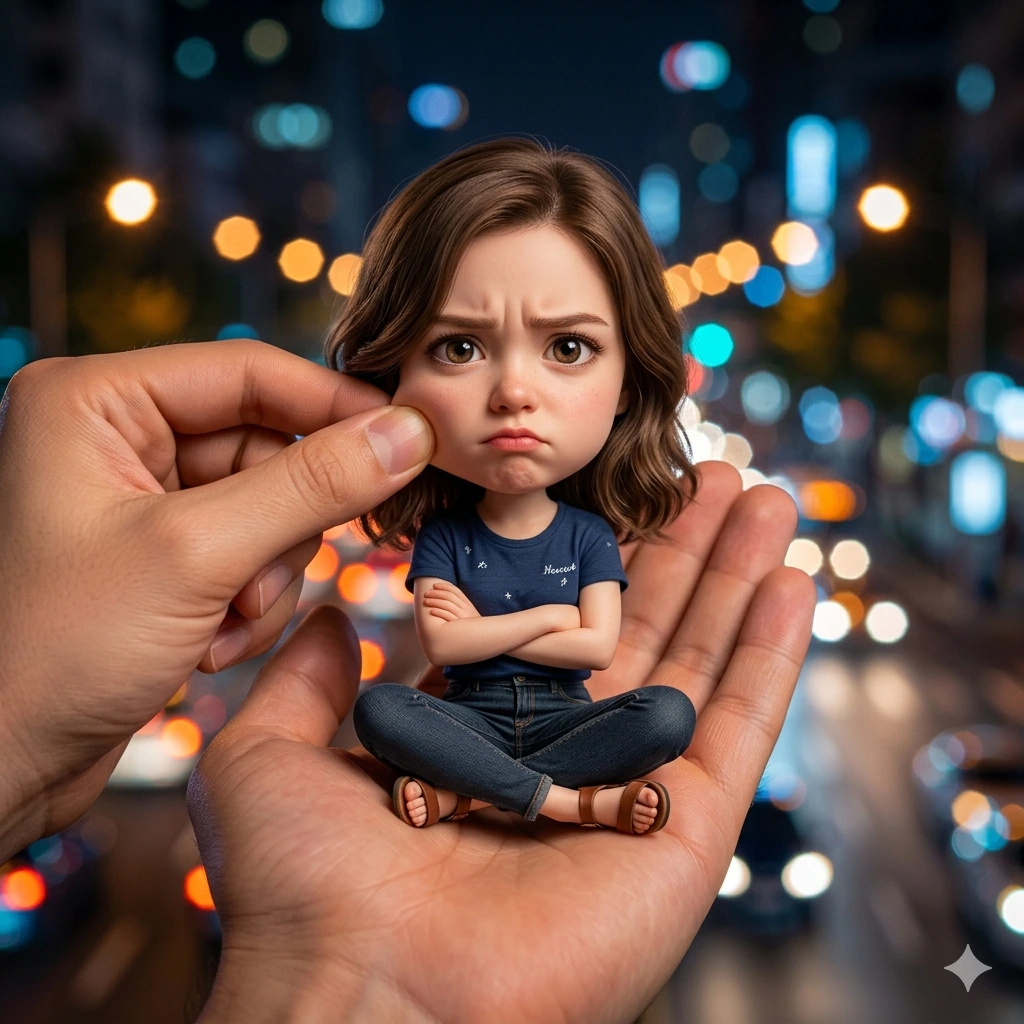
Pocket Mood – Cinematic Big-Head Miniature Portrait in Hand with Urban Night Bokeh
Create an epic women AI image using this high-quality prompt optimized for Gemini AI image generation.
Prompt Content
Use this prompt in your favorite AI image generator.
Create a stylized big-head miniature portrait in a 1:1 aspect ratio. A young woman appears as a tiny character with a slightly enlarged head and a small body, sitting inside a large human hand. Pose: seated cross-legged, arms crossed, slightly pouty with an angry but adorable expression, looking directly at the camera. Environment: blurred city night background filled with colorful bokeh lights. Add a second hand gently pinching or adjusting her cheek for a playful and cute effect. Outfit: casual t-shirt, fitted pants or jeans, and sandals. Appearance: feminine facial features, expressive eyes, soft skin, natural hairstyle, charming and cute miniature proportions. Lighting: soft cinematic lighting, shallow depth of field, ultra-realistic details, clean focus, high-resolution, professional photography style, realistic skin texture, detailed clothing folds, premium quality, 8K. Style: whimsical miniature character, big-head cute proportions, photorealistic, highly detailed, adorable yet slightly grumpy expression, realistic hand interaction, cinematic portrait photography.
How To Use
Reusable Guide- 1Copy the prompt using the "Copy Prompt" button above.
- 2Open your preferred AI model (Gemini AI) and paste the prompt into the input field.
- 3Optionally, replace bracketed placeholders (e.g. [subject], [style]) with your own values to personalise the output.
- 4Run the prompt and review the result — iterate by tweaking descriptors for different moods or compositions.
- 5Save or export your favourite generations directly from the AI tool's interface.
For best results, use this prompt as-is before making edits — the defaults are already optimised.