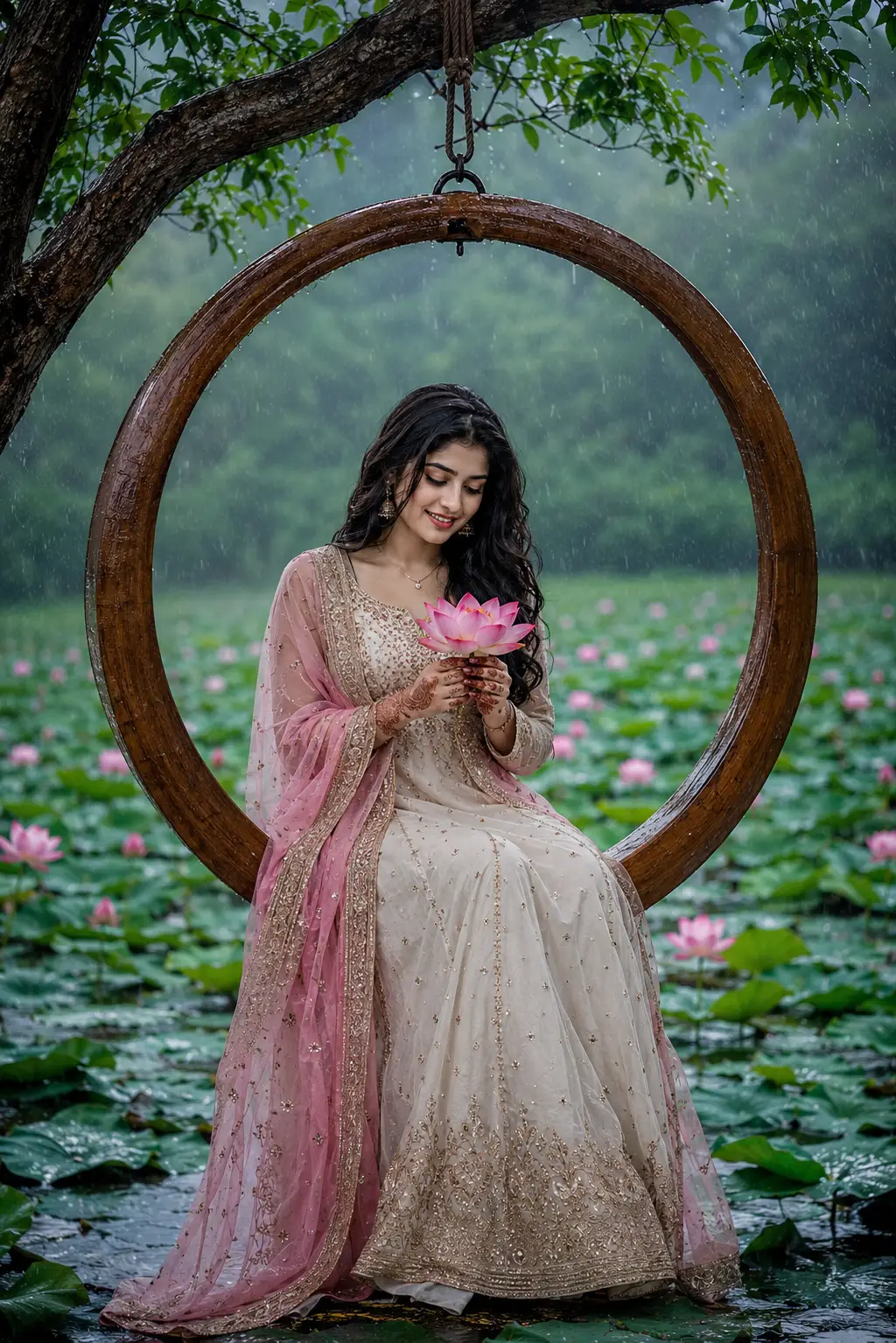
Rainy Lotus Swing Serenity
A detailed women image titled "Rainy Lotus Swing Serenity", crafted with approximately 138 words of visual direction for Chat GPT. It produces a finished visual showcasing clear subject focus, harmonious color treatment, and refined environmental context suitable for portfolio, editorial, or commercial concept projects. Chiaroscuro lighting introduces deep shadow contrast, evoking mood and artistic gravitas. Shallow depth of field with creamy optical bokeh draws immediate visual attention to fine subject details. Specific tactile material descriptors prevent flat procedural rendering, prompting the AI to render realistic tactile surface qualities.
Prompt Content
Use this prompt in your favorite AI image generator.
A realistic, cinematic photo of a young Indian girl sitting gracefully inside a large suspended circular wooden hoop swing hanging from an overhanging tree branch. She is wearing an elegant off-white embroidered Anarkali dress with intricate gold work and a sheer, embellished pink dupatta draped over her shoulders. She is gently holding a bright pink blooming lotus flower in both hands, looking down softly with a gentle smile. Her hands feature delicate henna/mehndi designs. She has long, dark wavy hair falling over her shoulders, wearing minimal gold jewelry including a light necklace and small jhumkas. The setting is a misty, rainy outdoor scene over a lotus pond filled with blooming pink lotus flowers and lush green lily pads. Moody monsoon aesthetic, soft natural lighting, wet wooden textures, deep atmospheric greens, high details, 8k resolution, cinematic depth of field.
How To Use
Reusable Guide- 1Copy the complete prompt text into your preferred AI image generator (e.g., Chat GPT).
- 2Review the initial output against the recommended aspect ratio (9:16) to verify composition.
- 3Customize the key variables above (such as subject identity or focal length & lens) to suit your creative vision.
- 4Refine the guidance scale or apply negative prompt exclusions to eliminate any artifacts without compromising image fidelity.
For best results, use this prompt as-is before making edits — the defaults are already optimised.