Realistic Portrait Garden Scene
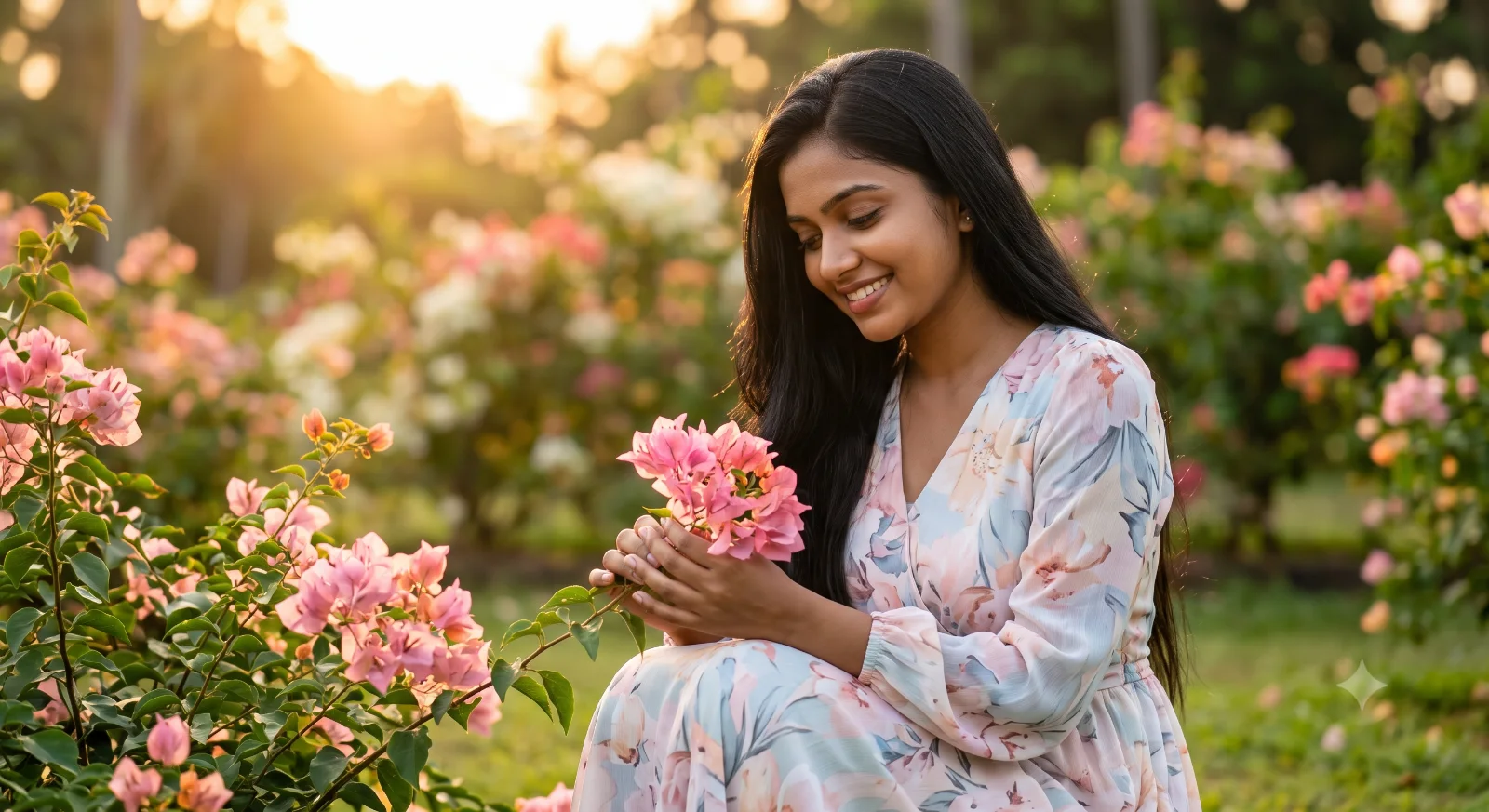
Create an epic women AI image using this high-quality prompt optimized for Gemini AI image generation.
Prompt Content
Use this prompt in your favorite AI image generator.
📸 Create an ultra-realistic 8K cinematic portrait using the uploaded face reference. 👩 The girl's face must naturally match the uploaded face exactly, keeping the same facial features, skin tone, hairstyle, facial proportions, and natural smile. Only the face should resemble the uploaded person while the rest of the image is newly created. 🌸 She is sitting peacefully in a beautiful flower garden filled with blooming soft pink flowers, gently holding a cluster of flowers with both hands while looking down with a sweet natural smile. 🌿 Remove the flower crown/headband completely. Nothing should be on her head. Let her long black hair flow naturally with a few soft loose strands moving gently in the breeze. 👗 Replace the outfit with a premium, elegant, modest long maxi dress in soft pastel floral colors (light blue, blush pink, lavender, or cream). The dress should look expensive, classy, fashionable, and suitable for a beautiful young Sri Lankan girl without being overly glamorous. 🌳 The background should remain a lush botanical flower garden with vibrant greenery, blooming flowers, warm golden-hour evening sunlight, soft natural lighting, creamy background bokeh, and a peaceful romantic atmosphere. 📱 The image should look like it was captured on a flagship smartphone in Portrait Mode with natural HDR colors, realistic skin texture, shallow depth of field, premium color grading, and authentic Sri Lankan outdoor aesthetics. ✨ Ultra-photorealistic, DSLR-quality, cinematic composition, highly detailed, elegant, realistic, 8K quality. 🚫 Negative Prompt: flower crown, headband, tiara, watermark, logo, text, signature, AI artifacts, cartoon style, blur, low quality, extra fingers, distorted face, duplicate flowers, unrealistic body proportions.
How To Use
Reusable Guide- 1Copy the prompt using the "Copy Prompt" button above.
- 2Open your preferred AI model (Gemini AI) and paste the prompt into the input field.
- 3Optionally, replace bracketed placeholders (e.g. [subject], [style]) with your own values to personalise the output.
- 4Run the prompt and review the result — iterate by tweaking descriptors for different moods or compositions.
- 5Save or export your favourite generations directly from the AI tool's interface.
For best results, use this prompt as-is before making edits — the defaults are already optimised.