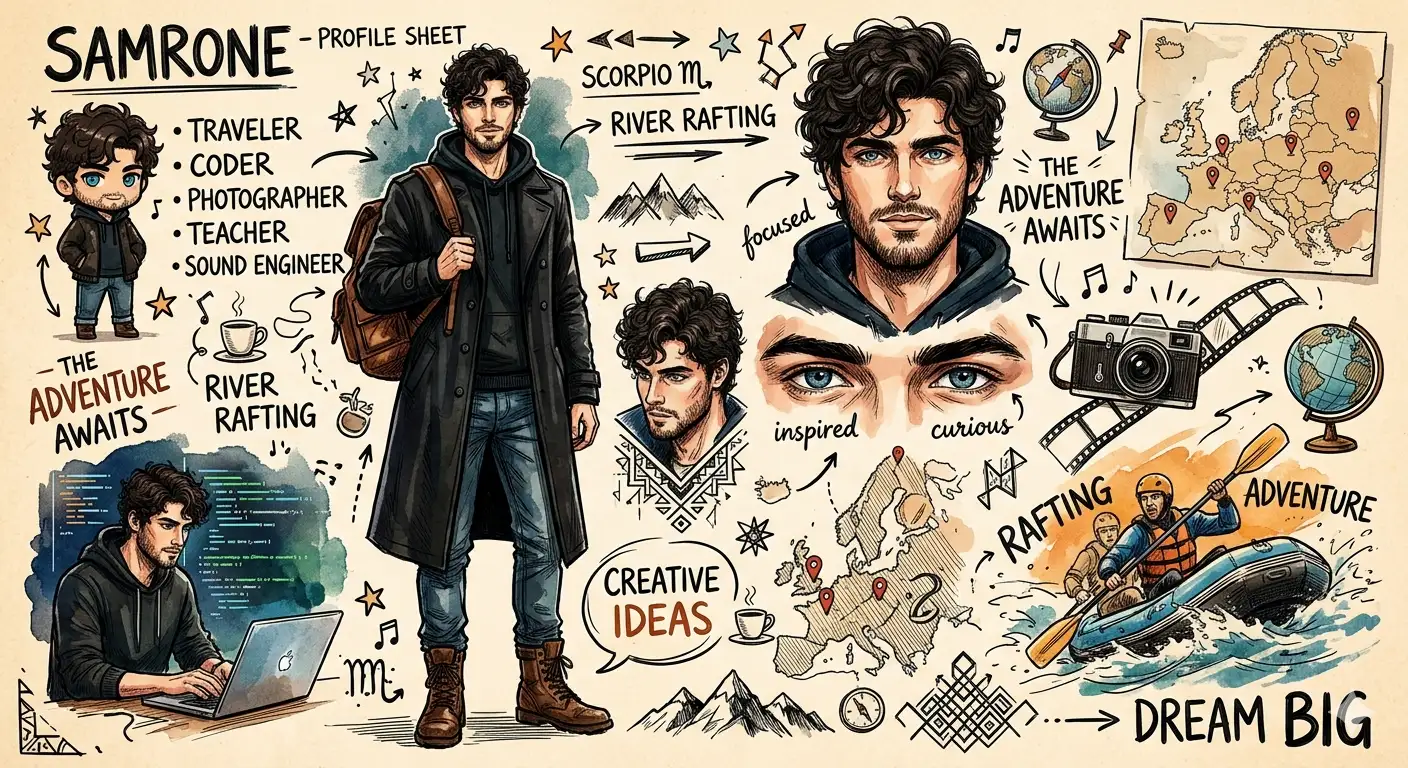
SAMRONE — The Creative Identity Sketchbook
Create an epic anime AI image using this high-quality prompt optimized for Gemini AI image generation.
Prompt Content
Use this prompt in your favorite AI image generator.
A stylish illustrated character profile sheet of a handsome young man named “SAMRONE”, sketchbook aesthetic, mixed media ink and watercolor style, highly detailed fashion portrait, messy dark curly hair, sharp blue eyes, short beard, confident expression, wearing a long black trench coat, dark casual clothes, brown leather backpack, rugged boots.The page layout includes multiple poses and close-up portraits, surrounded by handwritten notes, doodles, symbols, travel sketches, cameras, mountains, coding references, and adventure elements. Personality board design with handwritten text such as traveler, coder, photographer, teacher, sound engineer, Scorpio zodiac sign, river rafting, creative ideas, life goals, motivational notes.Includes small chibi version of the character, laptop working scene, rafting action scene, map sketches, stars, arrows, and artistic scribbles. Modern concept art meets fashion illustration, dynamic ink strokes, expressive line art, textured watercolor shading, warm paper background, cinematic composition, Pinterest aesthetic, highly detailed, visually rich, creative journal vibe, character design sheet, semi-realistic comic illustration.
How To Use
Reusable Guide- 1Copy the prompt using the "Copy Prompt" button above.
- 2Open your preferred AI model (Gemini AI) and paste the prompt into the input field.
- 3Optionally, replace bracketed placeholders (e.g. [subject], [style]) with your own values to personalise the output.
- 4Run the prompt and review the result — iterate by tweaking descriptors for different moods or compositions.
- 5Save or export your favourite generations directly from the AI tool's interface.
For best results, use this prompt as-is before making edits — the defaults are already optimised.