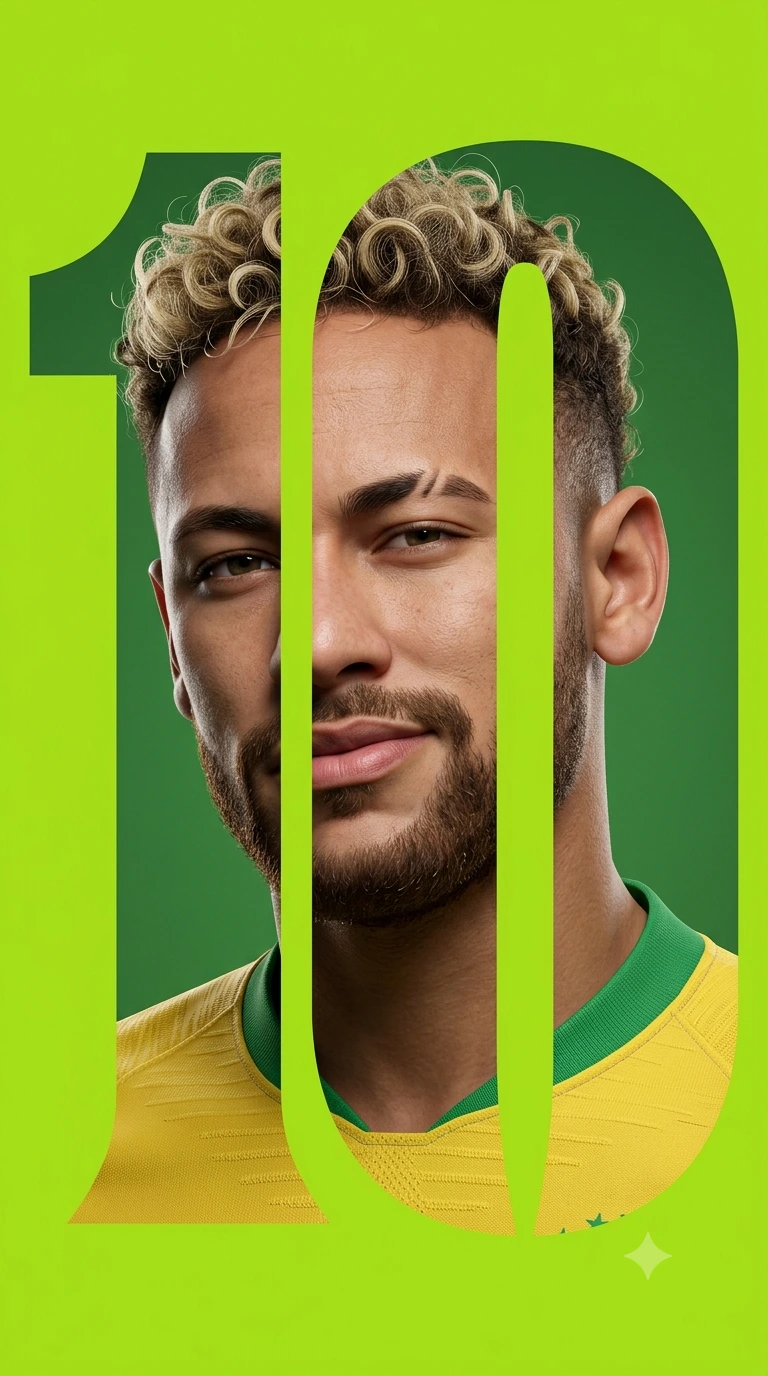
TEN OF GLORY: Negative Space Sports Editorial Portrait
Create an epic portrait AI image using this high-quality prompt optimized for Gemini AI image generation.
Prompt Content
Use this prompt in your favorite AI image generator.
A high-end 3D digital portrait of a handsome young man with stylized curly blonde-tipped hair and a groomed beard, integrated into a bold "Negative Space Typography" design. The portrait is sliced and masked into the shape of a large, stylized number "10" or a custom geometric serif letterform. The subject has a confident, slight smirk and a notched eyebrow.He wears a yellow and green athletic jersey. The background is a solid, vibrant lime green, creating a sharp contrast. The lighting is soft and cinematic with a clean, studio-lit aesthetic. The overall style is a blend of FIFA-style character renders and modern sports editorial poster design, ultra-realistic textures, 8k resolution. Aspect ratio is 9:16
About This Prompt
Auto GeneratedThis is a high-quality Portrait AI prompt crafted by Admin. It is designed to produce realistic, expressive portrait visuals with minimal iteration. The prompt uses carefully selected descriptors and stylistic cues optimised for Gemini AI, making it ideal for creators who want consistent, professional results.
How To Use
Reusable Guide- 1Copy the prompt using the "Copy Prompt" button above.
- 2Open your preferred AI model (Gemini AI) and paste the prompt into the input field.
- 3Optionally, replace bracketed placeholders (e.g. [subject], [style]) with your own values to personalise the output.
- 4Run the prompt and review the result — iterate by tweaking descriptors for different moods or compositions.
- 5Save or export your favourite generations directly from the AI tool's interface.
For best results, use this prompt as-is before making edits — the defaults are already optimised.