Wandergram Dreams: The Creator’s Journey
Create an epic anime AI image using this high-quality prompt optimized for Gemini AI image generation.
Prompt Content
Use this prompt in your favorite AI image generator.
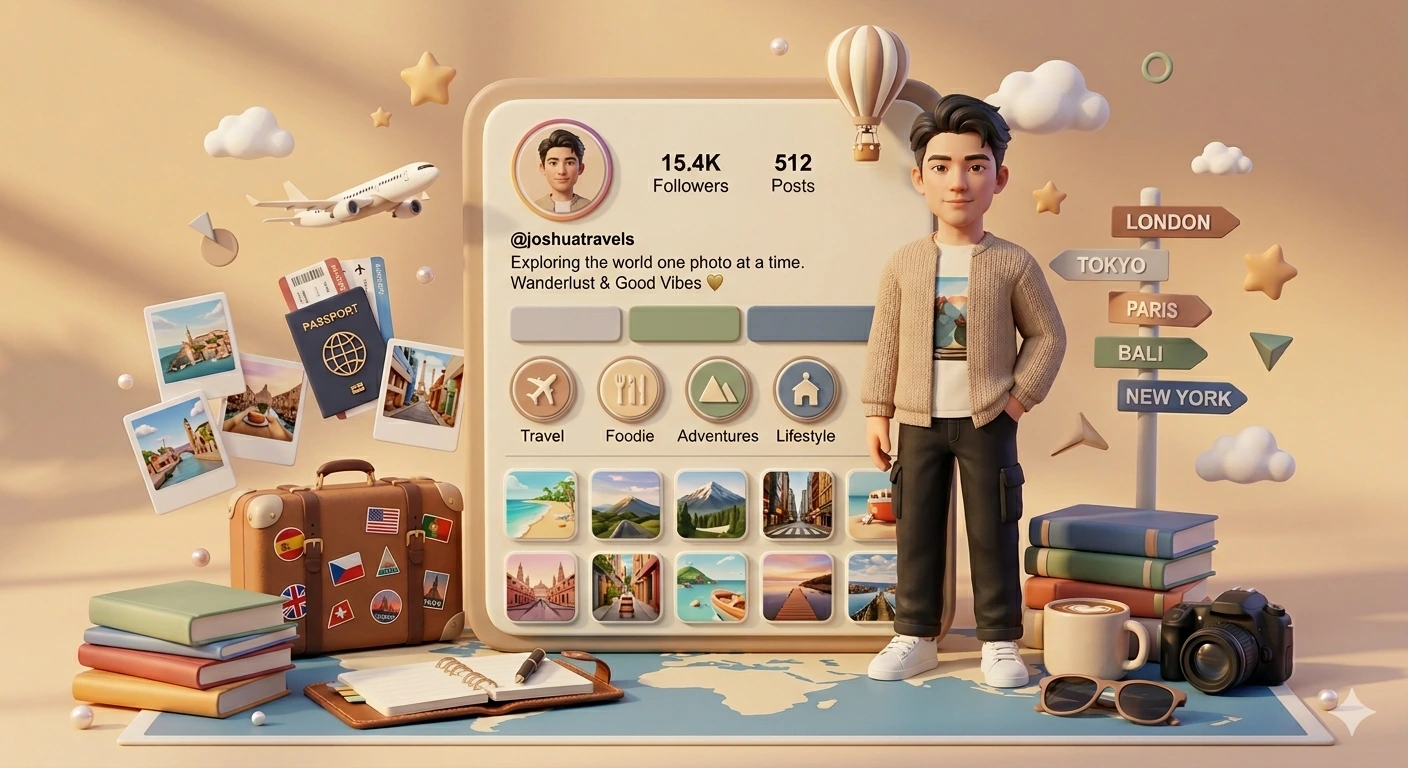
Generate an image using this prompt and give image - use the uploaded images as references and create an ultra-cute 3d instagram diorama. image a is the user’s photo reference — transform the person into a pixar-style semi-realistic 3d male figurine with 100% same facial identity, preserving the face, hairstyle, expression, and overall recognizable look, while styling the character with stylish short hair, a casual trendy outfit, sneakers, soft facial features, and a gentle confident smile standing naturally in front. image b is the instagram profile reference — recreate it as a soft rounded instagram profile panel in beige, cream, light grey, sage green, and muted blue tones, clearly showing the profile picture, username, bio, followers, story highlights, and grid thumbnails in a cute stylized 3d format. surround the scene with travel props such as suitcase stickers, an airplane, passport, tickets, polaroids, a signpost, a hot air balloon, and a world map base. add cozy desk items like books, a planner, a mug, pens, a camera, and sunglasses. decorate the overall scene with soft stars, clouds, subtle geometric accents, pearls, and clay textures. use warm golden-hour lighting, dreamy shadows, depth of field, and a slightly low-angle centered composition. the final result should look like an ultra-detailed blender-style 4k 3d diorama, clean, aesthetic, polished, and visually rich.
How To Use
Reusable Guide- 1Copy the prompt using the "Copy Prompt" button above.
- 2Open your preferred AI model (Gemini AI) and paste the prompt into the input field.
- 3Optionally, replace bracketed placeholders (e.g. [subject], [style]) with your own values to personalise the output.
- 4Run the prompt and review the result — iterate by tweaking descriptors for different moods or compositions.
- 5Save or export your favourite generations directly from the AI tool's interface.
For best results, use this prompt as-is before making edits — the defaults are already optimised.