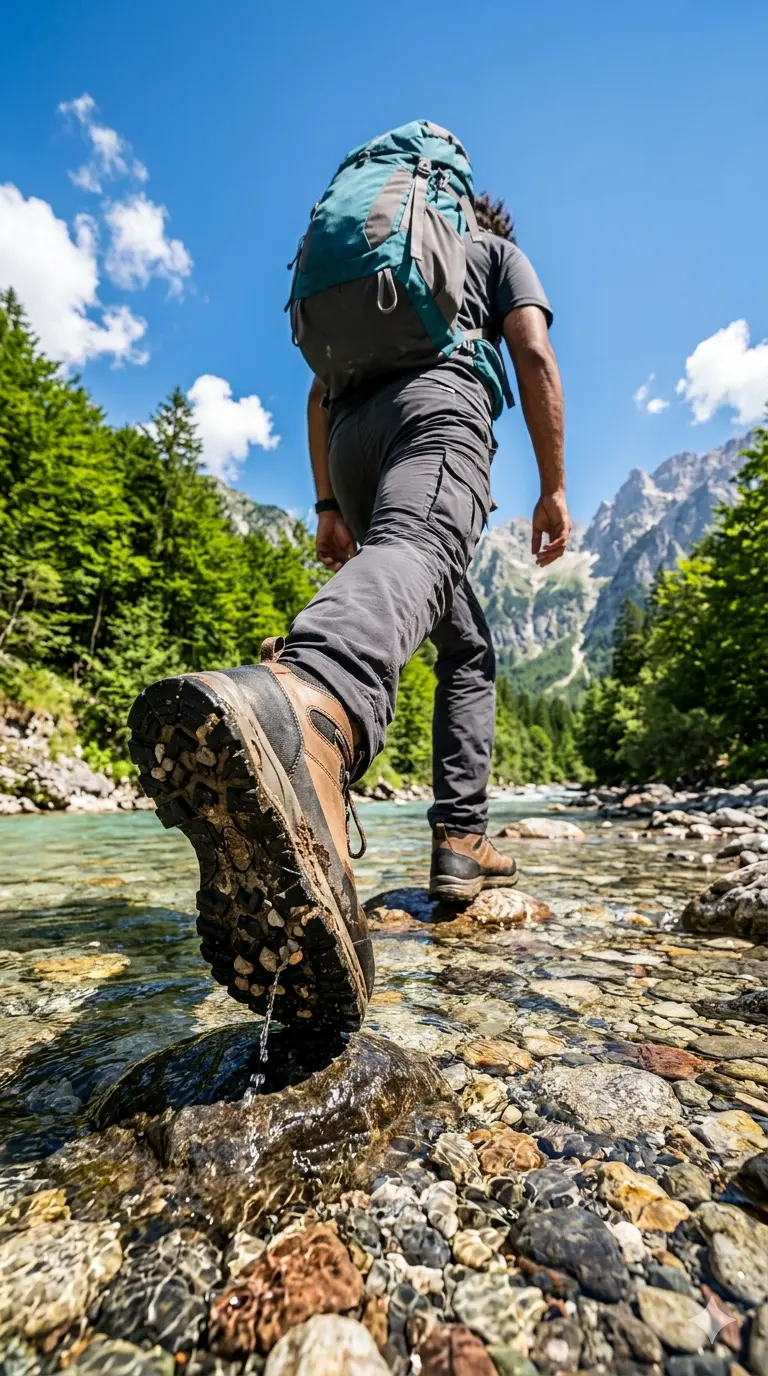
Wilderness Step – Dramatic Low-Angle River Crossing Hiker Adventure Shot
A detailed nature & landscape image titled "Wilderness Step – Dramatic Low-Angle River Crossing Hiker Adventure Shot", crafted with approximately 122 words of visual direction for Gemini AI. It produces a finished visual showcasing clear subject focus, harmonious color treatment, and refined environmental context suitable for portfolio, editorial, or commercial concept projects. This prompt balances a distinct nature & landscape subject with concrete composition, directional lighting, and textural cues. By explicitly defining the atmosphere and photographic parameters, it prevents the generator from resorting to generic procedural styling.
Prompt Content
Use this prompt in your favorite AI image generator.
A dramatic, low-angle, worm's-eye view photograph of a young indian man hiker stepping across a clear, messy voluminous spiky brown hair, shallow mountain river, matching the composition of 1000178307.jpg. The foreground prominently features the detailed, chunky sole and tread of a modern hiking boot lifting off a wet rock. The hiker is walking away from the camera, wearing dark grey technical cargo pants, a matching shirt, and a large teal and grey hiking backpack. The river water is crisp and turquoise, flowing over smooth river stones. Lush green trees line the banks, leading to steep mountains under a brilliant blue sky with scattered white clouds and a bright, blazing sun. High-end adventure photography, vivid colors, crisp focus, wide-angle lens, 8k resolution.--ar 9:16
How To Use
Reusable Guide- 1Copy the complete prompt text into your preferred AI image generator (e.g., Gemini AI).
- 2Review the initial output against the recommended aspect ratio (16:9) to verify composition.
- 3Customize the key variables above (such as terrain & topography or weather & atmosphere) to suit your creative vision.
- 4Refine the guidance scale or apply negative prompt exclusions to eliminate any artifacts without compromising image fidelity.
For best results, use this prompt as-is before making edits — the defaults are already optimised.