AI Image Prompt Cheat Sheet for Beginners
“Learn the essential prompt structure, formulas, lighting tips, camera specs, composition rules, and platform-specific cheat sheets to go from vague prompts to professional AI artwork.”
The Problem
You've seen the images. Jaw-dropping visuals that look like they belong in a gallery or a high-budget ad campaign. You type a prompt into the same AI tool. What you get back is... disappointing. Flat. Generic. Obviously AI.
The difference isn't luck or a secret paid tier. It's the prompt.
Most beginners make the same mistake: they treat the AI like a search engine, typing in a few keywords and hoping for the best. But AI image models aren't search engines. They're visual interpreters that need clear, structured instructions to deliver the image in your head. This cheat sheet gives you exactly what you need to go from vague prompts to professional results. No fluff. No jargon. Just actionable techniques you can use right now.
The One Rule to Remember
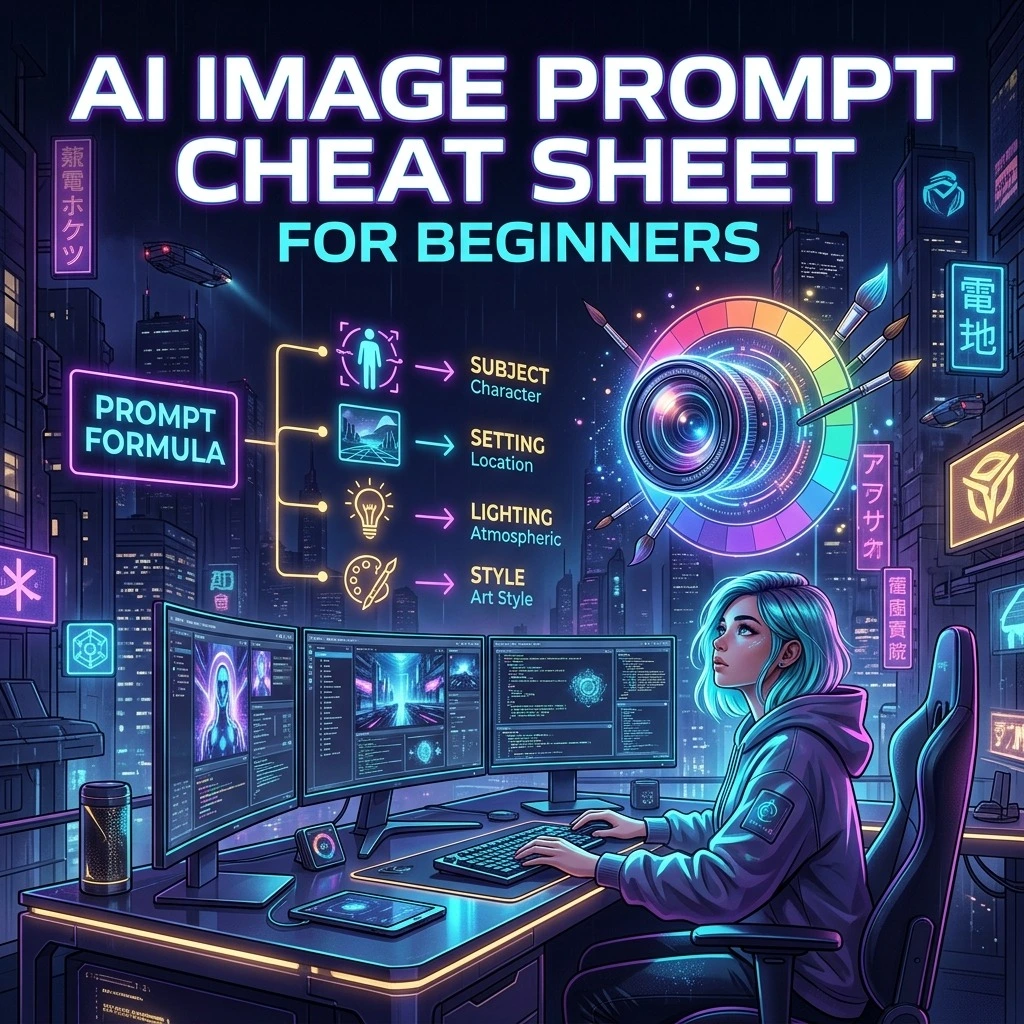
Every effective prompt has the same basic structure. Think of it as a formula:
Subject + Setting + Style + Lighting + Composition + Mood
You don't need all of these every time. But the more dimensions you specify, the more control you have over the output.
What This Means for You
A blank prompt box is intimidating. Using this structure gives you a starting point. You're not guessing anymore—you're following a structured framework that works across Midjourney, DALL-E, Gemini, Stable Diffusion, and most other major tools.
The Core Prompt Structure at a Glance
1. The Subject: Don't Just Say "A Woman"
How you describe the main subject shapes everything downstream.
| Instead Of | Try This |
|---|---|
| "a woman" | "a woman in her early 40s, relaxed expression, natural makeup, wearing a linen shirt, looking slightly off-camera" |
| "a professional" | "a confident man in his 50s, in a well-lit office, slight smile, not looking at the camera" |
| "a dog" | "a golden retriever puppy with floppy ears, lying on grass, tongue slightly out" |
What to Specify for Subjects
Approximate age, expression, posture, clothing style, eye contact direction, and mood.
2. The Setting: Be Specific About the Environment
| Instead Of | Try This |
|---|---|
| "a city street" | "a narrow cobblestone street in an old European city at dusk, ambient yellow streetlights, few pedestrians" |
| "nature" | "ancient redwood forest floor, morning mist, shafts of light filtering through the canopy" |
| "a room" | "a cozy living room with a fireplace, warm wooden furniture, and a large window showing a snowy landscape" |
3. Style: Tell the AI How It Should Look
Style keywords tell the AI which part of its training data to draw from. This is one of the fastest ways to get coherent, distinctive results.
Photography Styles
- Documentary
- Candid
- Editorial
- Commercial product
- Fine art
- Street photography
- Fashion editorial
- Portraiture
Art & Illustration Styles
- Watercolor
- Flat design
- Vector illustration
- Oil painting
- Charcoal sketch
- Digital illustration
- Pixel art
- Ink drawing
Aesthetic References
- Art Deco
- Bauhaus
- Brutalist
- Scandinavian minimalist
- Cottagecore
- Dark academia
- Cyberpunk
Camera & Lens References
- Shot on 35mm film
- Leica aesthetic
- Medium format
- Anamorphic lens
- Macro photography
- Tilt-shift
4. Lighting: The Secret to Professional Results
Lighting is the single variable with the biggest impact on whether an image looks professional or amateur. Here's a quick reference:
| Lighting Type | What It Creates | Use For |
|---|---|---|
| Golden hour | Warm, directional, soft | Lifestyle, outdoor, food |
| Overcast natural light | Even, diffused, no harsh shadows | Portraits, products, editorial |
| Studio lighting | Clean, controlled | Products, headshots, commercial |
| Rim lighting | Subject outlined by light against dark background | Dramatic portraits, hero products |
| Soft box lighting | Evenly lit, flattering | Beauty, skincare, food |
| Dappled light | Spotted light through leaves | Nature, café settings, lifestyle |
| Neon and ambient urban | Moody, colorful | Editorial, nightlife, fashion |
| Low key | Dark overall, deep shadows | Dramatic, mysterious, cinematic |
| High key | Bright overall, minimal shadow | Optimistic, clean, commercial |
| Candle or firelight | Warm, intimate, flickering quality | Lifestyle, cozy, interior |
The Catchlight Trick
For portraits, make sure to add "catchlight in eyes" or "light reflecting in eyes." Without this, eyes can look flat or "dead." It's a tiny addition that makes a massive difference.
5. Composition: Frame the Shot Like a Photographer
| Term | What It Does |
|---|---|
| Close-up / extreme close-up | Fills the frame with subject detail |
| Wide shot | Shows the subject in full environmental context |
| Bird's eye view | Looking straight down |
| Worm's eye view | Looking up at the subject, dramatic perspective |
| Rule of thirds | Subject offset to one side, compositionally balanced |
| Centered / symmetrical | Formal, architectural feel |
| Over-the-shoulder | Implies the perspective of another person in the scene |
| Negative space | Significant empty area around the subject—good for text overlay |
| Leading lines | Architectural or natural elements that draw the eye toward the subject |
6. Mood: Translate Feelings into Visual Terms
| Abstract Mood | Concrete Visual Translation |
|---|---|
| Peaceful | Soft morning light, gentle mist, muted colors |
| Mysterious | Fog, shadows, low-key lighting, hidden faces, deep blue tones |
| Melancholic | Overcast sky, desaturated colors, empty spaces, rain, long shadows |
| Joyful | Bright sunlight, vibrant colors, open spaces, warm golden tones |
| Cinematic | Dramatic lighting, shallow depth of field, film grain, wide aspect ratio |
7. Quality Modifiers
Words like "highly detailed," "photorealistic," "4K resolution," "sharp focus," "hyperrealistic" can encourage the AI to produce more refined images.
A dramatic portrait of a woman with striking features, illuminated by warm golden hour light, highly detailed, sharp focus, photorealistic.
Build Smarter: Use the Prompt Formula
The Universal One-Liner Template
Subject, medium, style, lighting, framing, mood, palette.
Portrait of a barista, film photo, soft rim light, 50mm close-up, warm mood, teal-orange palette.
The Full-Structure Template
A photorealistic [shot type] of [subject], [action or expression], set in [environment]. The scene is illuminated by [lighting description], creating a [mood] atmosphere. Captured with a [camera/lens details], emphasizing [key textures and details].
A photorealistic close-up portrait of an elderly Japanese ceramicist with deep, sun-etched wrinkles and a warm, knowing smile. He is carefully inspecting a freshly glazed tea bowl. The setting is his rustic, sun-drenched workshop. The scene is illuminated by soft, golden hour light streaming through a window, highlighting the fine texture of the clay. Captured with an 85mm portrait lens, resulting in a soft, blurred background (bokeh). The overall mood is serene and masterful.
The Structure-First Approach (For DiT Models)
If you're using modern transformer-based models (like Gemini or Flux), the order of your prompt matters. These models generate from whole to part, so framework belongs at the start:
Composition → Lighting → Depth of Field → Angle → Subject → Environment → Details
Asymmetrical composition, subject on left third, soft side lighting, shallow depth of field with focus on eyes, low angle view, a woman with long black hair and red dress, standing in a rainy city street, glowing neon reflections on wet pavement.
Platform-Specific Cheat Sheet
Different AI models have different strengths. Here's what works best for each:
Gemini (Nano Banana)
Use full, narrative sentences. A descriptive paragraph will almost always produce better results than a list of keywords. Specify "high resolution" for best output.
Midjourney
Use natural language with commas separating concepts. Add parameters at the end such as --ar 16:9, --stylize 250, --chaos 20.
DALL-E
Handles detailed, full-sentence descriptions well. Natural language works best—no special parameters needed.
Stable Diffusion
More technical prompts often work better. Use weighted tokens: (term:1.2) for more emphasis, [term] for less. Negative prompts are particularly important.
Flux
Prompts can be shorter than for other models—the model does heavy lifting. Use Flux Pro for final assets, Flux Dev for rapid iteration.
Negative Prompts: What to Avoid
Some tools have a dedicated negative prompt field. Others respond to plain-language instructions like "avoid" or "do not include".
Positive Prompting Rule
AI models are better at understanding what things are than what they aren't. Instead of saying "no blurry," describe what you want: "crisp focus, sharp details".
Common Negative Prompts
- No text
- No logos
- No watermarks
- No extra objects
- No distorted hands
- No extra fingers
- No cropped subject
- No unrealistic colors
- No busy background
- No duplicate products
- No blurry details
Alternative Approach
If the AI keeps adding an element you don't want, use positive prompting instead. Tell the AI what you do want, not what you don't.
Common Mistakes to Avoid
1. Being Too Vague
A cool car.
A black electric sports car parked on a wet city street at night, neon reflections, low camera angle, cinematic lighting, realistic photography.
2. Adding Too Many Conflicting Details
A minimalist futuristic vintage rustic cyberpunk watercolor photorealistic poster of a coffee shop in a spaceship forest.
A cozy futuristic coffee shop inside a glass space station, warm lighting, realistic cinematic style, view of stars through large windows.
3. Forgetting the Output Format
If the image is for a real channel, include the format:
- Wide hero image
- Square social post
- Vertical story image
- Product card thumbnail
- Email banner
- Blog header
4. Asking for Too Much Text
AI image models can struggle with long copy. Keep text short (under 25 characters) or add it later in post-production.
How to Iterate: From Okay to Great
Step 1: Start Broad
Generate a basic version of your idea to see what the AI understands.
Step 2: Analyze the Results
What worked? What didn't? What's missing?
Step 3: Refine One Element at a Time
Add one detail, run again, then add the next. This way you know exactly what improved (or hurt) the output.
Step 4: Use Variations
Generate 4-8 variations of the same prompt. Minor differences in phrasing can yield dramatically different results.
Step 5: Use Your First Results to Write Better Prompts
A great technique is to let the AI write its own prompt. Ask a chatbot to generate a prompt for the image you want, then use that prompt with your image generator. The AI knows exactly what its image generator responds to best.
I would like to create an image of a sunset over a mountain range. Generate a detailed prompt that I can use to request this image from [AI generator].
The AI will automatically include lighting, style, and composition details you wouldn't have thought to add.
Quick Reference: Prompt Templates
A [photorealistic] [shot type] of [subject], [action or expression], set in [environment]. The scene is illuminated by [lighting description], creating a [mood] atmosphere. Captured with a [camera/lens details], emphasizing [key textures and details]. [Aspect ratio format].
A realistic product image of [product] on [surface/background], [lighting], [composition], [style], [mood], no text, no extra objects.
A wide blog header image for an article about [topic], showing [main visual], [style], [color palette], [composition], no readable text.
A square social media image for [brand/category], featuring [subject], [background], [lighting], [mood], space for a short headline.
Use the uploaded image. Keep [subject] unchanged. Change [specific element] to [new element]. Match [lighting/style]. Avoid [things to avoid].
Final Checklist
Run through this before hitting "generate":
- ✅ Is my subject specific and clearly described?
- ✅ Have I kept the prompt focused on 2-3 key elements?
- ✅ Did I specify style, medium, or artistic technique?
- ✅ Have I included composition and framing details?
- ✅ Is my aspect ratio specified?
- ✅ Am I using positive language instead of negative constraints?
- ✅ Have I translated abstract concepts into concrete visual terms?
- ✅ Is my prompt length appropriate for the platform I'm using?
- ✅ Did I include lighting and atmosphere descriptors?
Conclusion
Writing effective AI image prompts is a skill, not a magic trick. It takes practice, experimentation, and a willingness to learn from both successes and failures.
Start with one technique from this cheat sheet on your next prompt. Add a lighting descriptor. Try a structure-first prompt. Use the "let the AI write its own prompt" trick. Each improvement brings you closer to images that look like they came from a professional.
The models can do it. They just need you to tell them exactly what to do.
Happy prompting!