AI Photography Prompts: Complete Guide to Realistic AI Photos
“Learn how to write AI photography prompts that produce photorealistic images. Master camera lens specs, lighting styles, composition, texture, and avoid plastic-looking AI renders.”
The difference between a plastic-looking AI image and a photo that could pass for real comes down to one thing: how you prompt.
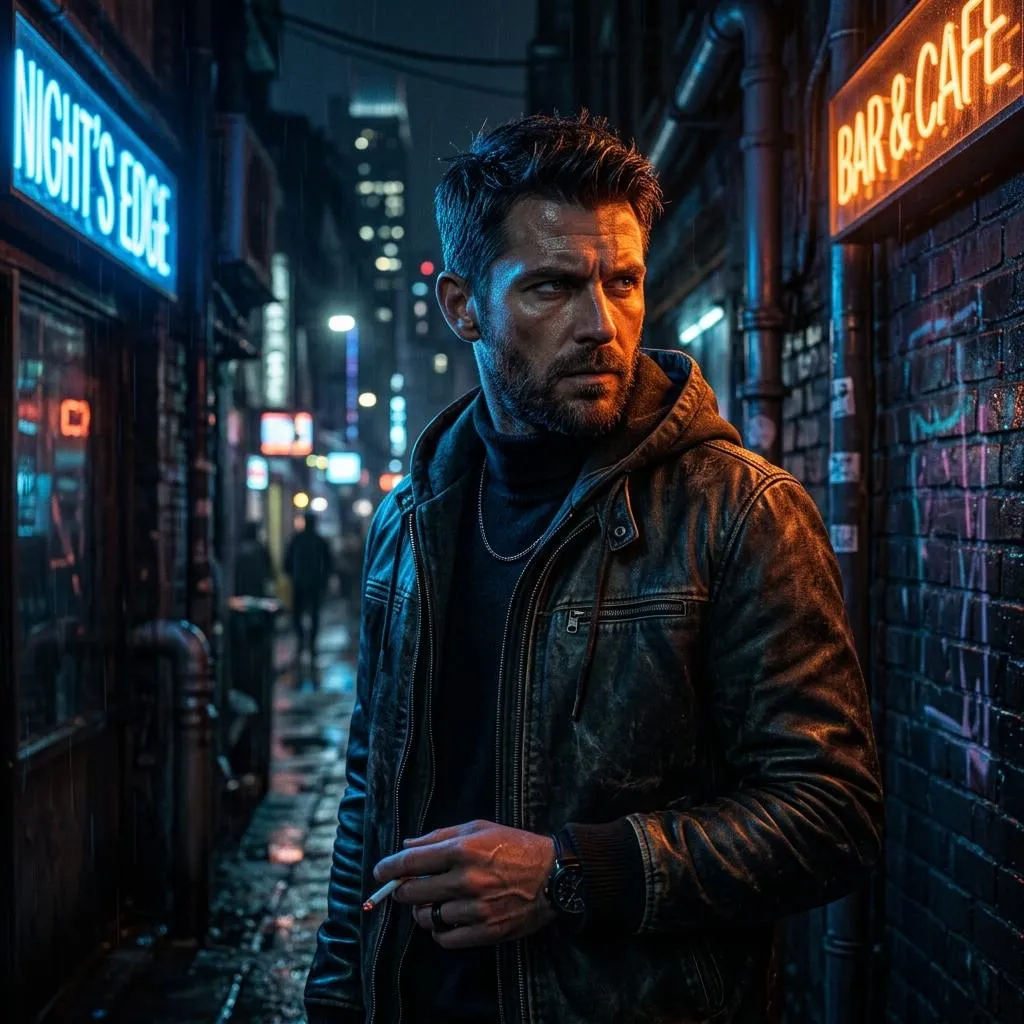
You've seen the look. Skin like a wax figure. Lighting that comes from everywhere and nowhere. A background so uniformly sharp it feels like a green screen. Every surface slightly too glossy, every color slightly too saturated. That's the AI look—and if it's the reason you've been hesitant to experiment with AI image generation, you're not alone.
The good news? The gap between "obviously AI" and "wait, that's generated?" is almost entirely a prompting problem. The models can do it. They just need better instructions.
In this complete guide, you'll learn exactly how to write AI photography prompts that produce images so realistic, they'll fool even trained eyes.
Why AI Defaults to "Plastic"
Understanding the problem makes it easier to fix.
AI image generators are trained on massive datasets, and a disproportionate chunk of those images are retouched stock photography—the kind where skin has been smoothed to oblivion, lighting is studio-flat, and everything sits at the same focal distance.
When you give the model a vague prompt, it reaches for the statistical average of its training data. And the statistical average of heavily retouched photography is, predictably, images that look heavily retouched.
Every detail you leave undefined gets filled with the most "polished" version the model has learned:
- No lighting specified? You get flat, diffused light from every direction
- No skin texture mentioned? You get airbrushed porcelain
- No depth of field called out? Everything stays sharp from foreground to background
The result is technically clean but visually lifeless.
Mindset Shift
When you hire a photographer, you trust them to make the technical decisions. An AI model doesn't have that instinct. It has capability without taste. So when you're prompting, you're not the client giving a brief—you're the photographer behind the camera, making every creative call yourself.
The Single Biggest Shift: Write Shot Descriptions, Not Prompts
The single biggest shift you can make is to stop writing AI prompts and start writing shot descriptions.
AI models understand camera language because their training data is tagged with it. When you specify a lens, a focal length, and a shooting style, the model pulls from a completely different part of its visual library—one that includes optical behavior, depth separation, and the natural way light falls off across a frame.
Compare these two approaches:
A woman standing in a field of flowers, realistic, high quality, 8K
Candid portrait of a woman standing in a wildflower field, shot on 85mm lens at f/1.8, golden hour side lighting from the right, soft bokeh in background, natural skin texture with visible pores, slight motion in hair, shot on Fujifilm X-T5
The first prompt tells the model almost nothing useful. "Realistic" and "high quality" are the AI equivalent of asking a photographer for "good photos". The second prompt gives the model everything it needs to produce something believable.
The 5 Essential Elements of a Realistic AI Photo Prompt
Professional-quality photo prompts specify five key elements: subject, lighting, composition, lens behavior, and mood.
1. Subject (The "What")
Be specific about who or what is in the frame. Instead of "a person," try:
- "A middle-aged woman with curly salt-and-pepper hair, laugh lines around her eyes, wearing a worn denim jacket"
- "A weathered wooden fishing boat with peeling blue paint, rusted hardware, and coiled rope on the deck"
Key Insight: Build Imperfection
Build imperfection into your prompts deliberately. For portraits, specify "visible skin pores, natural blemishes, slight facial asymmetry"—these cues tell the model to pull from its more candid, less retouched training data.
2. Lighting (The "How It's Lit")
Lighting is arguably the most important element for realism. Generic lighting produces flat, lifeless images. Specific lighting creates depth, mood, and believability.
| Lighting Type | When to Use | Prompt Example |
|---|---|---|
| Golden hour | Warm, flattering portraits | "warm golden hour light from the right, long soft shadows" |
| Window light | Natural, soft portraits | "soft natural window light from camera-left, diffused through sheer curtains" |
| Rim lighting | Dramatic, sculpted subjects | "rim lighting from behind, creating a bright edge around the subject" |
| Overcast/diffuse | Moody, even lighting | "soft overcast daylight, gentle shadows, muted contrast" |
| Studio | Polished, controlled | "softbox key light from above-left, fill light from right, clean white background" |
Instead of generic terms like "good lighting," specify exactly what you want.
3. Lens and Camera Details (The "Technical Specs")
This is the secret weapon of realistic AI prompts. Camera and lens terminology steers realism more reliably than generic terms like "8K" or "ultra-detailed".
Common lenses to reference:
| Lens | Effect | Best For |
|---|---|---|
| 24mm | Wide angle, captures more of the scene | Landscapes, architecture, environmental portraits |
| 35mm | Natural, documentary-style perspective | Street photography, candid shots |
| 50mm | "Nifty fifty," neutral perspective | Versatile, everyday photography |
| 85mm | Portrait lens, beautiful background blur (bokeh) | Portraits, headshots |
| 135mm | Telephoto, compressed background | Sports, wildlife, distant subjects |
Camera brands to reference:
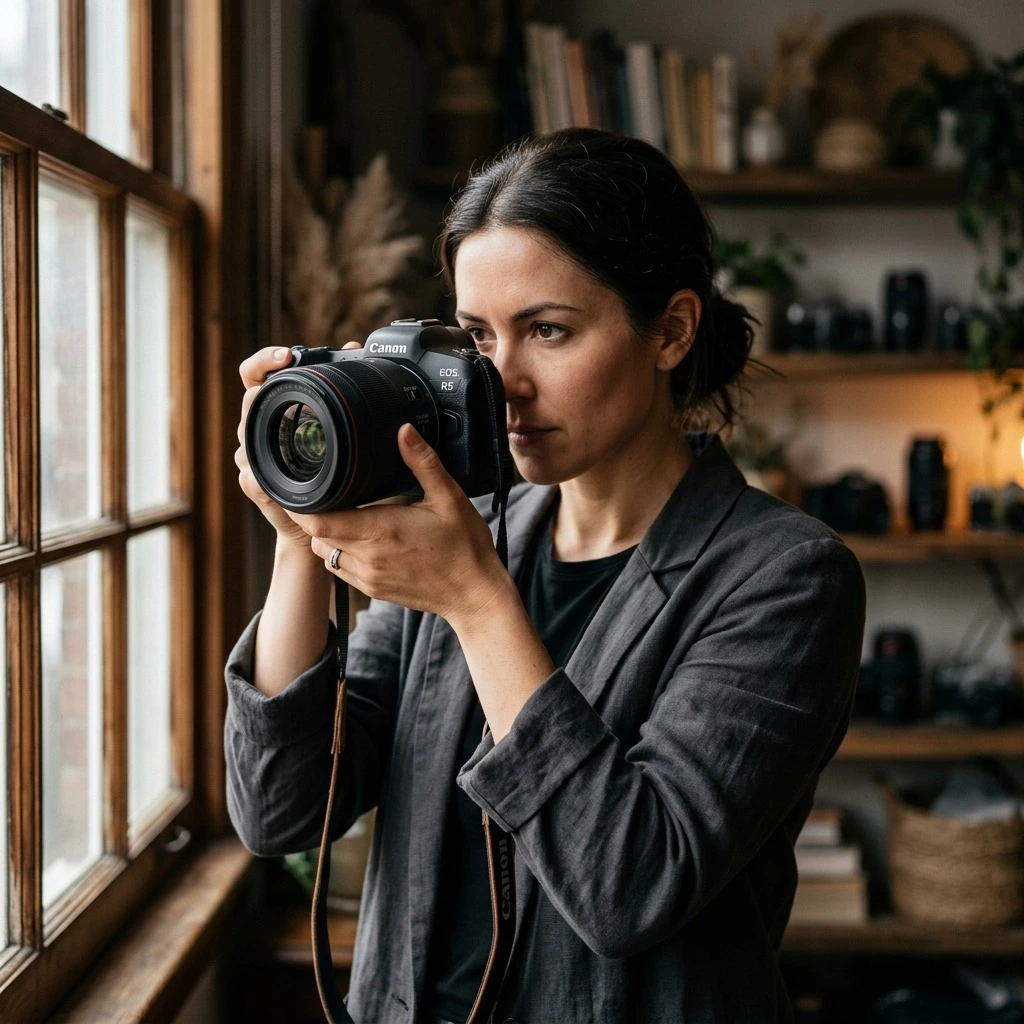
- "Shot on Canon EOS R5"
- "Shot on Fujifilm X-T5"
- "Shot on Sony A7III"
- "iPhone photo"
Aperture (f-stop) references:
- f/1.4 - f/2.8: Shallow depth of field, blurred background
- f/5.6 - f/8: Moderate depth, good for groups
- f/11 - f/16: Deep focus, everything sharp
4. Composition and Framing (The "How It's Framed")
Specify how the subject fills the frame:
| Shot Type | Description |
|---|---|
| Extreme close-up | Focus on a single feature (eye, texture, detail) |
| Close-up | Head and shoulders |
| Medium shot | Waist up |
| Full body | Entire subject visible |
| Wide shot | Subject in context of environment |
| Three-quarter | Subject from roughly knees up |
Camera angles:
- Eye-level: Neutral, relatable
- Low-angle: Powerful, imposing
- High-angle: Vulnerable, small
- Dutch angle: Uneasy, tense
5. Mood and Atmosphere (The "Feel")
Translate abstract moods into concrete visual terms:
| Abstract Mood | Concrete Visual Translation |
|---|---|
| Peaceful | Soft morning light, gentle mist, muted colors |
| Melancholic | Overcast sky, desaturated tones, rain, long shadows |
| Dramatic | High contrast, strong shadows, bold lighting |
| Intimate | Warm tones, shallow depth of field, close framing |
Advanced Techniques for Photorealism
1. Reference Specific Film Stocks and Eras
Naming specific film stocks or photography eras gives the AI a distinctive look to aim for:
- "Kodak Portra 400" – Warm, slightly desaturated, classic film look
- "Fujifilm Pro 400H" – Cooler, pastel tones
- "Ilford HP5" – Classic black and white film, noticeable grain
- "80s Kodak film photo, slight grain, warm colors, candid snapshot feel"
2. Use "Photorealistic" and Its Cousins
Use the word "photorealistic" directly when realism is the goal. Or swap in close cousins like:
- "real photograph"
- "taken on a real camera"
- "professional photography"
- "iPhone photo"
3. Add Imperfections Deliberately
Real photos have imperfections. Add them to your prompt:
- "slight motion blur in background elements"
- "subtle lens flare"
- "natural grain, slight noise"
- "imperfect framing, slightly off-center"
- "candid, unposed moment"
4. Specify Texture and Detail
Be concrete about materials, shapes, and textures:
- "visible pores, fine wrinkles, natural skin texture"
- "weathered wood grain, peeling paint"
- "rough concrete surface with minor cracks"
- "fabric wear on denim, slight fraying at edges"
5. Use the "Quality-Latency" Lever
For high-volume or latency-sensitive use cases, start with a lower quality setting and evaluate whether it meets your requirements. Step up to medium or high for close-up portraits, small text, and identity-sensitive edits.
Platform-Specific Prompting Tips
For Gemini (Nano Banana)
Gemini's core strength is its deep language understanding. A narrative, descriptive paragraph will almost always produce a better, more coherent image than a simple list of disconnected words.
Template from Google:
A photorealistic [shot type] of [subject], [action or expression], set in [environment]. The scene is illuminated by [lighting description], creating a [mood] atmosphere. Captured with a [camera/lens details], emphasizing [key textures and details]. The image should be in a [aspect ratio] format.
Example:
A photorealistic close-up portrait of an elderly Japanese ceramicist with deep, sun-etched wrinkles and a warm, knowing smile. He is carefully inspecting a freshly glazed tea bowl. The setting is his rustic, sun-drenched workshop. The scene is illuminated by soft, golden hour light streaming through a window, highlighting the fine texture of the clay. Captured with an 85mm portrait lens, resulting in a soft, blurred background (bokeh). The overall mood is serene and masterful. Vertical portrait orientation.
For ChatGPT Images (DALL-E / GPT Image)
DALL-E focuses on detailed, long-form prompts with emphasis on storytelling. For photorealistic results, describe the scene as if explaining a photograph.
A [shot type] of [subject] in [setting]. [Lighting description]. [Camera/lens details]. [Composition details]. [Mood/atmosphere]. [Key textures and details]. [Aspect ratio].
For Midjourney
Use natural language with commas separating concepts. Add parameters at the end:
- --ar 16:9 for aspect ratio
- --stylize or --s for style intensity
- --chaos for variety
For Stable Diffusion
More technical prompts often work better. Combine camera details with negative prompts to avoid common issues.
15 Ready-to-Use AI Photography Prompts
Portraits
Natural window-light portrait of a young woman with curly dark hair and green eyes, laughing gently, wearing a soft blue sweater, soft diffused light from a large window, visible skin texture and natural blemishes, 85mm lens at f/1.8, shallow depth of field, warm tones, candid expression, shot on Canon EOS R5.
Hyper-realistic portrait of a person, dramatic studio lighting with one key light from above-left and deep shadows on the right, chiaroscuro effect, visible pores and fine wrinkles, 85mm portrait lens, shallow depth of field, dark background, intense expression, professional headshot style.
Candid portrait of a person in a sunlit field at golden hour, warm side lighting from the right, long soft shadows, wind gently moving hair, natural skin texture with slight freckles, shot on 50mm lens at f/2.8, soft bokeh background, warm earthy tones, shot on Fujifilm X-T5.
Environmental portrait of a elderly street vendor in a busy market, natural overcast lighting, 35mm lens, documentary photography style, visible wrinkles and weathered skin, candid moment, slight motion blur in background, authentic expression, shot on Leica M6.
Landscapes & Nature
Wide-angle landscape shot of a misty mountain range at sunrise, warm golden light hitting the peaks, deep shadows in the valleys, 24mm lens at f/8, deep focus, atmospheric haze, rich textures in foreground rocks and grass, shot on Nikon D850.
Ultra-realistic wide-angle photo of NYC in a thunderstorm at dusk, streets gleaming with rain reflections, yellow cabs blurred in motion, dramatic storm clouds, cinematic lighting, 24mm lens, slight motion blur, atmospheric, shot on Sony A7III.
Photorealistic wide shot of a dense forest at golden hour, warm light filtering through canopy, visible moss on trees, soft ground fog, 35mm lens at f/5.6, rich green and gold tones, natural texture on bark and leaves, shot on Fujifilm GFX 100.
Food & Product
Ceramic cappuccino cup on a sunlit wooden cafe table by a window, soft golden-hour light from camera-left, steam rising gently, visible texture on ceramic surface, 85mm lens at f/2.8, shallow depth of field, warm cozy atmosphere, food photography style, shot on Canon EOS R5.
Luxury watch on dark velvet surface, soft studio lighting with subtle reflections, macro detail showing watch face texture and metal brushing, 100mm macro lens at f/5.6, shallow depth of field, clean background, professional product photography, shot on Hasselblad H6D.
Top-down flat lay of artisan bread on a wooden cutting board, scattered flour, natural window light from the side, visible texture on bread crust and linen napkin, 50mm lens at f/4, warm rustic tones, clean composition, shot on Sony A7R IV.
Street & Documentary
Candid street photography shot of a bustling city sidewalk, natural overcast lighting, 35mm lens at f/4, documentary style, slight motion blur in walking figures, authentic moments, visible grain, shot on Leica M10.
Night street photography of a neon-lit city street, reflections on wet pavement, deep shadows, warm and cool color contrast, 24mm lens at f/2.8, slight lens flare, atmospheric, shot on Sony A7S III.
Architecture & Interiors
Photorealistic interior shot of a modern living room, soft natural light streaming through large windows, warm wood tones, visible texture on sofa fabric and rug, 24mm lens at f/8, wide composition, clean minimalist style, architectural photography.
Low-angle shot of a monumental Gothic cathedral facade, looking up from near ground level, deep shadows, dramatic clouds, crisp stone detail, 24mm lens at f/11, architectural photography style, shot on Phase One IQ4.
Black & White
Black and white portrait of an elderly fisherman with weathered skin and deep wrinkles, dramatic side lighting from the left, deep shadows on the right, visible pores and facial hair, 85mm lens at f/2.8, shallow depth of field, high contrast, shot on Ilford HP5 film stock, shot on Leica M Monochrom.
Common Mistakes to Avoid
- ❌ Vague Language: Words like "nice" or "beautiful" don't give the AI much to work with. Specify the type of light, the mood, or the setting instead.
- ❌ Conflicting Instructions: Mixing cues like "harsh sunlight" and "soft dreamy look" forces the tool to split the difference, often producing awkward results.
- ❌ Ignoring Composition: Without guidance on framing or perspective, the subject may appear off-balance or cropped in unhelpful ways.
- ❌ Overloading with Detail: Adding too many unrelated descriptors can confuse the output. Stick to the elements that actually shape the photo.
- ❌ Forgetting Color and Tone: If you leave the palette undefined, you may end up with clashing hues or lighting that doesn't match.
- ❌ Using "No" in Negative Prompts: Instead of saying "no blur," describe what you want: "crisp focus, sharp details." Google explicitly recommends avoiding "semantic negative prompts" that use "no" or "without."
Quick Reference: Realistic AI Photo Prompt Template
Use this template structure for any realistic AI photo:
A [photorealistic] [shot type] of [subject], [action or expression], set in [environment]. The scene is illuminated by [lighting description], creating a [mood] atmosphere. Captured with a [camera/lens details], emphasizing [key textures and details]. [Aspect ratio format].
Fill-in example:
A photorealistic close-up portrait of a young woman with freckles, laughing naturally, set in a sunlit cafe. The scene is illuminated by soft window light from the left, creating a warm intimate atmosphere. Captured with an 85mm lens at f/1.8, emphasizing visible skin texture and natural eye highlights. Vertical portrait orientation.
Conclusion
Creating realistic AI photos isn't about finding the magic phrase—it's about thinking like a photographer. Specify the lighting. Name the lens. Describe the texture. Add the imperfections that make real photos feel alive.
The models are capable of photorealism. They just need you to tell them exactly what to do.
Start with one of the templates above. Add one camera detail. Then add one lighting specification. Each layer of specificity brings you closer to an image that doesn't just look like AI—it looks like a photograph.
Happy shooting!