AI Negative Prompt Guide: Master the Art of Telling AI What NOT to Generate
“Learn how to use negative prompts to eliminate anatomical errors, blurry visuals, watermarks, and unwanted styles in AI image and text generation.”
Most people focus entirely on what they want the AI to create. They craft elaborate descriptions of subjects, styles, and settings, then hit generate and hope for the best. When the result comes back with extra fingers, watermark artifacts, or a cluttered background, they sigh and try again.
Here's the secret that separates beginners from professionals: telling an AI what NOT to do is just as powerful as telling it what to do.
Negative prompting—the practice of explicitly instructing an AI to avoid certain elements—is one of the most underutilized tools in AI image generation. When used correctly, it eliminates entire classes of mistakes more efficiently than any amount of positive guidance.
This guide will teach you everything you need to know about negative prompts: what they are, how they work, exactly what to write, and the common pitfalls that can ruin your results.
What Is a Negative Prompt?
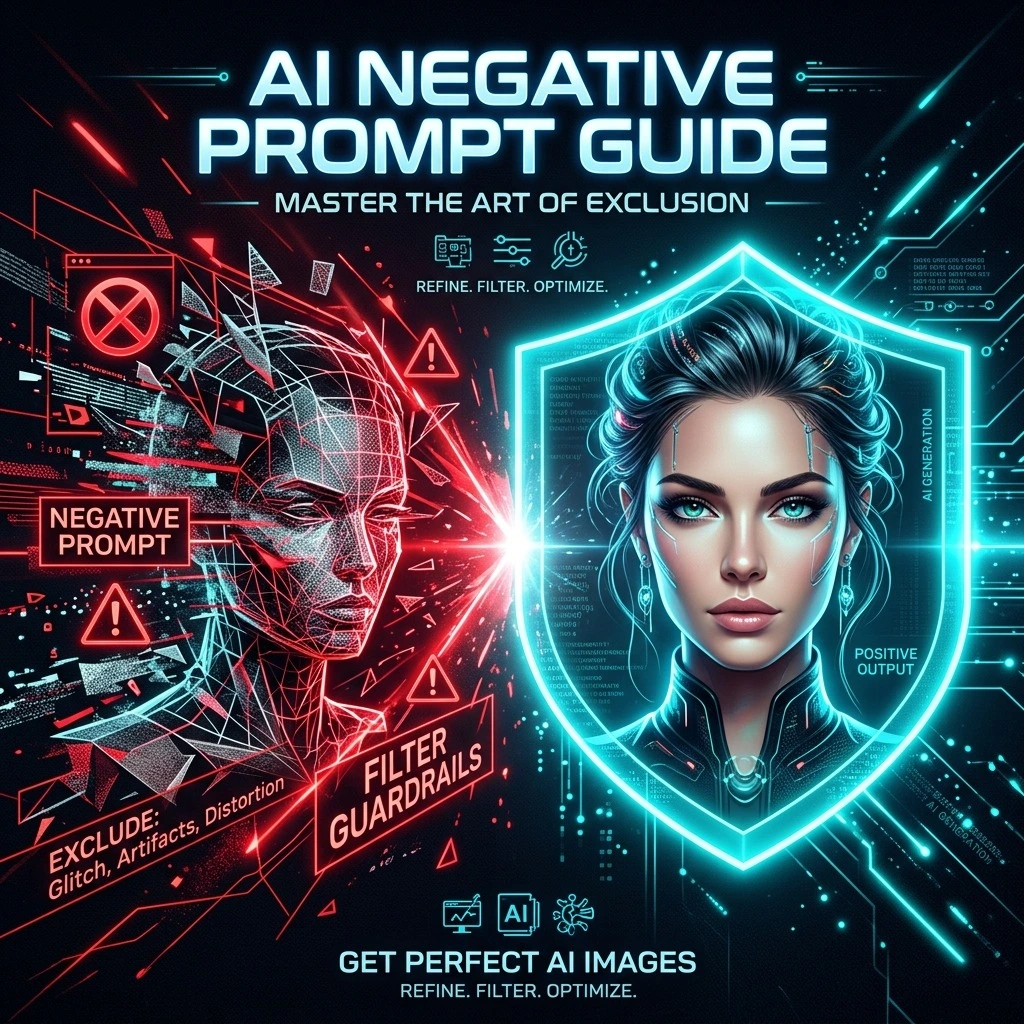
A negative prompt is exactly what it sounds like: instructions that tell the AI what to exclude from the generation process. Think of it as a filter that reduces the probability of unwanted elements appearing in your final output.
In practical terms, when you generate an image with a positive prompt like "a professional business portrait," the AI might produce results with blurry backgrounds, distorted faces, extra fingers, or random watermarks. Adding a negative prompt such as "blurry, distorted face, extra fingers, watermark, low quality" tells the model to actively avoid these problems.
It works because the model evaluates both your positive and negative instructions simultaneously. It prioritizes the elements you want while actively suppressing the elements you've excluded.
Negative prompts aren't just for images. They're increasingly used for AI writing, video generation, audio platforms, design software, and coding assistance. In writing, you might specify: "Avoid jargon, passive voice, repetitive phrases, and promotional language" to create cleaner, more readable content.
Why Negative Prompts Work
Negative prompts work because they set hard constraints rather than just preferences. When you tell the model to avoid something, you're establishing a boundary the output must not cross—unlike a preference, which the model can interpret loosely.
This distinction is important. Positive guidance like "be concise" only narrows the output distribution without hard-cutting anything. The model can still produce verbose responses that it subjectively considers "concise enough." Negative constraints like "avoid sentences over 20 words" are binary and verifiable. The model either produced a long sentence or it didn't.
In image generation, this means if you're tired of seeing deformed hands, adding "deformed hands, extra fingers, fused fingers" to your negative prompt gives the model a clear boundary to avoid—something that more vaguely saying "perfect hands" doesn't achieve.
The Mechanics of Negative Guidance
During generation, negative constraints guide the model away from unwanted token sequences. They create a clear exclusion zone rather than a soft preference, helping prevent unwanted visual artifacts from the first generation.
Essential Negative Prompt Categories
To build effective negative prompts, it helps to understand the categories of problems you're trying to avoid.
Quality Issues
These catch common technical flaws that plague AI generations regardless of subject matter.
| Problem | Negative Prompt Terms |
|---|---|
| Blurriness | blurry, soft focus, out of focus, lowres |
| Noise/Artifacts | noisy, grainy, overcompressed, jpeg artifacts |
| Sharpness Issues | oversharpened, haloing, ringing |
| Watermarks | watermark, signature, username, text, caption, logo |
| Composition | cropped, cut off, out of frame, off-center |
| Color Problems | oversaturated, washed out, monotone, flat lighting |
Baseline Quality Default
Use these as your baseline quality defaults. Start with a small set like "blurry, low quality, pixelated, distorted" for almost every generation.
Anatomy and Structure Issues
This category is crucial for human subjects but applies broadly to any generation where structural coherence matters.
| Problem | Negative Prompt Terms |
|---|---|
| Hand Issues | extra fingers, fused fingers, missing fingers, deformed hands, too many fingers |
| Limb Problems | extra limbs, extra arms, extra legs, floating limbs, disconnected limbs |
| Face Issues | misaligned eyes, cross-eyed, distorted face, duplicate face, asymmetrical eyes |
| Body Issues | bad anatomy, bad proportions, malformed, disfigured, mutated |
| Structural | duplicated objects, cloned face, mirrored, collage |
Targeted Selection Rule
Don't stack all of these at once. Add the specific terms that match the failures you're actually seeing, then test again.
Style and Medium Issues
When you want a photorealistic image, you might want to exclude styles that don't fit.
| Problem | Negative Prompt Terms |
|---|---|
| Unwanted Styles | cartoon, anime, sketch, illustration, painting, 3D render |
| Unwanted Mediums | digital art, vector, watercolor, oil painting |
Unwanted Content
| Problem | Negative Prompt Terms |
|---|---|
| Specific Objects | [object name], duplicate [object], multiple [object] |
| Unwanted Themes | horror, gore, violence, NSFW |
| Context Issues | modern, futuristic, vintage (when aiming for specific era) |
How to Write Effective Negative Prompts
Writing negative prompts isn't difficult, but it requires a different mindset than writing positive prompts. Here are the principles that work:
1. Start With Common Issues
Before you can tell the AI what to avoid, you need to know what problems your generations typically produce. Common starting points include:
- Blurry visuals
- Extra objects or limbs
- Poor anatomy
- Unrealistic colors
- Watermarks
- Text artifacts
2. Use Clear, Specific Terms
Specific language works better than vague descriptors:
| Vague (Ineffective) | Specific (Effective) |
|---|---|
| bad | blurry, distorted, deformed |
| ugly | asymmetrical eyes, extra fingers, bad proportions |
| weird | duplicate objects, floating limbs, unnatural colors |
| weird colors | oversaturated, neon highlights, unrealistic palette |
3. Keep It Concise
More isn't always better. Using too many negative prompts can confuse the model and reduce creativity. Aim for 8-12 terms maximum. If you're listing 20+ things to avoid, your main prompt might need work instead.
4. Match Negative Strength to Problem Severity
For persistent issues, repetition increases the negative weight without needing numerical controls. If extra fingers are a chronic problem, try: "extra fingers, too many fingers, deformed fingers".
5. Use Positive + Negative Together
This is where the real power emerges. Combine a clear positive directive with targeted negative constraints:
A professional business portrait in a modern office, natural lighting, sharp focus.
blurry, low quality, watermark, extra fingers, distorted face, cartoon style
The 3:1 Rule: Positive vs. Negative Balance
An important principle from prompt engineering is that models generally do better with a short positive guide plus a small set of refusals. A commonly recommended ratio is roughly 3:1 positive to negative instructions.
Positive Prompt Length : Negative Prompt Length = 3 : 1
This means if your positive prompt is 75 words, your negative prompt should be around 25 words. Don't let the negative prompt outweigh the positive one.
Why Ratio Matters
Long lists of 'don't do X' can confuse the model. The AI is fundamentally designed to generate what you ask for—it's better at understanding what things are than what they aren't. Give it direction first, then constraints.
Platform-Specific Negative Prompting
Different AI tools handle negative prompts differently:
Stable Diffusion (SDXL)
Words surrounded with [brackets] are read as negative prompts, telling the model to exclude those descriptors from the generation process.
Picsart
Find the 'Advanced settings' or 'Negative prompt' field in the AI Image Generator settings.
Z-Image
Negative prompts apply a separate conditioning stream that pushes away from listed tokens during sampling. Bump guidance (+0.5) if the refiner reintroduces unwanted elements.
General Text AI (ChatGPT, Claude, etc.)
State what to avoid directly in instructions, e.g.: 'Rewrite this professionally. Avoid casual tone, jokes, and emojis.'
Common Mistakes to Avoid
1. Using Too Many Negative Prompts
Adding dozens of restrictions can confuse the model and reduce creativity. Aim for 8-12 terms maximum, as overloading the negative prompt with repetitive terms can lead to muted contrast and flattened details.
2. Using Vague Negative Language
Terms like "bad image" or "ugly" provide little guidance to the model. Be specific about what you're trying to avoid.
3. Using Conflicting Instructions
Be detailed. Keep it short.
Be concise in 3-4 sentences. Avoid examples and long introductions.
4. Using "Never" Loosely
AI interprets "never" loosely. Use "avoid," "do not," or "exclude" instead of absolute terms the model may not respect.
5. Neglecting Iteration
Prompt engineering is rarely a one-shot process. Review your output, identify remaining flaws, add specific negatives, and regenerate. The best results come from iteration.
Ready-to-Use Negative Prompt Templates
low quality, lowres, blurry, soft focus, out of focus, watermark, signature, text, logo, cropped, cut off, out of frame
extra fingers, fused fingers, missing fingers, deformed hands, distorted face, asymmetrical eyes, duplicate face, bad anatomy, bad proportions, malformed
watermark, text, logo, signature, low quality, blurry, pixelated, reflections, clutter, low resolution, unrealistic colors
oversaturated colors, low detail, unrealistic sky, poor lighting, grainy, distorted proportions
3D render, photorealistic, photo, photograph, realistic, CGI, hyperrealism
blurry, low quality, pixelated, distorted, watermark, text
Beyond Image Generation
Negative prompting extends well beyond visual content. Here are some powerful applications across writing, coding, and tone control:
Writing & Content Generation
"Write a beginner-friendly article on cloud computing. Avoid jargon, avoid technical complexity, avoid promotional language."
Coding Assistance
"Generate Python code for data cleaning. Avoid deprecated libraries, avoid unnecessary comments, avoid inefficient loops."
Professional Tone Control
"Rewrite this professionally. Avoid casual tone, jokes, and emojis."
Hallucination Prevention
"Summarize this document. Do not add any information not present in the text."
Creative Control
"Write a short bio. Avoid storytelling. Avoid exaggeration. Just the facts."
The Secret Trick: Let Positive + Negative Work Together
This is where power really multiplies. The combined approach shapes tone, structure, length, and constraints simultaneously:
Write a 4-sentence explanation of Kubernetes. Be simple and friendly. Avoid jargon. Avoid technical complexity. Avoid examples unless explicitly asked.
Quick Reference Summary
Negative prompts tell AI what to exclude. Use them to:
- Eliminate blurry, low-quality outputs
- Prevent anatomical errors (extra fingers, distorted faces)
- Remove unwanted watermarks, text, and logos
- Exclude specific styles or objects
- Reduce hallucinations and irrelevant details
Write effective negatives by:
- Using specific terms, not vague descriptors
- Keeping your list to 8-12 terms maximum
- Starting with common issues, then iterating
- Pairing negatives with clear positive instructions
- Following roughly 3:1 positive-to-negative ratio
- Testing, reviewing, and refining
Remember: Negative prompts are guardrails, not manifestos. Keep them targeted, test them, prune what doesn't work, and watch your AI generations transform from generic to professional.