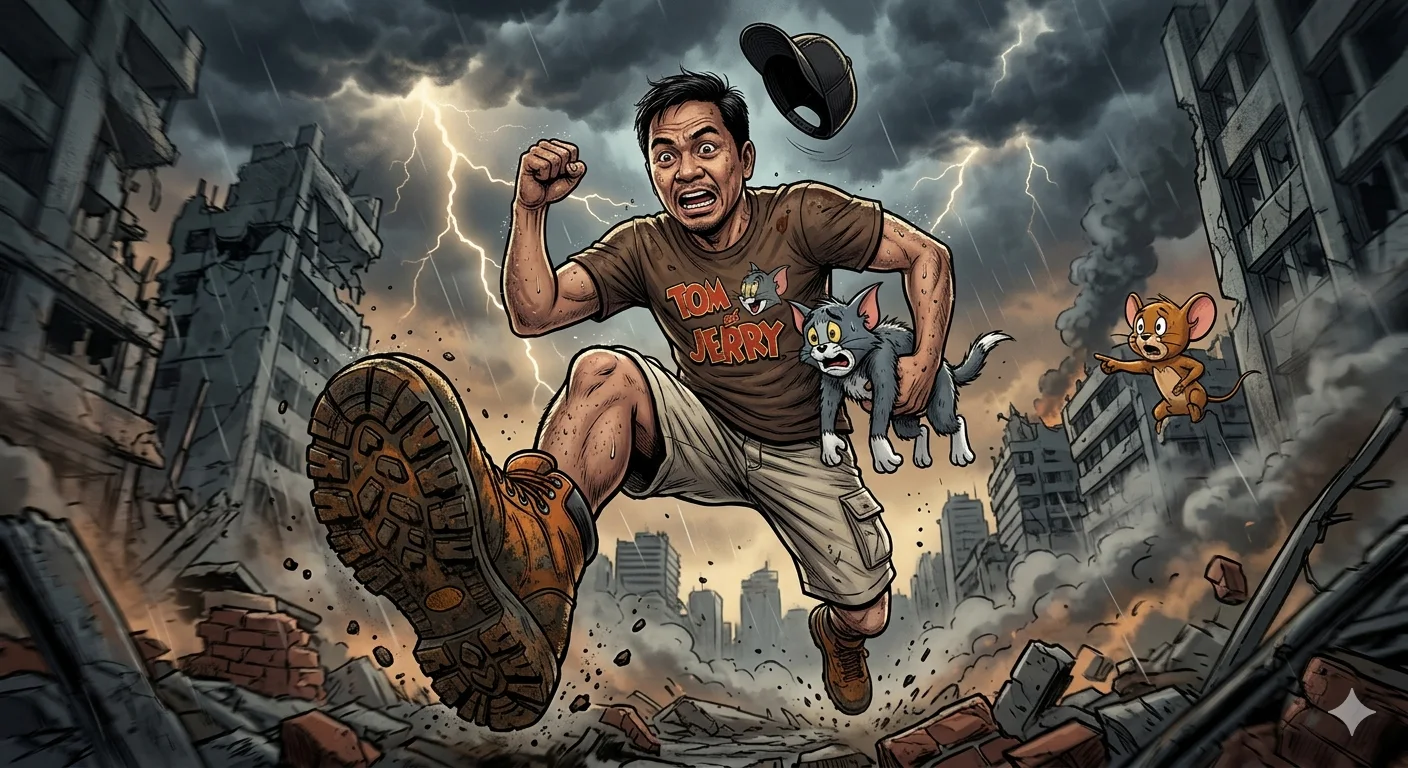
Apocalyptic Sprint – Cinematic Comic-Realism Action Portrait with Tom & Jerry Chase Scene
A detailed animals & wildlife image titled "Apocalyptic Sprint – Cinematic Comic-Realism Action Portrait with Tom & Jerry Chase Scene", crafted with approximately 122 words of visual direction for Gemini AI. It produces a finished visual showcasing clear subject focus, harmonious color treatment, and refined environmental context suitable for portfolio, editorial, or commercial concept projects. This prompt balances a distinct animals & wildlife subject with concrete composition, directional lighting, and textural cues. By explicitly defining the atmosphere and photographic parameters, it prevents the generator from resorting to generic procedural styling.
Prompt Content
Use this prompt in your favorite AI image generator.
A dramatic and dynamic full-body portrait of a Filipino man, resembling a well-known comedian (use uploaded photo or similar facial features), wearing a brown 'Tom & Jerry' t-shirt and light-colored shorts. He is running forward with a sense of urgency, exaggeratedly lifting his front foot, which is wearing a large, oversized hiking boot. He is holding the cartoon characters Tom (looking terrified) in one hand and Jerry (looking concerned) in the other. ram___7777___ Photographers of Threads 07/02/2026 A black baseball cap is flying off his head. The background is an apocalyptic, crumbling cityscape with dark, stormy, lightning-filled clouds. The perspective is low-angle, emphasizing his running motion and the large boot. Cinematic lighting, highly detailed digital painting, hyperrealism mixed with comic book style.
How To Use
Reusable Guide- 1Copy the complete prompt text into your preferred AI image generator (e.g., Gemini AI).
- 2Review the initial output against the recommended aspect ratio (1:1) to verify composition.
- 3Customize the key variables above (such as subject & focal point or lighting & atmosphere) to suit your creative vision.
- 4Refine the guidance scale or apply negative prompt exclusions to eliminate any artifacts without compromising image fidelity.
For best results, use this prompt as-is before making edits — the defaults are already optimised.