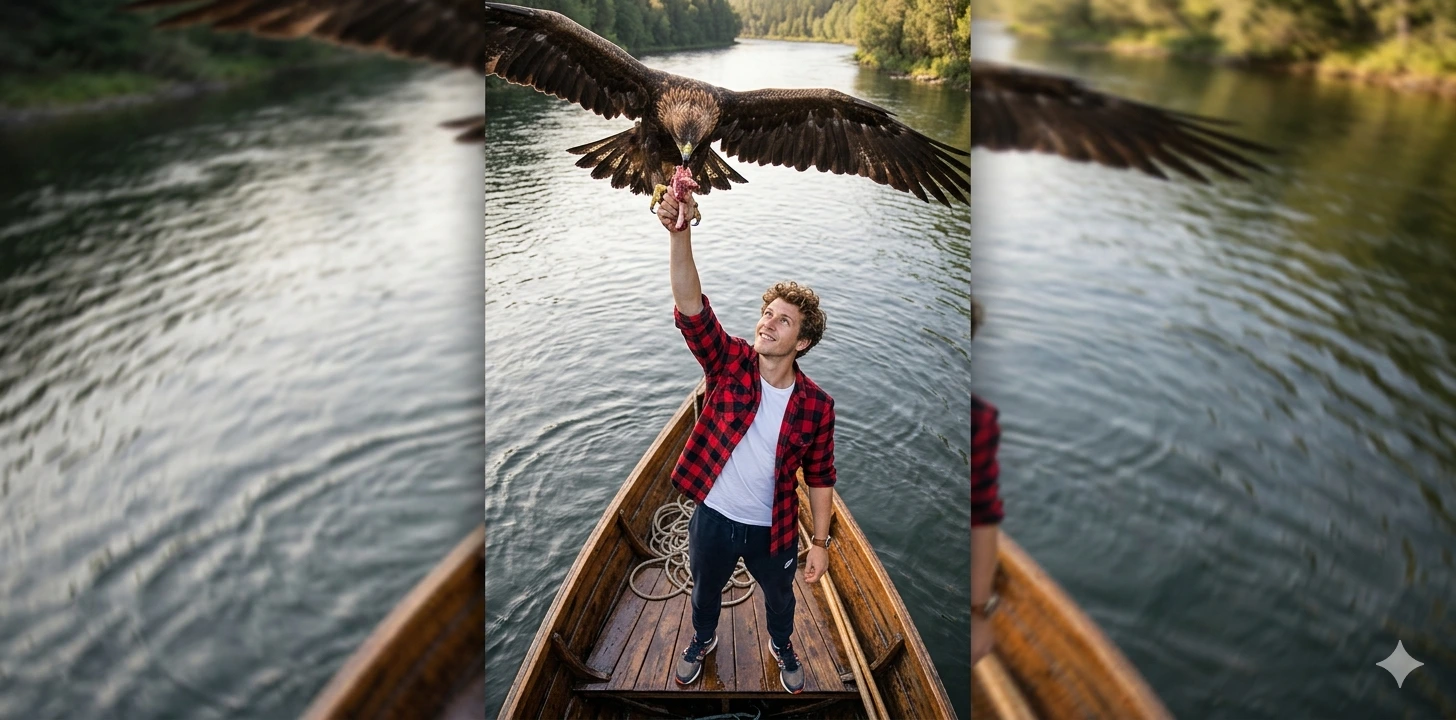
River Sentinel – Cinematic Bow-of-Boat Eagle Feeding Portrait
A detailed animals & wildlife image titled "River Sentinel – Cinematic Bow-of-Boat Eagle Feeding Portrait", crafted with approximately 134 words of visual direction for Gemini AI. It produces a finished visual showcasing clear subject focus, harmonious color treatment, and refined environmental context suitable for portfolio, editorial, or commercial concept projects. Specific tactile material descriptors prevent flat procedural rendering, prompting the AI to render realistic tactile surface qualities. Industry-standard editorial and compositional cues guide the generative model toward balanced framing and restrained color harmony.
Prompt Content
Use this prompt in your favorite AI image generator.
A cinematic, hyper-realistic high-angle vertical shot of a young man ( use reference image ) standing at the bow of a wooden boat floating in the middle of a river. He gazes upward with one arm raised, feeding a piece of meat to a soaring eagle just above his head. The eagle’s intense eyes and outstretched wings are partially captured in the frame. ( 2/1 )The man is dressed in a checkered shirt with rolled-up sleeves over a white T-shirt, track pants, and a running shoes, accessorized with a leather-strap wristwatch. His slightly tousled curly hair blows in the wind. Both the man and the eagle are in sharp focus, while the background ripples of the river remain softly blurred. Natural lighting and a bird’s-eye cinematic perspective enhance the scene’s dramatic and poetic tone.
How To Use
Reusable Guide- 1Copy the complete prompt text into your preferred AI image generator (e.g., Gemini AI).
- 2Review the initial output against the recommended aspect ratio (1:1) to verify composition.
- 3Customize the key variables above (such as subject & focal point or lighting & atmosphere) to suit your creative vision.
- 4Refine the guidance scale or apply negative prompt exclusions to eliminate any artifacts without compromising image fidelity.
For best results, use this prompt as-is before making edits — the defaults are already optimised.