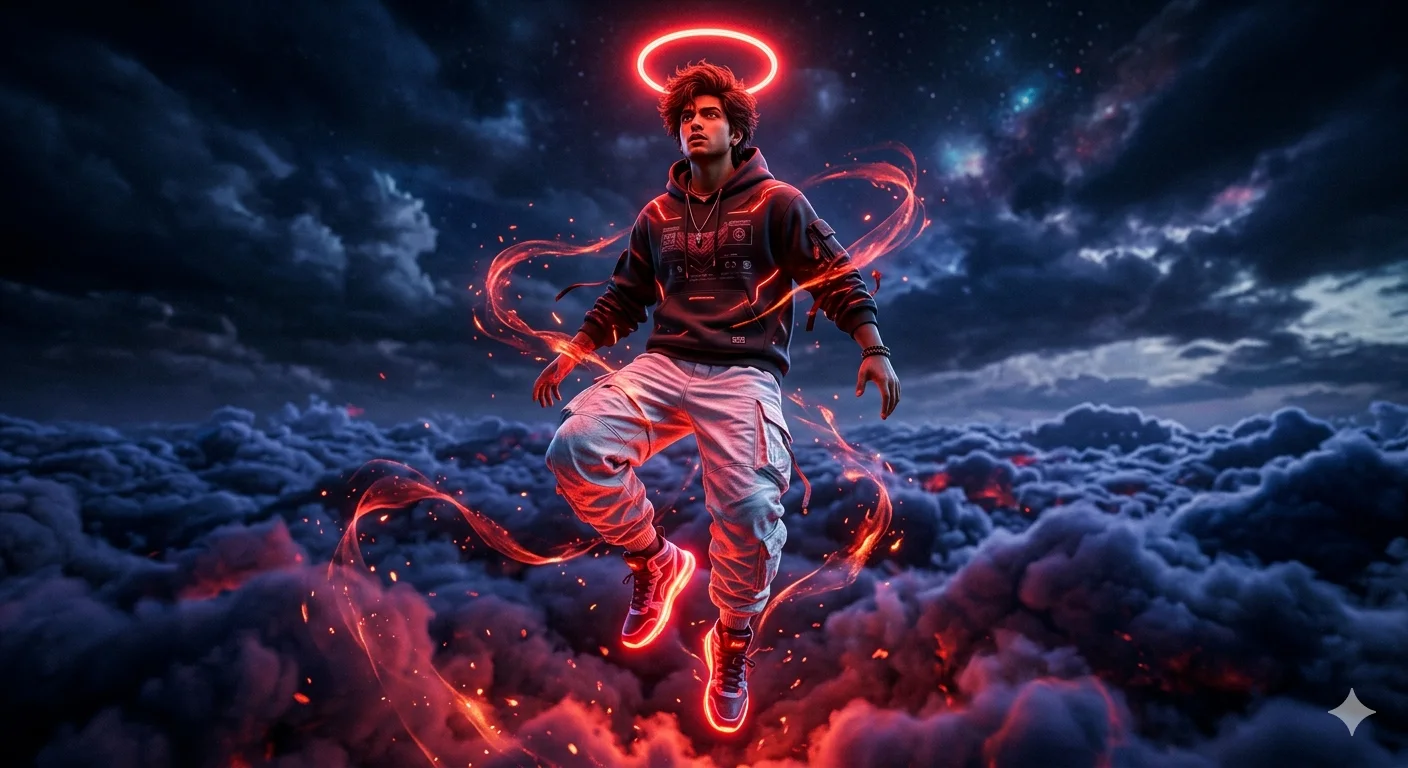
Crimson Ascension – Cinematic Cyberpunk Floating Figure Above Cloudscape
A detailed digital art image titled "Crimson Ascension – Cinematic Cyberpunk Floating Figure Above Cloudscape", crafted with approximately 132 words of visual direction for Gemini AI. It produces a finished visual showcasing clear subject focus, harmonious color treatment, and refined environmental context suitable for portfolio, editorial, or commercial concept projects. Vibrant neon and high-contrast color illumination provides striking dual-tone separation between the subject and dark background. Specific tactile material descriptors prevent flat procedural rendering, prompting the AI to render realistic tactile surface qualities. Industry-standard editorial and compositional cues guide the generative model toward balanced framing and restrained color harmony.
Prompt Content
Use this prompt in your favorite AI image generator.
A cinematic, low-angle digital artwork of a indian young man figure floating dynamically above a sea of clouds. A vibrant, intensely glowing neon-red halo ring floats directly head and messy voluminous stylish brown hair. He is wearing a dark streetwear hoodie with subtle glowing red energy lines, and loose, baggy white cargo jogger pants with realistic fabric creases catching the red light. His futuristic sneakers feature blazing neon-red soles and glowing laces.Ethereal red energy ribbons and fiery embers swirl around his body and legs. The background is a surreal, dark night sky filled with voluminous deep blue and stormy purple clouds. Dramatic high-contrast lighting, with an intense fiery red glow radiating from beneath, casting strong reflections on the clothes. Cyberpunk anime aesthetic, dark fantasy, hyper-detailed, Unreal Engine 5 style render, 8K resolution.
How To Use
Reusable Guide- 1Copy the complete prompt text into your preferred AI image generator (e.g., Gemini AI).
- 2Review the initial output against the recommended aspect ratio (1:1) to verify composition.
- 3Customize the key variables above (such as subject & focal point or lighting & atmosphere) to suit your creative vision.
- 4Refine the guidance scale or apply negative prompt exclusions to eliminate any artifacts without compromising image fidelity.
For best results, use this prompt as-is before making edits — the defaults are already optimised.