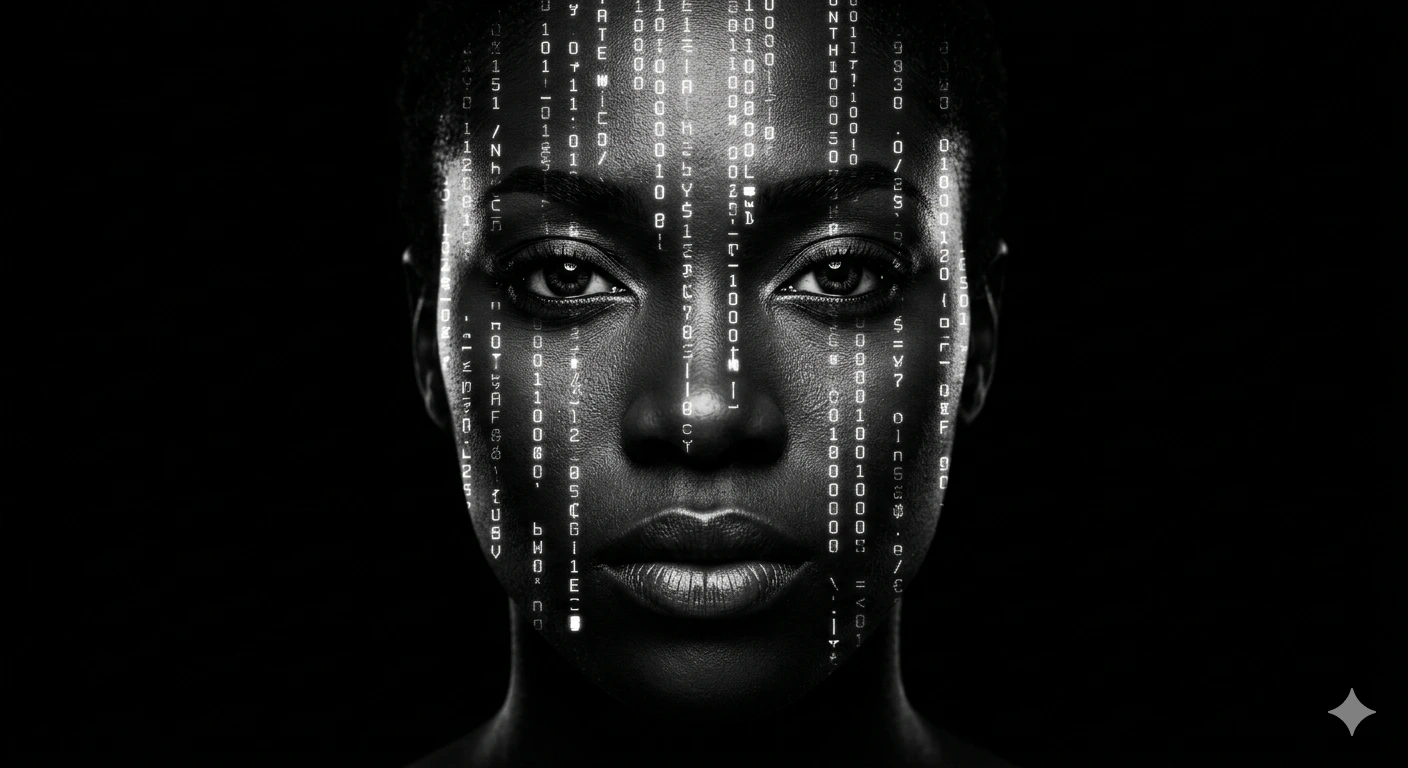
Ghost in Code – Cinematic Black & White Cyberpunk Chiaroscuro Portrait
A detailed digital art image titled "Ghost in Code – Cinematic Black & White Cyberpunk Chiaroscuro Portrait", crafted with approximately 193 words of visual direction for Gemini AI. It produces a finished visual showcasing clear subject focus, harmonious color treatment, and refined environmental context suitable for portfolio, editorial, or commercial concept projects. Vibrant neon and high-contrast color illumination provides striking dual-tone separation between the subject and dark background. Shallow depth of field with creamy optical bokeh draws immediate visual attention to fine subject details. Specific tactile material descriptors prevent flat procedural rendering, prompting the AI to render realistic tactile surface qualities.
Prompt Content
Use this prompt in your favorite AI image generator.
A high-contrast, black and white cinematic portrait of a woman’s face emerging from a pitch-black background. Vertical columns of glowing white digital code, cryptic symbols, and glitch-style typography cascade over her features, following the contours of her face. The lighting is dramatic Chiaroscuro, highlighting her intense eyes and lips while leaving the rest in deep shadow. 8k resolution, hyper-detailed skin texture, digital cyberpunk aesthetic, shot on 85mm lens, sharp focus, ethereal and mysterious atmosphere." Breakdown of Key Elements If you want to tweak the result, here are the levers you can pull: The Subject: You can specify the ethnicity or expression (e.g., "an African woman with a stoic expression" or "a cybernetic entity"). The Code: To get that specific look, use terms like "falling data stream," "binary rain," or "matrix code overlay." You can also change the color from white to "neon emerald" or "electric blue." The Lighting: Use "rim lighting" or "low-key lighting" to ensure the background stays perfectly black and the focus remains entirely on the face. Technical Style: Adding "Double exposure effect" or "Photographic glitch art" will help the AI understand the blending of the human face with digital elements.
How To Use
Reusable Guide- 1Copy the complete prompt text into your preferred AI image generator (e.g., Gemini AI).
- 2Review the initial output against the recommended aspect ratio (1:1) to verify composition.
- 3Customize the key variables above (such as subject & focal point or lighting & atmosphere) to suit your creative vision.
- 4Refine the guidance scale or apply negative prompt exclusions to eliminate any artifacts without compromising image fidelity.
For best results, use this prompt as-is before making edits — the defaults are already optimised.