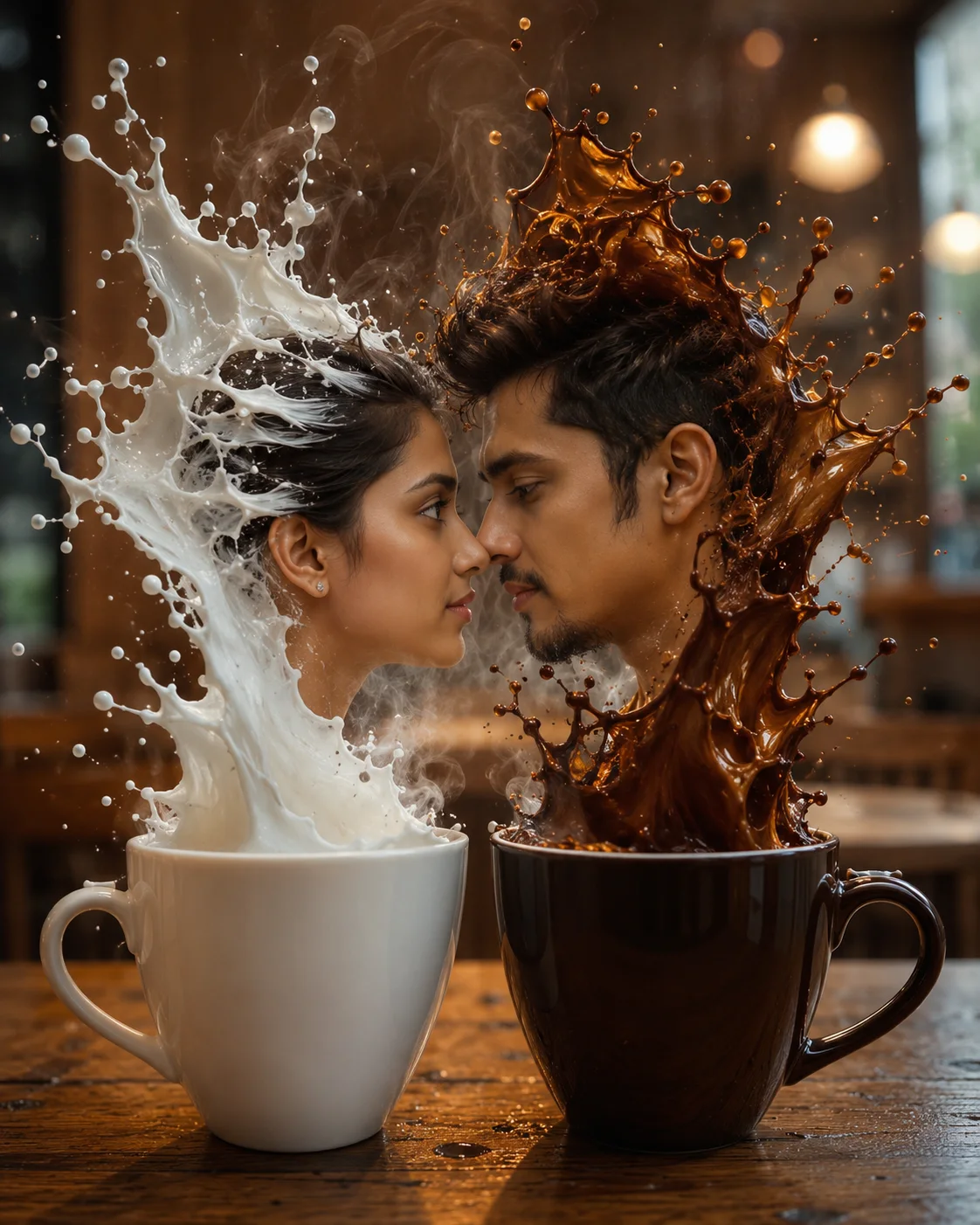
Milk and coffee faces in harmony
Create an epic couple AI image using this high-quality prompt optimized for Chat GPT image generation.
Prompt Content
Use this prompt in your favorite AI image generator.
Ultra-realistic surreal photo of two coffee cups on a warm wooden café table: one white cup filled with milk and one brown cup filled with black coffee. The milk and coffee liquids explode upward, forming the exact facial profiles of a man and a woman, perfectly matching the faces from the reference photos, facing each other extremely closely, almost touching noses. 🔒 Absolute Identity Lock: The facial bone structure, eye shape, eye distance, nose, lips, jawline, head proportions, and natural expressions MUST be 100% identical to the reference photos of the man and woman. There must be no face drift, no age change, no race change, no facial style alteration, and no artistic reinterpretation. The liquid splash forms dynamic faces, facial hair, hair made of white milk and brown coffee, with micro droplets frozen mid-air. Soft coffee steam rises, creating a romantic and emotional atmosphere. Lighting: natural morning café light, warm cinematic tone, shallow depth of field, naturally blurred café interior background. Style: high-speed liquid photography, physics-accurate fluid motion, realistic liquid reflections, centered symmetrical composition, 85mm lens, f/1.8, ultra-photorealistic, cinematic realism, HDR, 8K detail. I want the same faces as I uploaded no alteration 100 percent the same. Negative Prompt: face change, different identity, illustration, specs, ornaments, flower, anime, CGI look, plastic skin, distorted face, extra face, asymmetry, low detail, unrealistic liquid, over-stylized, human skins.
How To Use
Reusable Guide- 1Copy the prompt using the "Copy Prompt" button above.
- 2Open your preferred AI model (Chat GPT) and paste the prompt into the input field.
- 3Optionally, replace bracketed placeholders (e.g. [subject], [style]) with your own values to personalise the output.
- 4Run the prompt and review the result — iterate by tweaking descriptors for different moods or compositions.
- 5Save or export your favourite generations directly from the AI tool's interface.
For best results, use this prompt as-is before making edits — the defaults are already optimised.