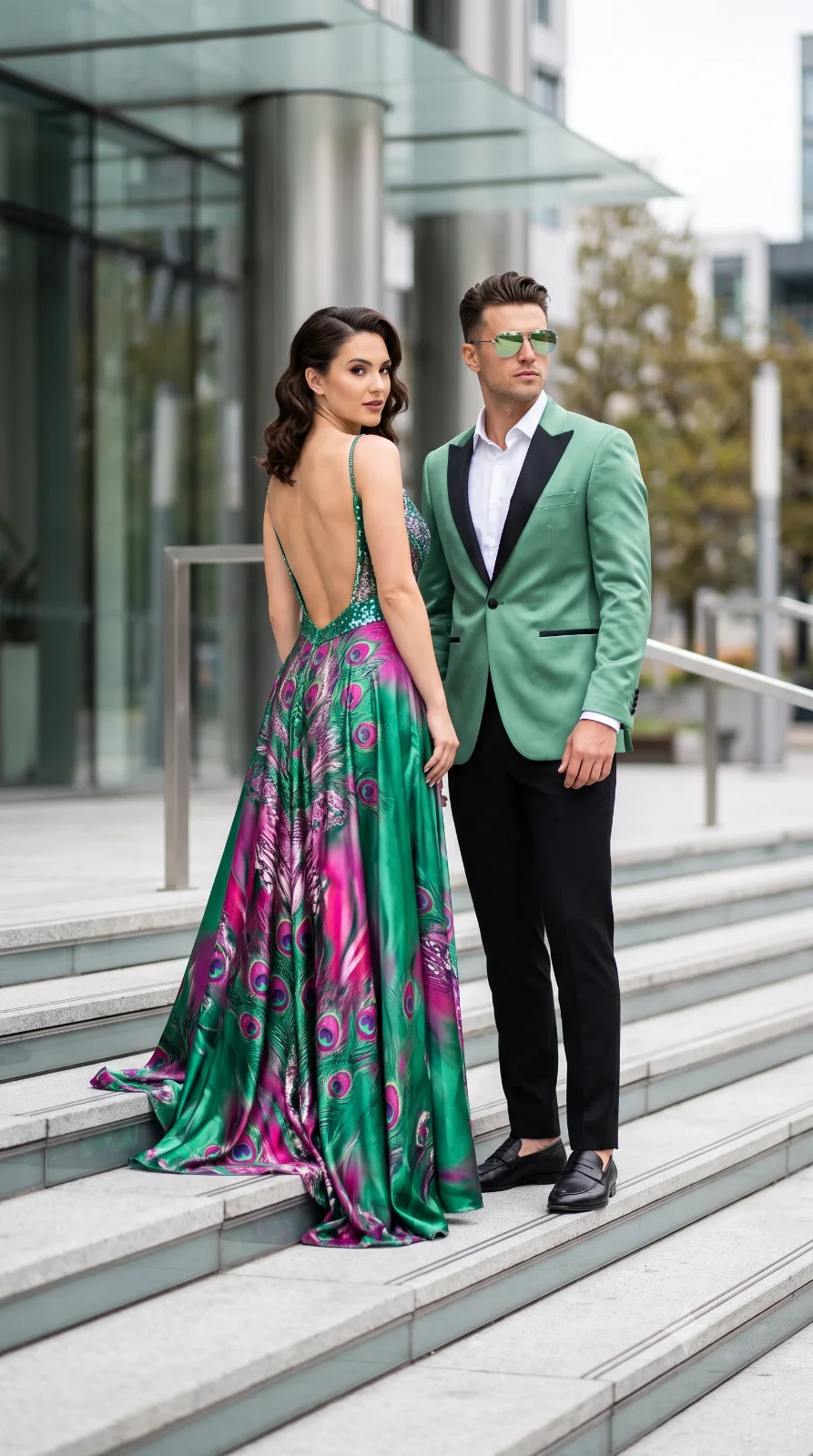
Ultra-realistic fashion editorial couple, elegant woman with flawless fair skin looking back over her shoulder, wearing a vibrant emerald green, magenta and purple peacock-feather satin gown with a sparkling sequin bodice, thin straps and dramatic open back. Beside her stands a handsome man in a tailored emerald/light green satin tuxedo with black lapels, black trousers, white dress shirt, black loafers, wearing shiny light-green reflective sunglasses. Both pose confidently on modern building steps, luxury urban architecture, soft natural daylight, cinematic lighting, shallow depth of field, DSLR, HDR, 85mm lens, photorealistic, ultra-detailed, premium magazine fashion shoot
Create an epic couple AI image using this high-quality prompt optimized for Gemini AI image generation.
Prompt Content
Use this prompt in your favorite AI image generator.
Ultra-realistic fashion editorial couple, elegant woman with flawless fair skin looking back over her shoulder, wearing a vibrant emerald green, magenta and purple peacock-feather satin gown with a sparkling sequin bodice, thin straps and dramatic open back. Beside her stands a handsome man in a tailored emerald/light green satin tuxedo with black lapels, black trousers, white dress shirt, black loafers, wearing shiny light-green reflective sunglasses. Both pose confidently on modern building steps, luxury urban architecture, soft natural daylight, cinematic lighting, shallow depth of field, DSLR, HDR, 85mm lens, photorealistic, ultra-detailed, premium magazine fashion shoot, 8K, 9:16.
How To Use
Reusable Guide- 1Copy the prompt using the "Copy Prompt" button above.
- 2Open your preferred AI model (Gemini AI) and paste the prompt into the input field.
- 3Optionally, replace bracketed placeholders (e.g. [subject], [style]) with your own values to personalise the output.
- 4Run the prompt and review the result — iterate by tweaking descriptors for different moods or compositions.
- 5Save or export your favourite generations directly from the AI tool's interface.
For best results, use this prompt as-is before making edits — the defaults are already optimised.