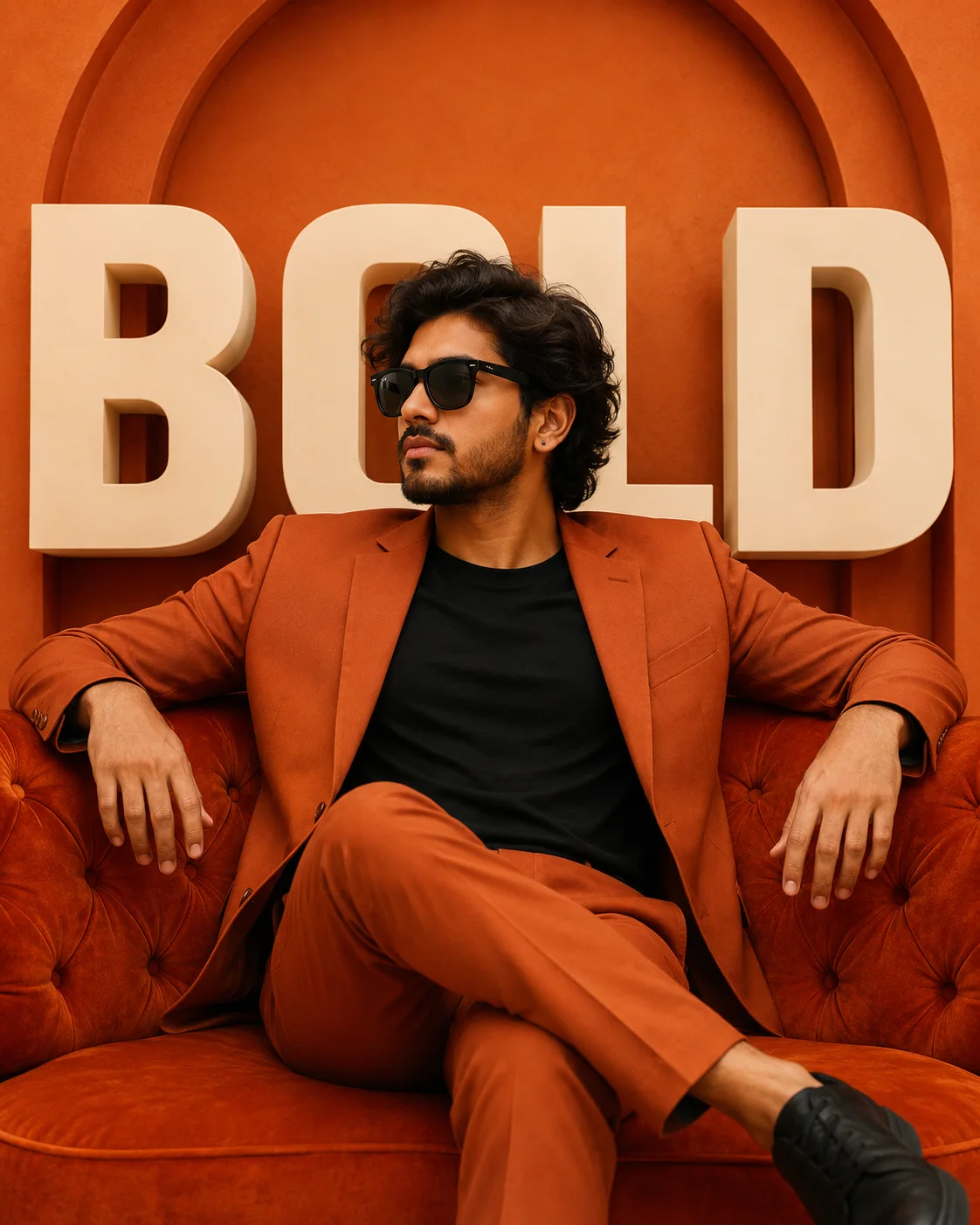
Bold Orange Editorial Portrait
Create an epic men AI image using this high-quality prompt optimized for Chat GPT image generation.
Prompt Content
Use this prompt in your favorite AI image generator.
Detailed Image Prompt Bold editorial fashion portrait of a man with medium-length wavy dark black hair, and a well-groomed beard and mustache. He wears classic black wayfarer-style sunglasses with a confident, serious expression, looking off to the side. He wears a small stud earring. He's dressed in a striking monochromatic rust/burnt-orange suit with matching blazer and trousers, worn over a simple black crew-neck t-shirt, creating a sleek, tonal ensemble. He sits casually on a matching rust-orange velvet tufted sofa, legs crossed, with both arms resting relaxed on the armrests. Large, oversized three-dimensional cream-colored block letters are positioned in the background behind him, spelling out bold text. The entire backdrop features a warm burnt-orange color with an architectural arched design element, creating a cohesive monochromatic color scheme throughout the entire composition. The lighting is bright, even, and studio-quality, emphasizing the rich orange tones and creating a polished, high-fashion advertising aesthetic. The color palette is dominated entirely by warm rust, terracotta, and burnt-orange tones, contrasted with the black shirt and cream lettering. The overall aesthetic is bold, stylish, and contemporary with a professional studio/editorial photography style, resembling a promotional campaign or magazine cover shoot. The mood is confident, cool, and visually striking.
About This Prompt
Auto GeneratedThis is a high-quality Men AI prompt crafted by Admin. It is designed to produce stunning visuals with minimal iteration. The prompt uses carefully selected descriptors and stylistic cues optimised for Chat GPT, making it ideal for creators who want consistent, professional results.
How To Use
Reusable Guide- 1Copy the prompt using the "Copy Prompt" button above.
- 2Open your preferred AI model (Chat GPT) and paste the prompt into the input field.
- 3Optionally, replace bracketed placeholders (e.g. [subject], [style]) with your own values to personalise the output.
- 4Run the prompt and review the result — iterate by tweaking descriptors for different moods or compositions.
- 5Save or export your favourite generations directly from the AI tool's interface.
For best results, use this prompt as-is before making edits — the defaults are already optimised.