Chromatic Drift — Floating Futuristic Editorial Echo
Create an epic men AI image using this high-quality prompt optimized for Gemini AI image generation.
Prompt Content
Use this prompt in your favorite AI image generator.
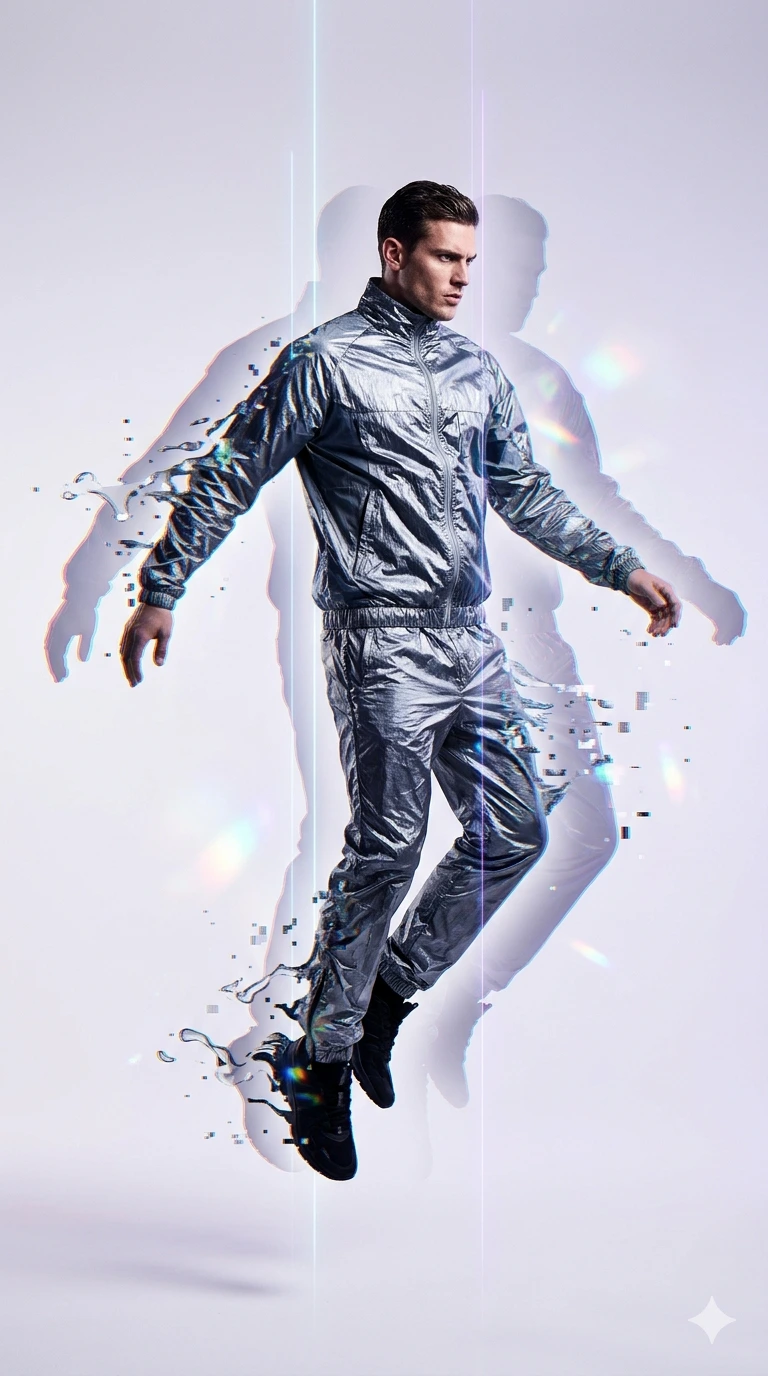
Full-body fashion editorial photograph of a man suspended in mid-air, capturing a surreal chromatic aberration and digital glitch effect. The central figure is wearing a crinkled, metallic silver and slate-grey technical nylon tracksuit that catches the light with sharp reflections. His arms are outstretched to the sides, and his body is slightly turned, floating against a minimalist, seamless off-white and pale lavender gradient background.To his left and right, ethereal, semi-transparent silhouettes or "ghost" echoes of his form trail outward, creating a motion-blur and multi-dimensional phasing effect. These trailing figures disintegrate into liquid-like digital fragments, subtle iridescent lens flares, and scattered holographic pixels with hints of cyan, magenta, and gold. Thin, vertical, glowing laser lines slice through the composition behind him. The lighting is crisp and editorial, featuring high-contrast rim lighting that accentuates the textured creases of the fabric and the profile of his face. The overall mood is futuristic, avant-garde, and high-tech, shot with a professional 85mm lens for sharp subject clarity and a clean, high-fashion aesthetic. Aspect ratio is 9:16
About This Prompt
Auto GeneratedThis is a high-quality Men AI prompt crafted by Admin. It is designed to produce stunning visuals with minimal iteration. The prompt uses carefully selected descriptors and stylistic cues optimised for Gemini AI, making it ideal for creators who want consistent, professional results.
How To Use
Reusable Guide- 1Copy the prompt using the "Copy Prompt" button above.
- 2Open your preferred AI model (Gemini AI) and paste the prompt into the input field.
- 3Optionally, replace bracketed placeholders (e.g. [subject], [style]) with your own values to personalise the output.
- 4Run the prompt and review the result — iterate by tweaking descriptors for different moods or compositions.
- 5Save or export your favourite generations directly from the AI tool's interface.
For best results, use this prompt as-is before making edits — the defaults are already optimised.