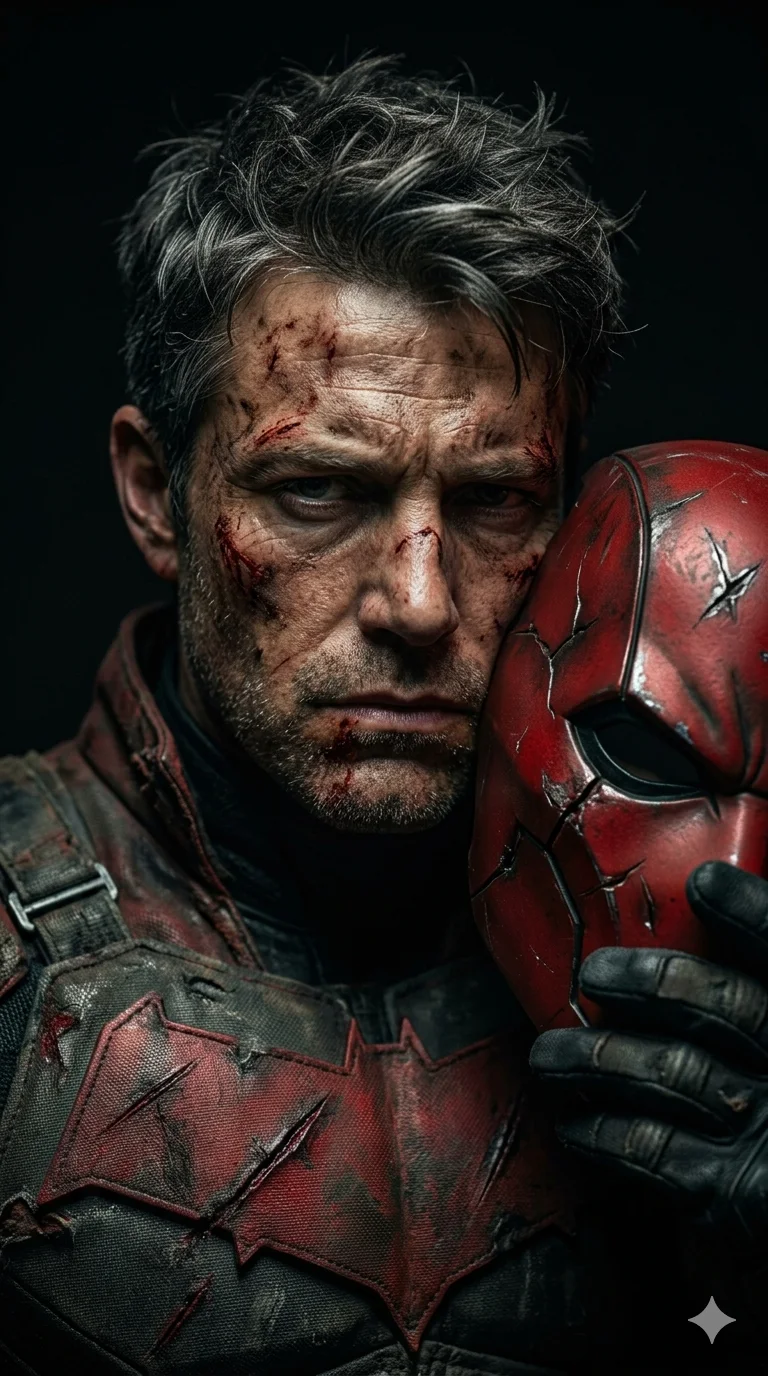
Fallen Vigilante: Battle-Worn DCU Portrait
Create an epic fantasy AI image using this high-quality prompt optimized for Gemini AI image generation.
Prompt Content
Use this prompt in your favorite AI image generator.
The subject is a MAN whose photo matches the reference photo I provided. The subject, with a rough face covered in scratches and smears of dirt and blood, and short, messy, dark hair with streaks of gray in places, holds the mask of one of the masked characters in the DCU (selected randomly and assigned to only one). The mask is damaged on the right side of his face. The subject is wearing the outfit and hairstyle, all consistent with the character's chosen character, but is worn with visible scratches and tears. His expression is intense and tired, with a stern, slightly downcast gaze, conveying a sense of fortitude and exhaustion. His mask partially covers his face and shows signs of battle. The subject is positioned slightly off-center to the left, filling most of the frame. His body is well-proportioned and well-built. The lighting is dramatic, with a single light source from the top left casting dark shadows and highlighting the texture of his skin, suit, and mask, creating a gloomy and intense atmosphere. The background is completely dark and out of focus, emphasizing the subject's rugged presence. The perspective is a close-up shot, from the chest up, creating an intimate and impressive portrait. The style is photorealistic with a cinematic feel, 8k Resolution, 9:16 Aspect Ratio.
About This Prompt
Auto GeneratedThis is a high-quality Fantasy AI prompt crafted by Admin. It is designed to produce rich, imaginative fantasy visuals with minimal iteration. The prompt uses carefully selected descriptors and stylistic cues optimised for Gemini AI, making it ideal for creators who want consistent, professional results.
How To Use
Reusable Guide- 1Copy the prompt using the "Copy Prompt" button above.
- 2Open your preferred AI model (Gemini AI) and paste the prompt into the input field.
- 3Optionally, replace bracketed placeholders (e.g. [subject], [style]) with your own values to personalise the output.
- 4Run the prompt and review the result — iterate by tweaking descriptors for different moods or compositions.
- 5Save or export your favourite generations directly from the AI tool's interface.
For best results, use this prompt as-is before making edits — the defaults are already optimised.