Fashion Portrait Request
Create an epic men AI image using this high-quality prompt optimized for Chat GPT image generation.
Prompt Content
Use this prompt in your favorite AI image generator.
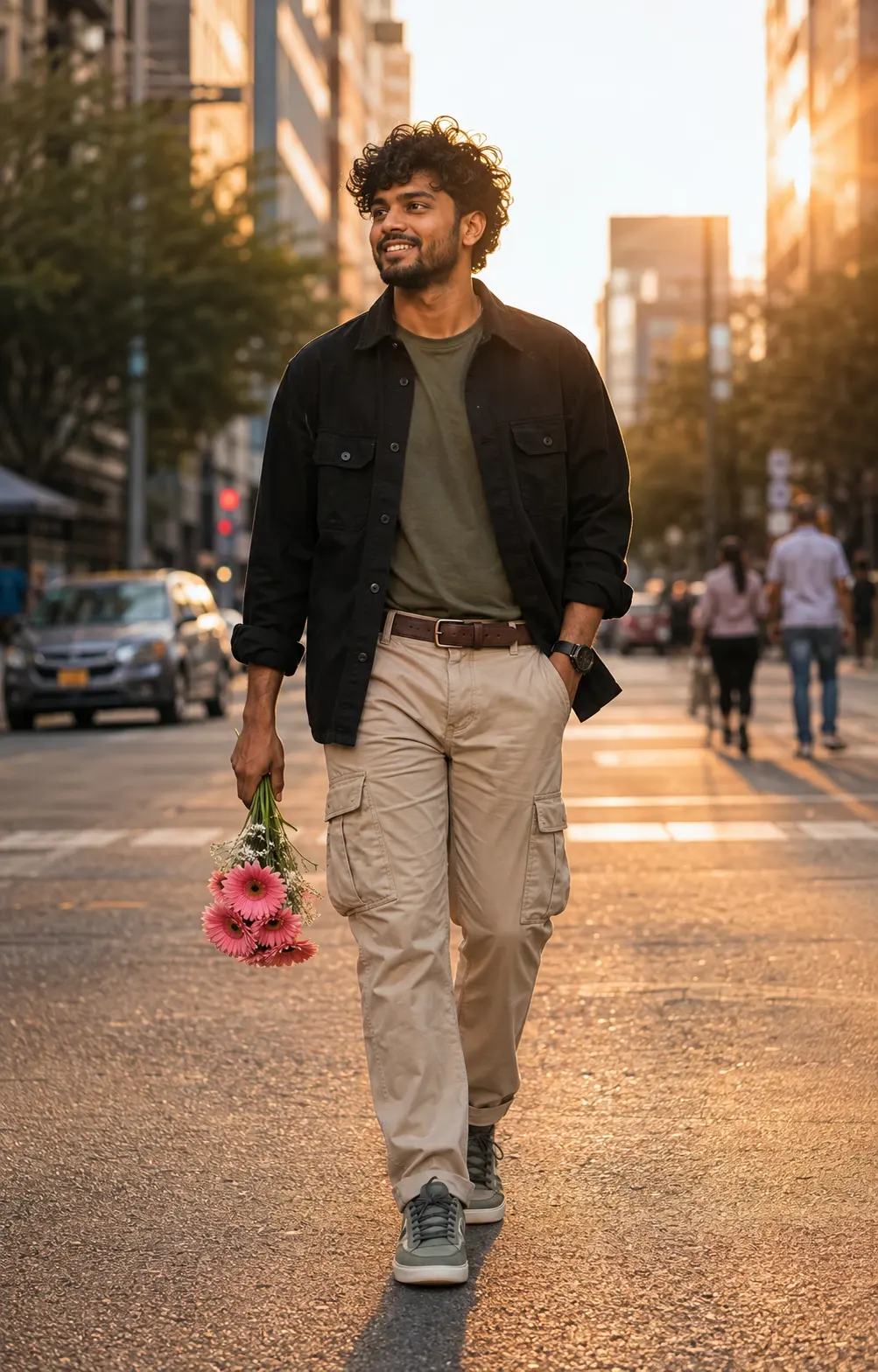
Create a highly photorealistic full-body cinematic street-fashion portrait of the SAME MAN from the uploaded reference photo. Preserve his exact facial identity, face shape, eyes, eyebrows, nose, lips, beard, hairstyle, skin tone and natural facial proportions. Do not change his identity. He is walking casually through a beautiful modern city street during golden hour, holding a small bouquet of pink gerbera flowers in one hand. He wears a black oversized utility shirt over an olive-green T-shirt, relaxed beige cargo pants, a leather belt and stylish olive-gray sneakers. Natural confident smile, slightly messy curly hair moving gently in the breeze, relaxed masculine body language. Warm golden-hour sunlight, cinematic shadows, urban background with soft bokeh, subtle pedestrians blurred in the distance, premium fashion editorial aesthetic, realistic skin texture, realistic fabric, natural colors, ultra-photorealistic, 8K detail. Instagram viral fashion photography, editorial composition, 4:5 vertical. No text, no watermark, no distorted hands, no extra fingers.
About This Prompt
Auto GeneratedThis is a high-quality Men AI prompt crafted by Admin. It is designed to produce stunning visuals with minimal iteration. The prompt uses carefully selected descriptors and stylistic cues optimised for Chat GPT, making it ideal for creators who want consistent, professional results.
How To Use
Reusable Guide- 1Copy the prompt using the "Copy Prompt" button above.
- 2Open your preferred AI model (Chat GPT) and paste the prompt into the input field.
- 3Optionally, replace bracketed placeholders (e.g. [subject], [style]) with your own values to personalise the output.
- 4Run the prompt and review the result — iterate by tweaking descriptors for different moods or compositions.
- 5Save or export your favourite generations directly from the AI tool's interface.
For best results, use this prompt as-is before making edits — the defaults are already optimised.