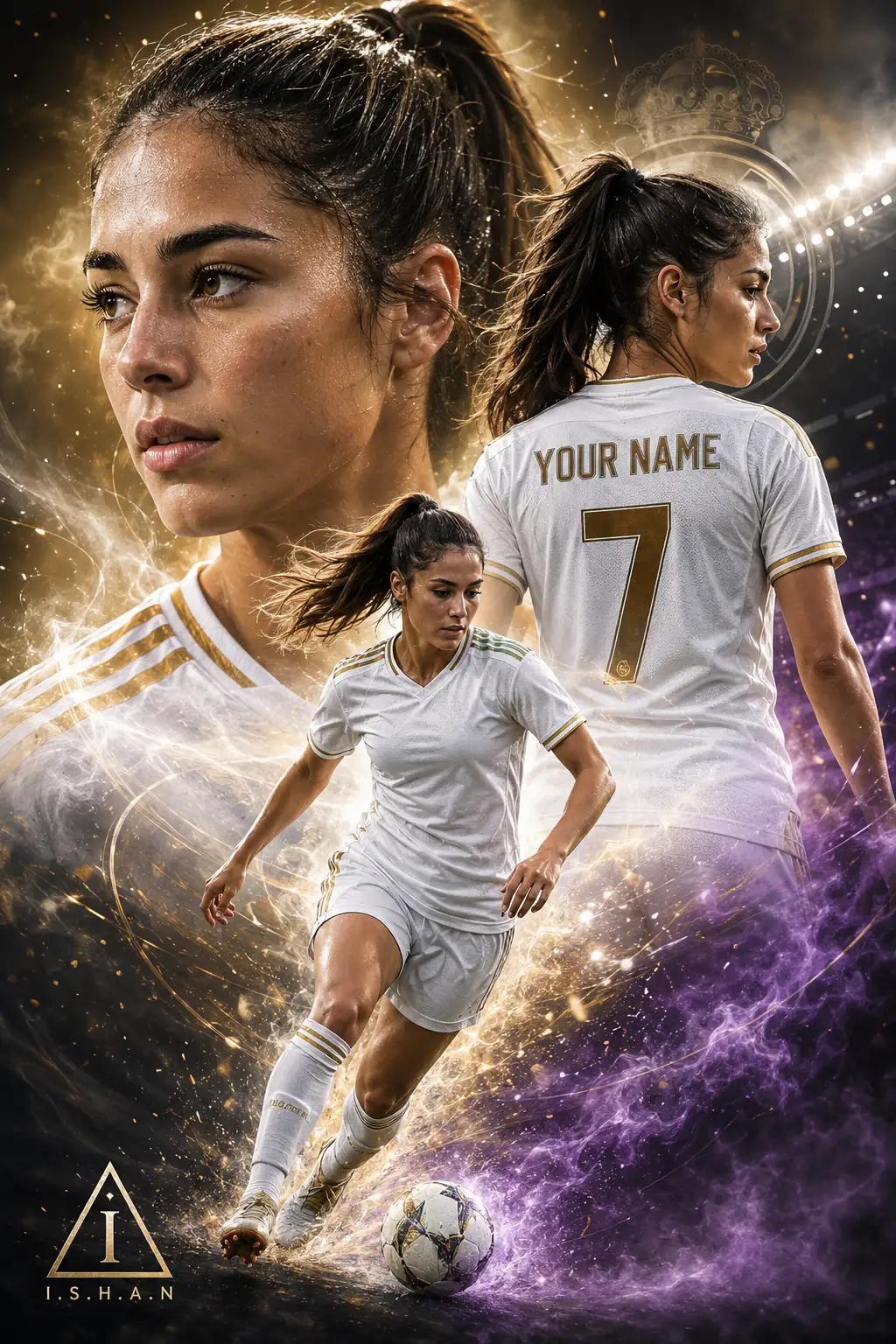
I.S.H.A.N – Cinematic Multi-Layer Soccer Star Editorial Poster with Energy Particle Stadium Glow
Create an epic sport AI image using this high-quality prompt optimized for Chat GPT image generation.
Prompt Content
Use this prompt in your favorite AI image generator.
A dramatic digital poster of a young female soccer player, styled like a professional sports advertisement. The composition features three layered perspectives of the same player: A large, highly detailed close-up portrait in the background with intense eyes and soft lighting A mid-shot from behind showing her wearing a white jersey with the name "YOUR NAME" and number 7 A full-body action pose in the foreground dribbling a soccer ball She is wearing a modern Real Madrid home kit (white jersey, subtle gold accents, realistic fabric texture, no visible logos if restricted). Her hair is tied back in a sporty ponytail. The background is a dynamic blend of glowing particles, light streaks, and smoke in white, gold, and soft purple tones, creating a powerful and energetic atmosphere. Stadium-style lighting, cinematic glow, high contrast, ultra-realistic skin texture, sharp focus, depth of field. Style: hyper-realistic, sports poster, cinematic lighting, 8K detail, dramatic composition, vibrant but clean color grading. In the left bottom corner add a small triangle with a stylized "I" inside it and a text "I.S.H.A.N" beneath it. Keep the face 100% same as in the uploaded picture.
About This Prompt
Auto GeneratedThis is a high-quality Sport AI prompt crafted by Admin. It is designed to produce stunning visuals with minimal iteration. The prompt uses carefully selected descriptors and stylistic cues optimised for Chat GPT, making it ideal for creators who want consistent, professional results.
How To Use
Reusable Guide- 1Copy the prompt using the "Copy Prompt" button above.
- 2Open your preferred AI model (Chat GPT) and paste the prompt into the input field.
- 3Optionally, replace bracketed placeholders (e.g. [subject], [style]) with your own values to personalise the output.
- 4Run the prompt and review the result — iterate by tweaking descriptors for different moods or compositions.
- 5Save or export your favourite generations directly from the AI tool's interface.
For best results, use this prompt as-is before making edits — the defaults are already optimised.