Leave A Mark — The White Linen Legacy
Create an epic men AI image using this high-quality prompt optimized for Gemini AI image generation.
Prompt Content
Use this prompt in your favorite AI image generator.
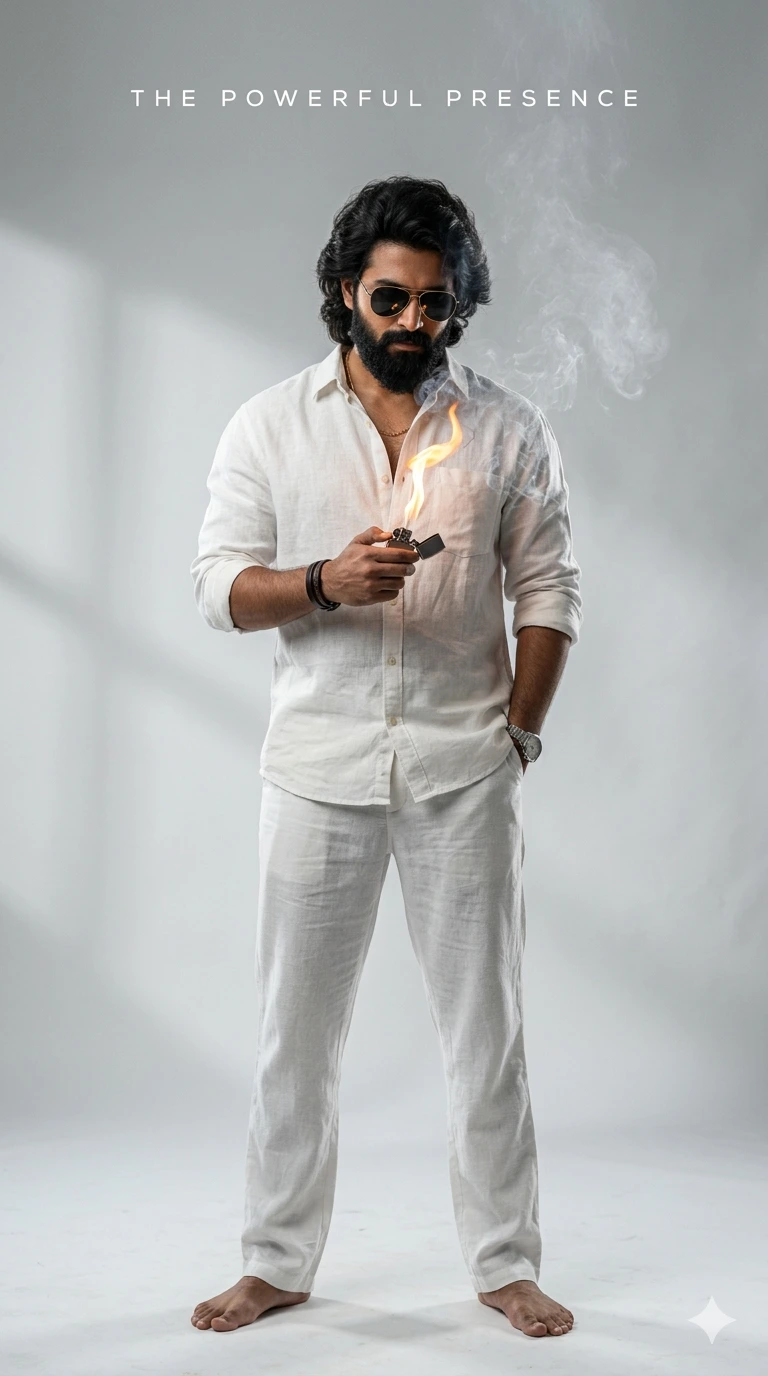
Using this reference image as style inspiration, create a realistic cinematic full-body portrait of a powerful and charismatic young man with thick wavy shoulder-length hair, a sharp full beard, and black aviator sunglasses. Maintain a bold mass-hero aura and confident masculine presence.He is standing against a minimal clean light-grey studio background, wearing a premium all-white linen outfit consisting of a slightly oversized unbuttoned white shirt with rolled sleeves and matching white pants. One hand is casually in his pocket while the other hand holds a metal lighter creating a dramatic flame effect. Add soft cinematic smoke atmosphere around him for intensity and attitude. Expression should be serious, fearless, and calm, with a slightly downward gaze.Keep realistic skin texture, natural lighting, and ultra-detailed facial features. Use high-end editorial photography style, dramatic shadows, luxury fashion campaign mood, and professional studio lighting. Composition: vertical full-body frame, centered subject, minimalistic premium aesthetic, ultra-HD, realistic photography, cinematic depth of field, 8K quality. Text styling at top: minimal spaced typography for a movie-poster/editorial look.Overall vibe: South Indian mass hero × luxury fashion editorial × cinematic attitude poster.
About This Prompt
Auto GeneratedThis is a high-quality Men AI prompt crafted by Admin. It is designed to produce stunning visuals with minimal iteration. The prompt uses carefully selected descriptors and stylistic cues optimised for Gemini AI, making it ideal for creators who want consistent, professional results.
How To Use
Reusable Guide- 1Copy the prompt using the "Copy Prompt" button above.
- 2Open your preferred AI model (Gemini AI) and paste the prompt into the input field.
- 3Optionally, replace bracketed placeholders (e.g. [subject], [style]) with your own values to personalise the output.
- 4Run the prompt and review the result — iterate by tweaking descriptors for different moods or compositions.
- 5Save or export your favourite generations directly from the AI tool's interface.
For best results, use this prompt as-is before making edits — the defaults are already optimised.