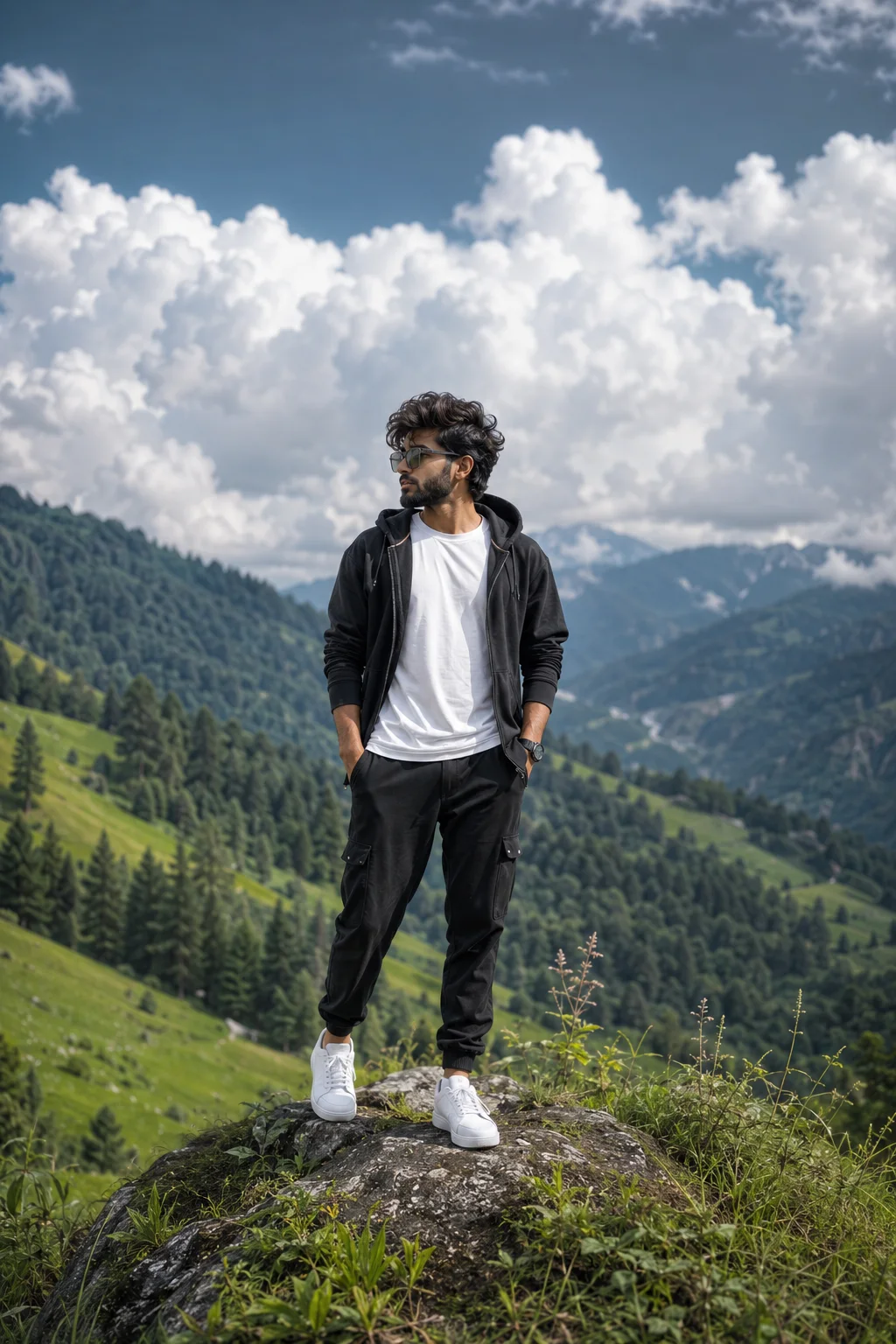
Lone Hiker Above the Mountain Valley
Create an epic men AI image using this high-quality prompt optimized for Chat GPT image generation.
Prompt Content
Use this prompt in your favorite AI image generator.
Dramatic cinematic outdoor travel portrait of a stylish young South Asian man standing confidently in a lush mountain landscape. Massive soft white clouds fill the dramatic blue-gray sky, with layered lush green hills and majestic pine-covered mountains stretching into the distance. Natural daylight with soft cinematic illumination, subtle atmospheric haze, realistic depth and perspective. Full-body composition, subject completely visible from head to toe, natural relaxed pose, authentic expression. Highly detailed realistic skin texture, natural hair and beard detail, realistic fabric texture and folds, premium modern outfit, subtle wind movement in clothing. Vibrant yet natural colors, professional outdoor fashion photography, luxury travel editorial aesthetic, shallow depth of field, creamy background bokeh, 85mm lens, f/2.8, HDR, ultra-sharp subject focus, realistic shadows, high dynamic range, photorealistic DSLR quality, 8K resolution, authentic photography, sophisticated cinematic color grading, premium magazine-quality composition.
About This Prompt
Auto GeneratedThis is a high-quality Men AI prompt crafted by Admin. It is designed to produce stunning visuals with minimal iteration. The prompt uses carefully selected descriptors and stylistic cues optimised for Chat GPT, making it ideal for creators who want consistent, professional results.
How To Use
Reusable Guide- 1Copy the prompt using the "Copy Prompt" button above.
- 2Open your preferred AI model (Chat GPT) and paste the prompt into the input field.
- 3Optionally, replace bracketed placeholders (e.g. [subject], [style]) with your own values to personalise the output.
- 4Run the prompt and review the result — iterate by tweaking descriptors for different moods or compositions.
- 5Save or export your favourite generations directly from the AI tool's interface.
For best results, use this prompt as-is before making edits — the defaults are already optimised.