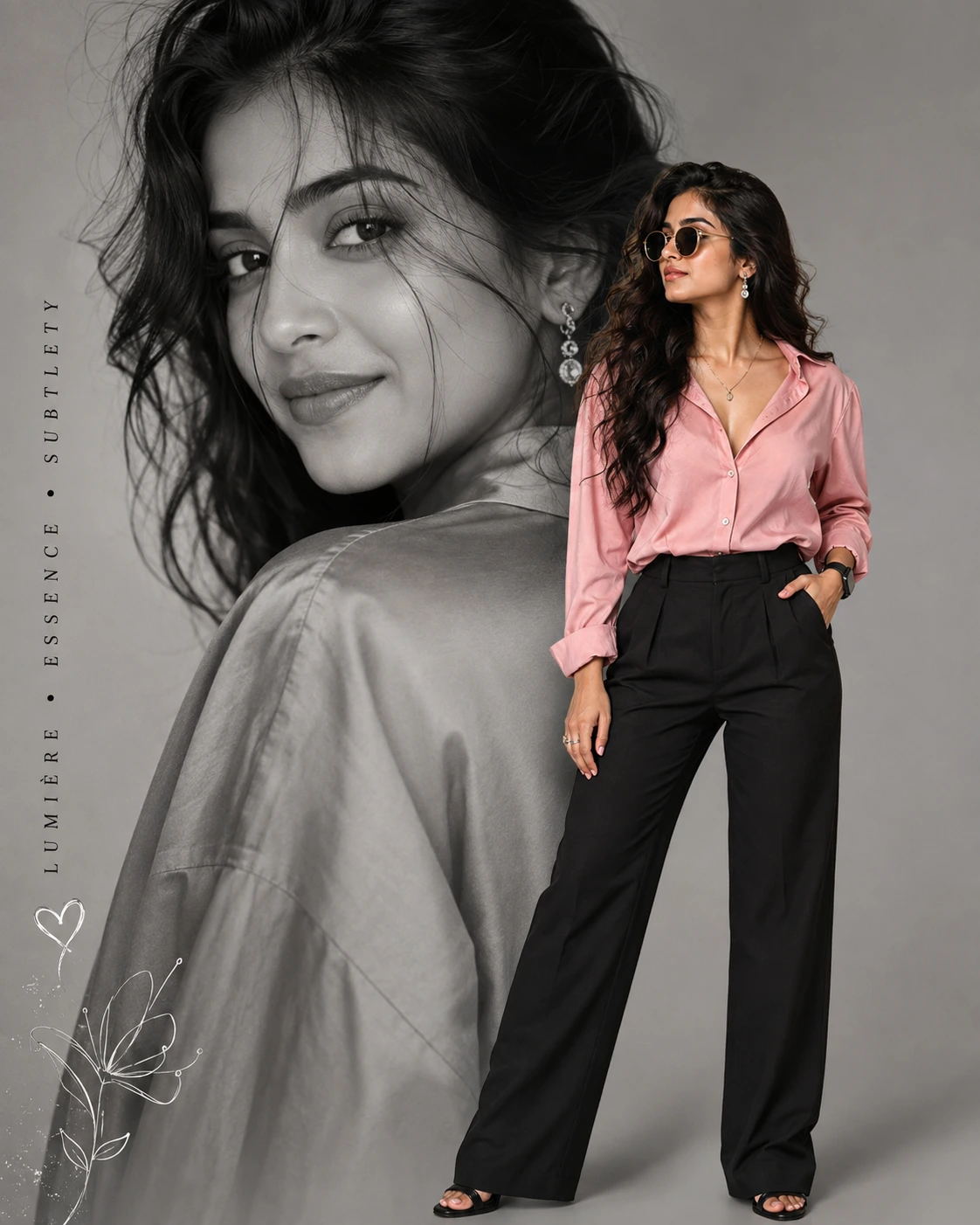
Lumière Essence: Editorial Double Portrait
Create an epic women AI image using this high-quality prompt optimized for Chat GPT image generation.
Prompt Content
Use this prompt in your favorite AI image generator.
Generate a high-fashion double composition collage photo featuring the uploaded stylish woman with long, wavy hair, loose strands falls on face. In the background an oversized monochrome black-and-white close-up portrait of the woman's face looking over the shoulder. She has expressive eyes, subtle makeup, wearing a shirt and a soft smile.In the foreground a full body of her standing on the right side in full vibrant color, the same woman poses confidently with one hand in her pocket, looking side, wearing rounded trendy black sunglasses. She is wearing a bright open collar light rose pink silk shirt and high-waisted black tailored trousers, a delicate silver necklace, and drop earrings, smartwatch.Clean studio portrait, neutral light-grey backdrop, professional studio lighting, sharp focus, sleek fashion magazine editorial aesthetic, 8k resolution. Add some elegant calligraphy on one side "LUMIÈRE • ESSENCE • SUBTLETY" and one or two doodles art. Maintain the face same as the uploaded photo. Aspect ratio 4:5.
About This Prompt
Auto GeneratedThis is a high-quality Women AI prompt crafted by Admin. It is designed to produce stunning visuals with minimal iteration. The prompt uses carefully selected descriptors and stylistic cues optimised for Chat GPT, making it ideal for creators who want consistent, professional results.
How To Use
Reusable Guide- 1Copy the prompt using the "Copy Prompt" button above.
- 2Open your preferred AI model (Chat GPT) and paste the prompt into the input field.
- 3Optionally, replace bracketed placeholders (e.g. [subject], [style]) with your own values to personalise the output.
- 4Run the prompt and review the result — iterate by tweaking descriptors for different moods or compositions.
- 5Save or export your favourite generations directly from the AI tool's interface.
For best results, use this prompt as-is before making edits — the defaults are already optimised.