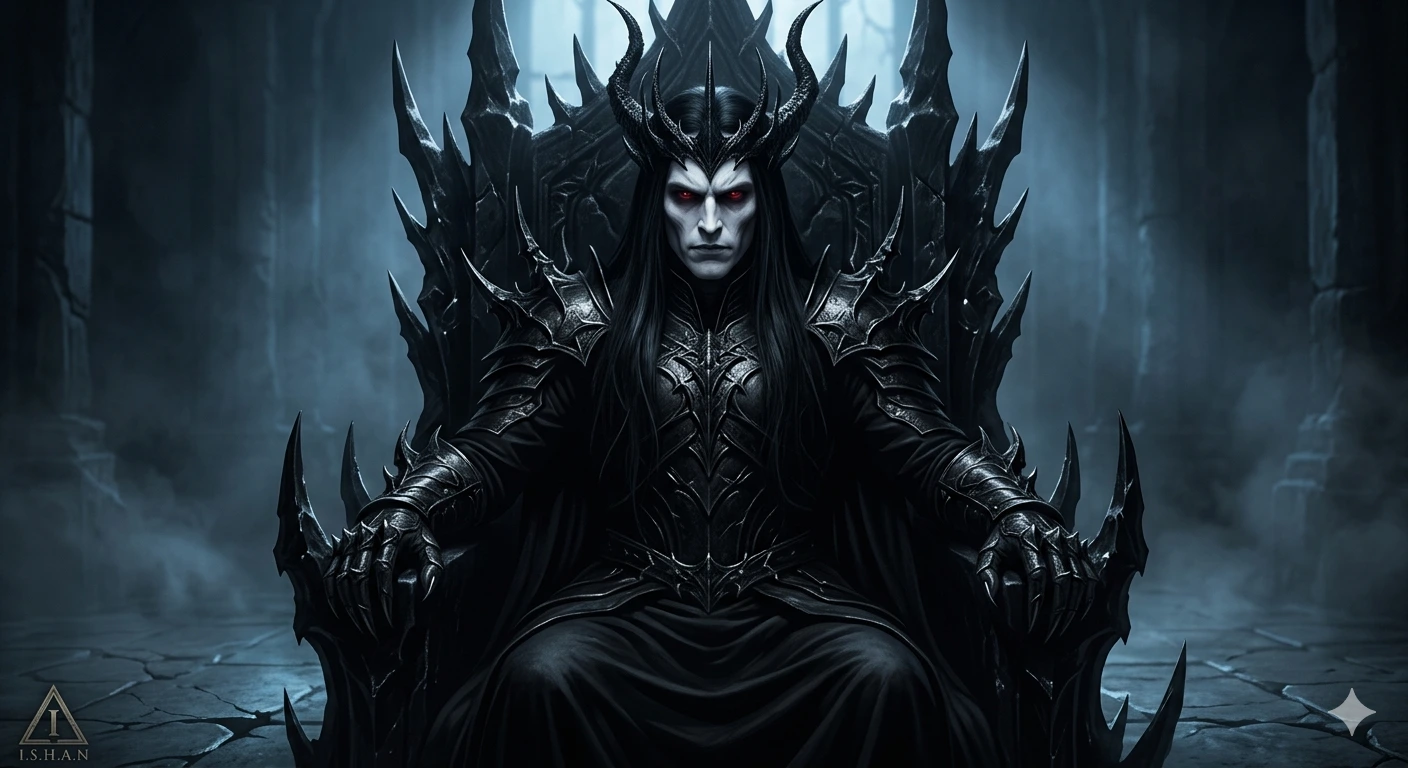
OBSIDIAN THRONE: Crimson-Eyed Dark Lord of the Forsaken Realm
Create an epic fantasy AI image using this high-quality prompt optimized for Gemini AI image generation.
Prompt Content
Use this prompt in your favorite AI image generator.
A dark gothic fantasy portrait of a mysterious male dark lord seated on a massive black obsidian throne covered in sharp jagged spikes, ultra-detailed cinematic realism style. The man has an extremely pale face, long straight jet-black hair flowing over his armor, glowing crimson red eyes, sharp angular features, and a cold intimidating expression. He wears intricate black metallic armor with razor-like thorn details and dark flowing robes that blend into the throne shadows.A twisted crown of black spikes and horns rises from his head, merging with the throne design. His clawed gauntlet hands rest calmly in front of him in a commanding pose. The environment is a dark ancient throne room filled with shadows, mist, cracked stone floors, and faint cold blue ambient light. Dramatic high-contrast lighting illuminates parts of his face and armor while deep darkness surrounds him.Hyper-realistic textures, dark fantasy atmosphere, gothic horror aesthetic, cinematic composition, volumetric fog, ultra-detailed black armor reflections, moody shadows, eerie glowing eyes, epic dark king concept art, photorealistic, 8K, masterpiece quality.” In the left bottom corner add a small triangle with a stylized "I" inside it and a text "I.S.H.A.N" beneath it. Keep the face 100% same as in the uploaded picture.
About This Prompt
Auto GeneratedThis is a high-quality Fantasy AI prompt crafted by Admin. It is designed to produce rich, imaginative fantasy visuals with minimal iteration. The prompt uses carefully selected descriptors and stylistic cues optimised for Gemini AI, making it ideal for creators who want consistent, professional results.
How To Use
Reusable Guide- 1Copy the prompt using the "Copy Prompt" button above.
- 2Open your preferred AI model (Gemini AI) and paste the prompt into the input field.
- 3Optionally, replace bracketed placeholders (e.g. [subject], [style]) with your own values to personalise the output.
- 4Run the prompt and review the result — iterate by tweaking descriptors for different moods or compositions.
- 5Save or export your favourite generations directly from the AI tool's interface.
For best results, use this prompt as-is before making edits — the defaults are already optimised.