Portrait Generation Request
Create an epic men AI image using this high-quality prompt optimized for Chat GPT image generation.
Prompt Content
Use this prompt in your favorite AI image generator.
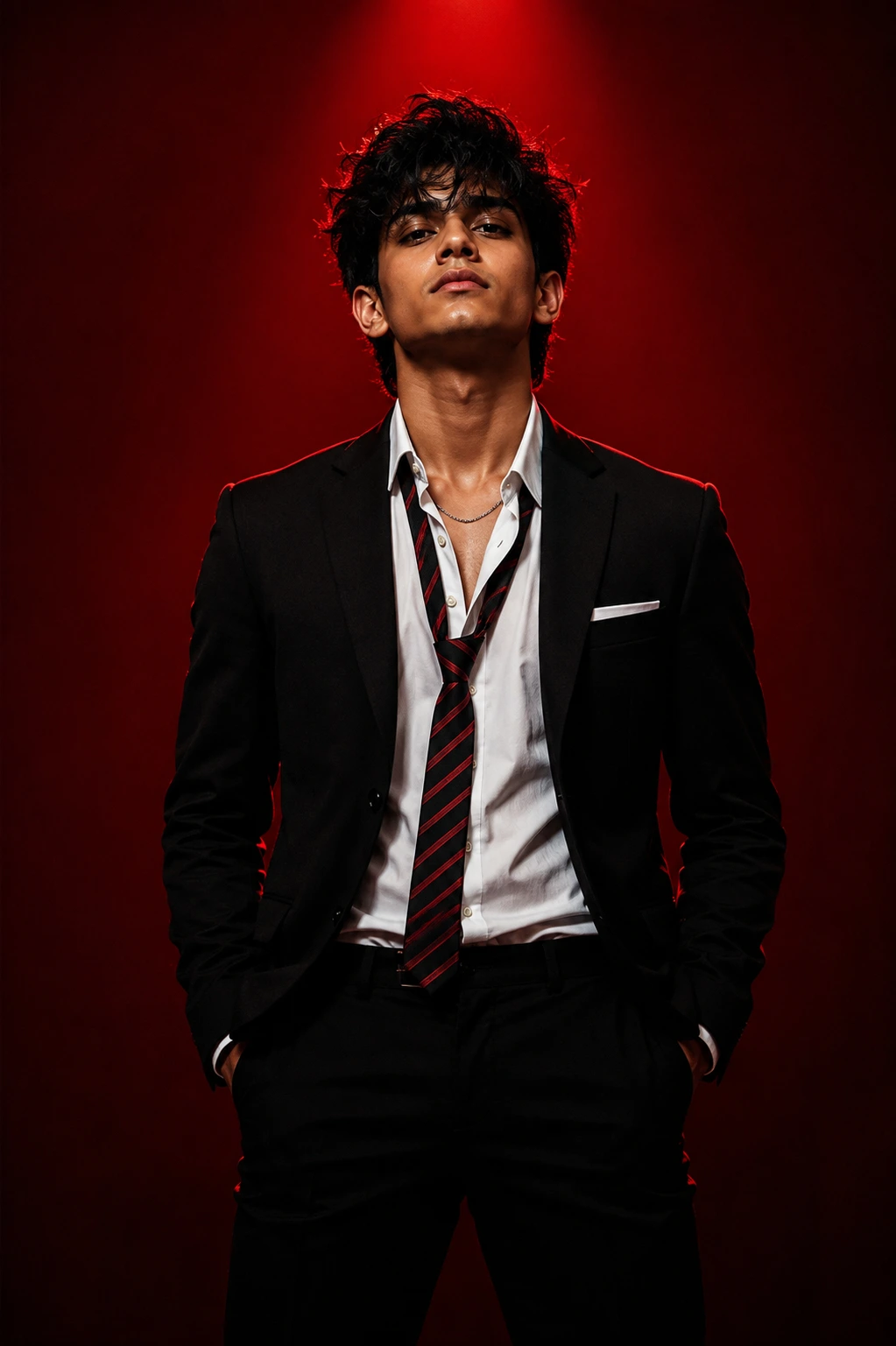
Ultra-realistic 8K cinematic fashion portrait using attached face/hair/body reference, 100% facial identity preservation. Medium-full body, confident dominant pose, hands in trouser pockets, chest slightly forward, head slightly back, chin raised, intense direct gaze. Messy textured black hair with slightly wet strands on forehead.Luxury black tailored suit, white shirt partly unbuttoned, loosened red-black striped tie, black trousers, white pocket square, subtle silver chain. Deep crimson-red studio background, dramatic overhead red spotlight, strong red rim light, high-contrast shadows, glossy skin highlights, luxury magazine/editorial aesthetic, realistic skin pores, natural fabric texture, volumetric lighting, shallow DOF, HDR, vibrant reds, 85mm lens, f/1.8, symmetrical composition, photorealistic masterpiece.Negative: blurry, low quality, cartoon, anime, painting, CGI, plastic skin, bad anatomy, deformed hands, extra/missing fingers, distorted face, asymmetrical eyes, duplicate limbs, wrong proportions, messy clothing, wrong tie, over/underexposed, noise, grain, watermark, logo, text, crop, motion blur, unrealistic colors, artifacts, facial mismatch, hairstyle mismatch, body mismatch, expression mismatch.
About This Prompt
Auto GeneratedThis is a high-quality Men AI prompt crafted by Admin. It is designed to produce stunning visuals with minimal iteration. The prompt uses carefully selected descriptors and stylistic cues optimised for Chat GPT, making it ideal for creators who want consistent, professional results.
How To Use
Reusable Guide- 1Copy the prompt using the "Copy Prompt" button above.
- 2Open your preferred AI model (Chat GPT) and paste the prompt into the input field.
- 3Optionally, replace bracketed placeholders (e.g. [subject], [style]) with your own values to personalise the output.
- 4Run the prompt and review the result — iterate by tweaking descriptors for different moods or compositions.
- 5Save or export your favourite generations directly from the AI tool's interface.
For best results, use this prompt as-is before making edits — the defaults are already optimised.