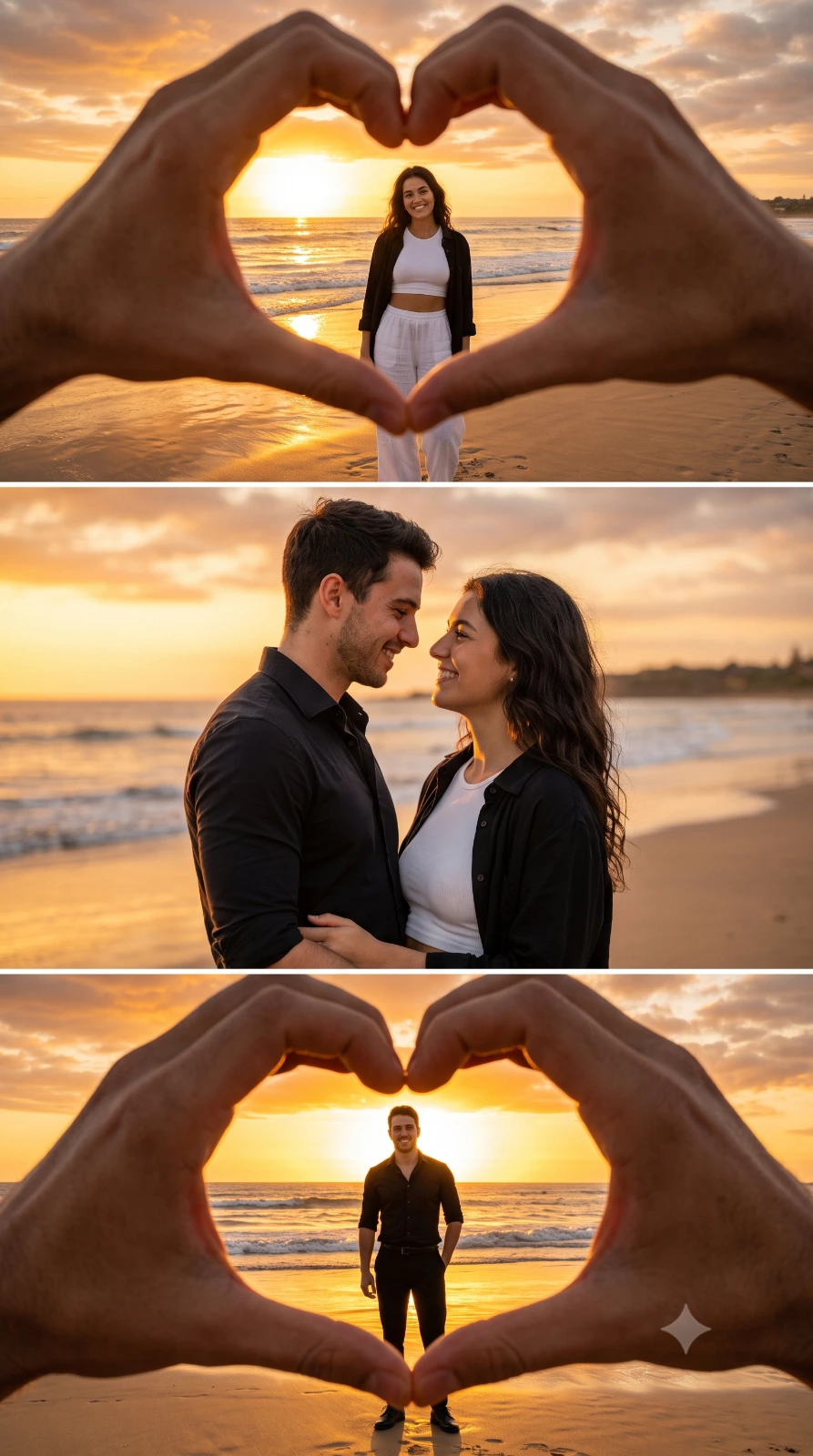
Romantic Beach Sunset Collage
Create an epic couple AI image using this high-quality prompt optimized for Gemini AI image generation.
Prompt Content
Use this prompt in your favorite AI image generator.
Ultra-realistic romantic beach sunset collage, warm golden hour lighting, cinematic DSLR photography, ultra detailed, 8K quality. Top frame: A first-person perspective with two realistic hands in the foreground forming a perfect heart shape. Inside the heart frame, a beautiful young woman stands on the sandy beach at sunset, smiling naturally at the camera. She wears a stylish white crop top, loose white wide-leg pants, and a black open shirt. Ocean waves, glowing sun, golden reflections on wet sand, dreamy bokeh, shallow depth of field. Middle frame: Romantic close-up portrait of the same young man and woman standing face-to-face, smiling softly into each other's eyes. The man wears a fitted black button-up shirt with sleeves rolled up. The woman wears the same white outfit with a black open shirt. Soft ocean background, golden sunset sky, cinematic lighting, natural skin texture, 85mm lens, shallow depth of field, premium color grading. Bottom frame: First-person perspective with realistic hands forming a heart shape again. Inside the heart frame, the young man stands alone on the beach, smiling confidently at the camera, wearing a black button-up shirt, black trousers, and black shoes. The glowing sunset is perfectly centered behind him, reflecting on the wet sand with gentle sea waves in the background. Vertical three-panel collage layout, perfectly aligned composition, soft orange and golden color palette, HDR, hyper-realistic, photorealistic, natural facial expressions, high detail, premium beach photography, Instagram 9:16 aspect ratio, masterpiece, sharp focus, volumetric sunset light.
About This Prompt
Auto GeneratedThis is a high-quality Couple AI prompt crafted by Admin. It is designed to produce stunning visuals with minimal iteration. The prompt uses carefully selected descriptors and stylistic cues optimised for Gemini AI, making it ideal for creators who want consistent, professional results.
How To Use
Reusable Guide- 1Copy the prompt using the "Copy Prompt" button above.
- 2Open your preferred AI model (Gemini AI) and paste the prompt into the input field.
- 3Optionally, replace bracketed placeholders (e.g. [subject], [style]) with your own values to personalise the output.
- 4Run the prompt and review the result — iterate by tweaking descriptors for different moods or compositions.
- 5Save or export your favourite generations directly from the AI tool's interface.
For best results, use this prompt as-is before making edits — the defaults are already optimised.