Thirteenth Monthsary by the Sea
Create an epic couple AI image using this high-quality prompt optimized for Chat GPT image generation.
Prompt Content
Use this prompt in your favorite AI image generator.
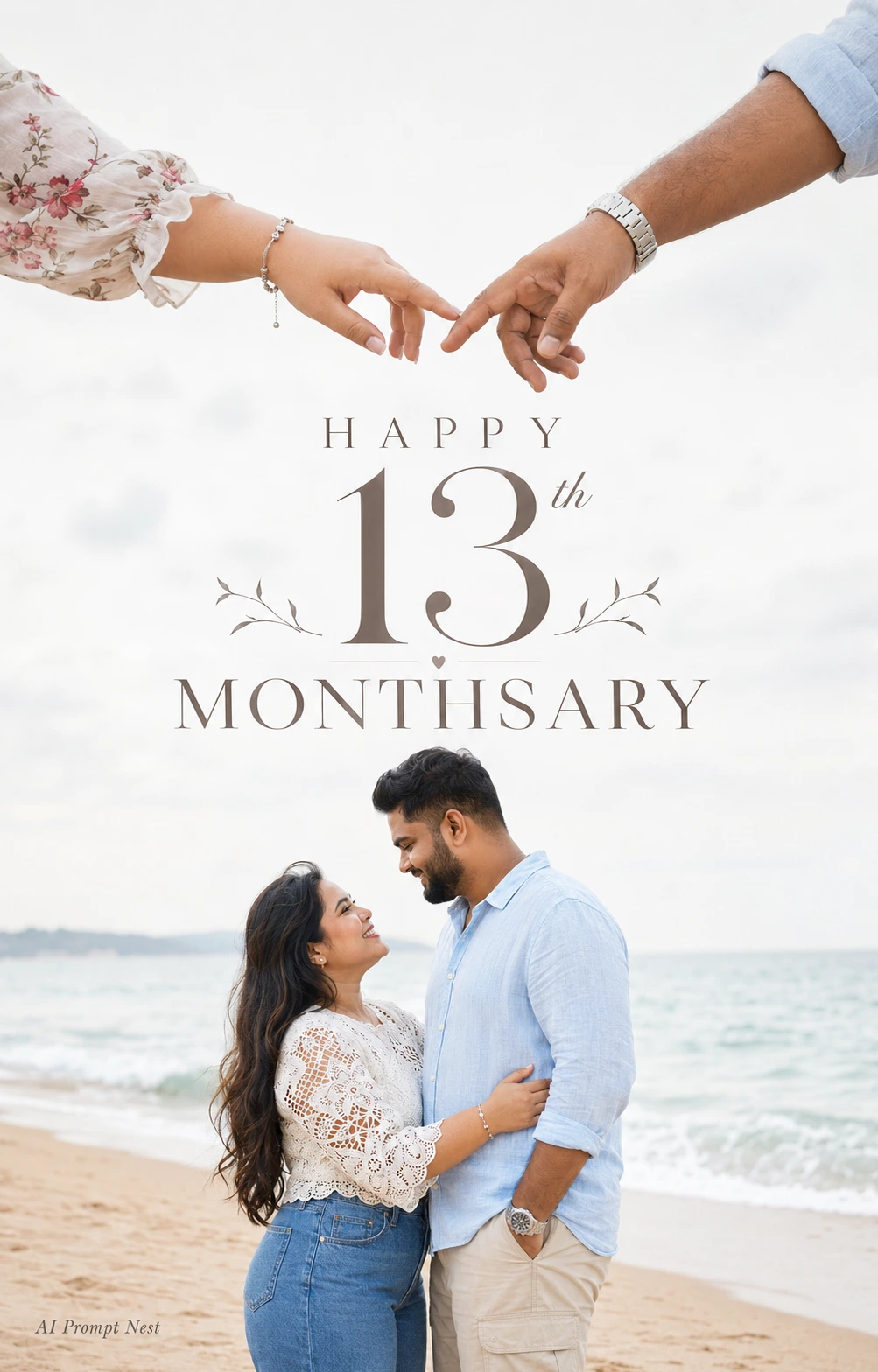
A minimalist romantic pre-wedding poster with a clean white overcast sky and soft natural beach lighting. At the top of the frame, a close-up of two hands almost touching—one belongs to a chubby Filipino woman with a soft floral blouse, silver bracelet, and natural manicure, the other to a chubby Indian man wearing a light blue rolled-sleeve shirt and a silver metal wristwatch. Their fingertips are just inches apart, creating an emotional connection.At the bottom center, the same couple stands on a quiet sandy beach by the ocean. The chubby Filipino woman has long dark wavy hair, a warm smile, wearing a white lace crochet top and high-waisted blue jeans, lovingly embracing the chubby Indian man, who has short black hair, a neatly trimmed beard, a light blue linen shirt and beige cargo pants. They gaze into each other's eyes with joyful expressions. The ocean waves are softly blurred in the background, creating a dreamy, romantic atmosphere.Large elegant typography in the center reads: HAPPY 13th MONTHSARY. Premium wedding editorial style, soft pastel tones, high-key exposure, negative space, ultra-realistic, cinematic composition, luxury photography, shallow depth of field, natural skin tones, 8K, vertical 4:5. Negative Prompt: cartoon, anime, illustration, CGI, low resolution, blurry, oversaturated, extra fingers, distorted hands, duplicate people, bad anatomy, watermark, logo, text artifacts, cropped faces, noise, harsh shadows.Add a small stylish text in the bottom left "AI Prompt Nest". Use the uploaded image for face reference and create the picture.
About This Prompt
Auto GeneratedThis is a high-quality Couple AI prompt crafted by Admin. It is designed to produce stunning visuals with minimal iteration. The prompt uses carefully selected descriptors and stylistic cues optimised for Chat GPT, making it ideal for creators who want consistent, professional results.
How To Use
Reusable Guide- 1Copy the prompt using the "Copy Prompt" button above.
- 2Open your preferred AI model (Chat GPT) and paste the prompt into the input field.
- 3Optionally, replace bracketed placeholders (e.g. [subject], [style]) with your own values to personalise the output.
- 4Run the prompt and review the result — iterate by tweaking descriptors for different moods or compositions.
- 5Save or export your favourite generations directly from the AI tool's interface.
For best results, use this prompt as-is before making edits — the defaults are already optimised.