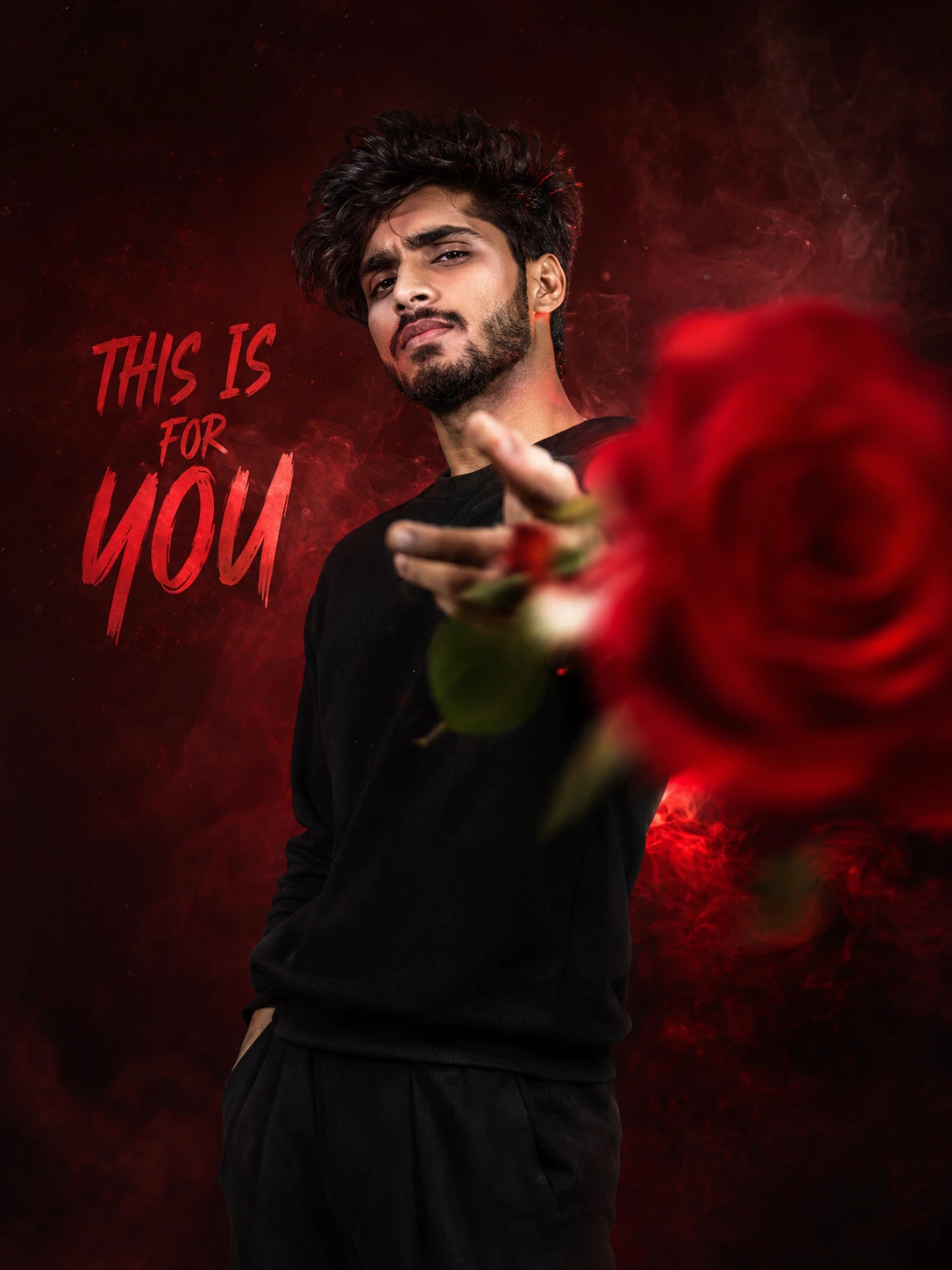
This Is For You: Crimson Rose Portrait
Create an epic men AI image using this high-quality prompt optimized for Chat GPT image generation.
Prompt Content
Use this prompt in your favorite AI image generator.
Create an ultra-realistic cinematic portrait of a handsome young South Asian/Indian man my face standing against a clean, dark-red vintage smoke and RGB light background. He has a sharp defined jawline, intense focused eyes, and a serious, confident eyes expression, attitude pose slim physique. He is wearing a black sweatshirt, paired with dark smooth trousers. The man is standing in a powerful, straight stylish pose, his head slightly up and his neck rotate 10° right to camera, extending one right hand toward the camera with his fingers positioned in a dramatic throwing that rose flower like finger-gun gesture and other hand on his pocket, creating a strong perspective effect. In the extreme foreground, very close to the camera, a large vibrant red rose is held toward the lens, heavily out of focus with strong motion blur and shallow depth of field, partially covering the right side of the frame. The rose creates a striking contrast against the green shirt and monochrome white background. The subject's face remains sharp and clearly visible behind the blurred rose. High-key studio lighting, soft diffused shadows, cinematic composition, dramatic foreground bokeh, extreme shallow depth of field, realistic skin texture, natural facial details, professional fashion photography, 85mm lens, f/1.4, ultra-detailed, 8K, HDR, photorealistic, editorial fashion photoshoot, vertical 3:4 composition. And write a word "THIS IS FOR YOU" like he is saying that, and write it a stylish font and colour,
About This Prompt
Auto GeneratedThis is a high-quality Men AI prompt crafted by Admin. It is designed to produce stunning visuals with minimal iteration. The prompt uses carefully selected descriptors and stylistic cues optimised for Chat GPT, making it ideal for creators who want consistent, professional results.
How To Use
Reusable Guide- 1Copy the prompt using the "Copy Prompt" button above.
- 2Open your preferred AI model (Chat GPT) and paste the prompt into the input field.
- 3Optionally, replace bracketed placeholders (e.g. [subject], [style]) with your own values to personalise the output.
- 4Run the prompt and review the result — iterate by tweaking descriptors for different moods or compositions.
- 5Save or export your favourite generations directly from the AI tool's interface.
For best results, use this prompt as-is before making edits — the defaults are already optimised.