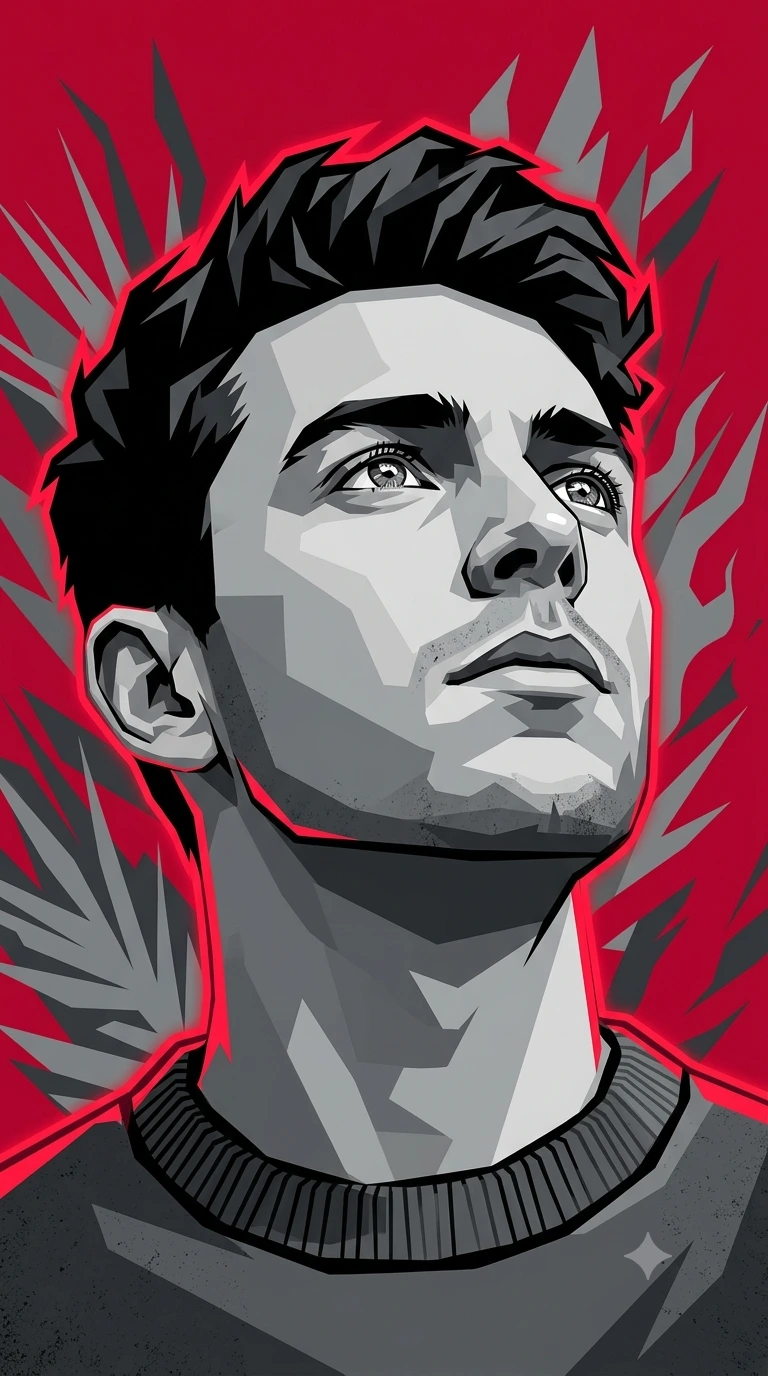
Crimson Horizon: High-Contrast Vector Hope Portrait
Create an epic portrait AI image using this high-quality prompt optimized for Gemini AI image generation.
Prompt Content
Use this prompt in your favorite AI image generator.
A high-contrast, low-angle vector illustration of a young man looking upward with a hopeful yet serious expression. The composition is a close-up portrait, focusing on the sharp lines of the jaw and the detail in the eyes reflecting light. Art Style & Technique: Style: Modern Vector Pop Art / WPAP-inspired but with a restricted palette.Execution: Use clean, sharp-edged geometric shapes and flat planes of color to create depth and shadows (hard-edged shading). No gradients. Linework: Bold, thick red outlines (rim lighting) that wrap around the subject’s silhouette, separating him from the background. Color Palette: Primary: Grayscale (shades of white, light gray, medium gray, and charcoal) for the subject's face and clothing. Accent: Vibrant, electric red for the glowing outlines and the solid background. Background: A solid deep red base with abstract, jagged gray shapes or silhouettes resembling stylized foliage or flames. Details: The man is wearing a dark, textured ribbed-collar sweater or cardigan, rendered in monochromatic gray tones. The hair is stylized with sharp, jagged chunks of black and dark gray. Keywords for AI Generators: "Vector portrait, low angle, monochromatic grayscale face, electric red rim lighting, sharp geometric shading, flat design, pop art, high contrast, bold outlines, minimalist background, 4k, clean lines." Aspect ratio is 9:16
About This Prompt
Auto GeneratedThis is a high-quality Portrait AI prompt crafted by Admin. It is designed to produce realistic, expressive portrait visuals with minimal iteration. The prompt uses carefully selected descriptors and stylistic cues optimised for Gemini AI, making it ideal for creators who want consistent, professional results.
How To Use
Reusable Guide- 1Copy the prompt using the "Copy Prompt" button above.
- 2Open your preferred AI model (Gemini AI) and paste the prompt into the input field.
- 3Optionally, replace bracketed placeholders (e.g. [subject], [style]) with your own values to personalise the output.
- 4Run the prompt and review the result — iterate by tweaking descriptors for different moods or compositions.
- 5Save or export your favourite generations directly from the AI tool's interface.
For best results, use this prompt as-is before making edits — the defaults are already optimised.