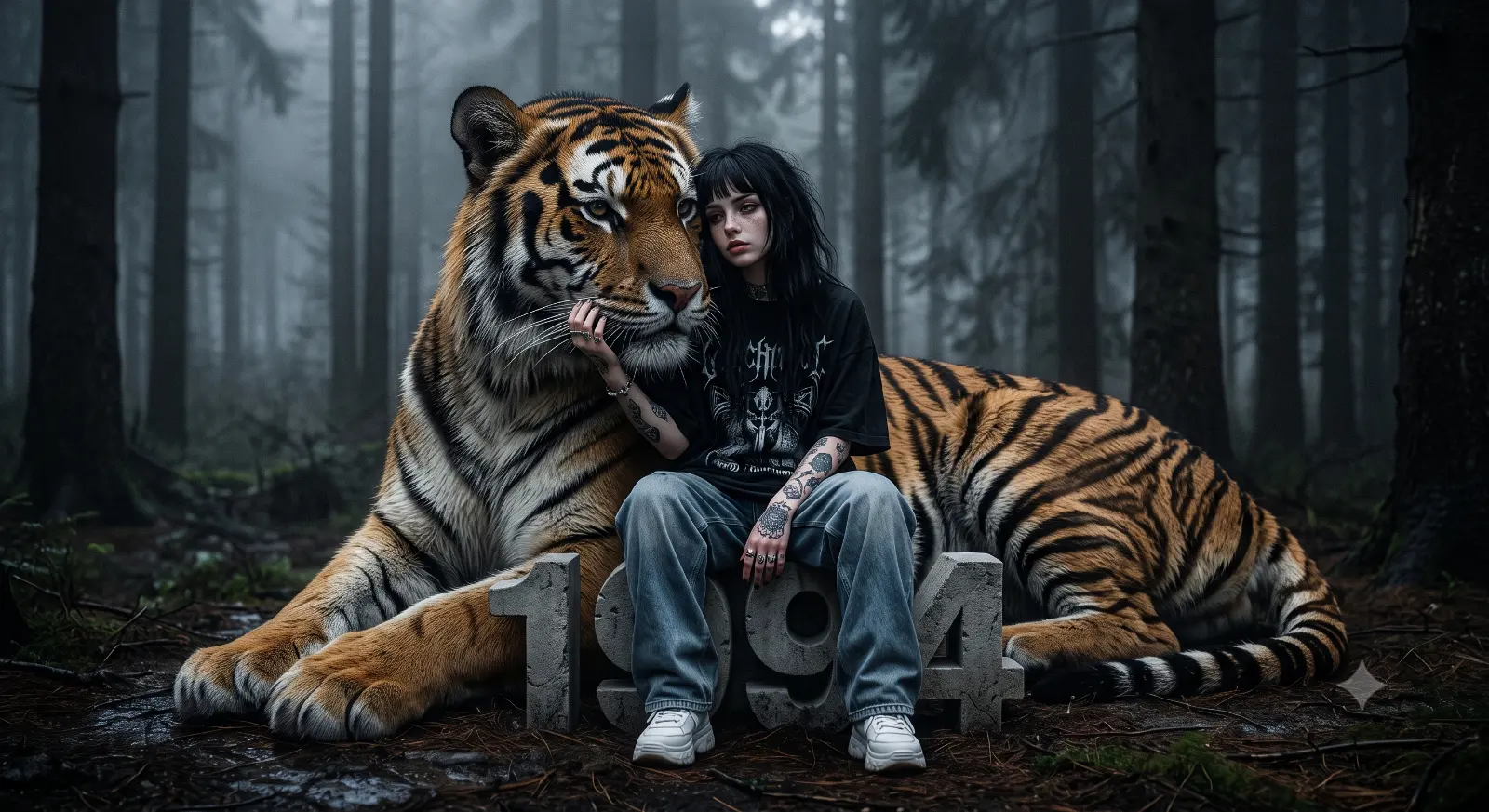
Girl, Tiger, Forest, Moody Realism
Create an epic women AI image using this high-quality prompt optimized for Gemini AI image generation.
Prompt Content
Use this prompt in your favorite AI image generator.
Ultra realistic cinematic portrait of a mysterious young alternative girl sitting in a dark foggy pine forest beside a massive Bengal tiger, emotional moody atmosphere, soft cold color grading, deep forest shadows, highly detailed tiger fur texture, realistic human skin pores, melancholic expression, intimate bond between girl and tiger, oversized tiger resting protectively behind her with one giant paw extending forward, girl touching tiger’s face gently,centered symmetrical composition. The girl has long messy black hair with soft bangs, pale skin, subtle makeup, tattooed arms and fingers, wearing an oversized black gothic graphic t shirt, loose faded blue baggy jeans, chunky white sneakers, silver rings, relaxed streetwear aesthetic, indie grunge fashion style. She is sitting on giant concrete numbers “1994” carved like stone blocks.Background filled with tall dark pine trees, misty atmosphere, cinematic fog, wet forest ground, muted grey and blue tones, dramatic natural lighting, shallow depth of field, ultra detailed eyes, realistic whiskers, atmospheric perspective, emotional dark fantasy realism, luxury editorial photography mixed with wildlife fantasy art.Professional fashion photography, ultra sharp focus, 85mm lens, f/1.8 depth of field, volumetric lighting, realistic shadows, desaturated tones, dark moody aesthetic, cinematic composition, high detail texture, photorealistic, masterpiece quality, award winning photography, 8k, ultra realistic, Unreal Engine cinematic render style.
About This Prompt
Auto GeneratedThis is a high-quality Women AI prompt crafted by Admin. It is designed to produce stunning visuals with minimal iteration. The prompt uses carefully selected descriptors and stylistic cues optimised for Gemini AI, making it ideal for creators who want consistent, professional results.
How To Use
Reusable Guide- 1Copy the prompt using the "Copy Prompt" button above.
- 2Open your preferred AI model (Gemini AI) and paste the prompt into the input field.
- 3Optionally, replace bracketed placeholders (e.g. [subject], [style]) with your own values to personalise the output.
- 4Run the prompt and review the result — iterate by tweaking descriptors for different moods or compositions.
- 5Save or export your favourite generations directly from the AI tool's interface.
For best results, use this prompt as-is before making edits — the defaults are already optimised.