GOOD MORNING CHAOS: Dreamy Pixar-Style Bathroom Fantasy World
Create an epic anime AI image using this high-quality prompt optimized for Gemini AI image generation.
Prompt Content
Use this prompt in your favorite AI image generator.
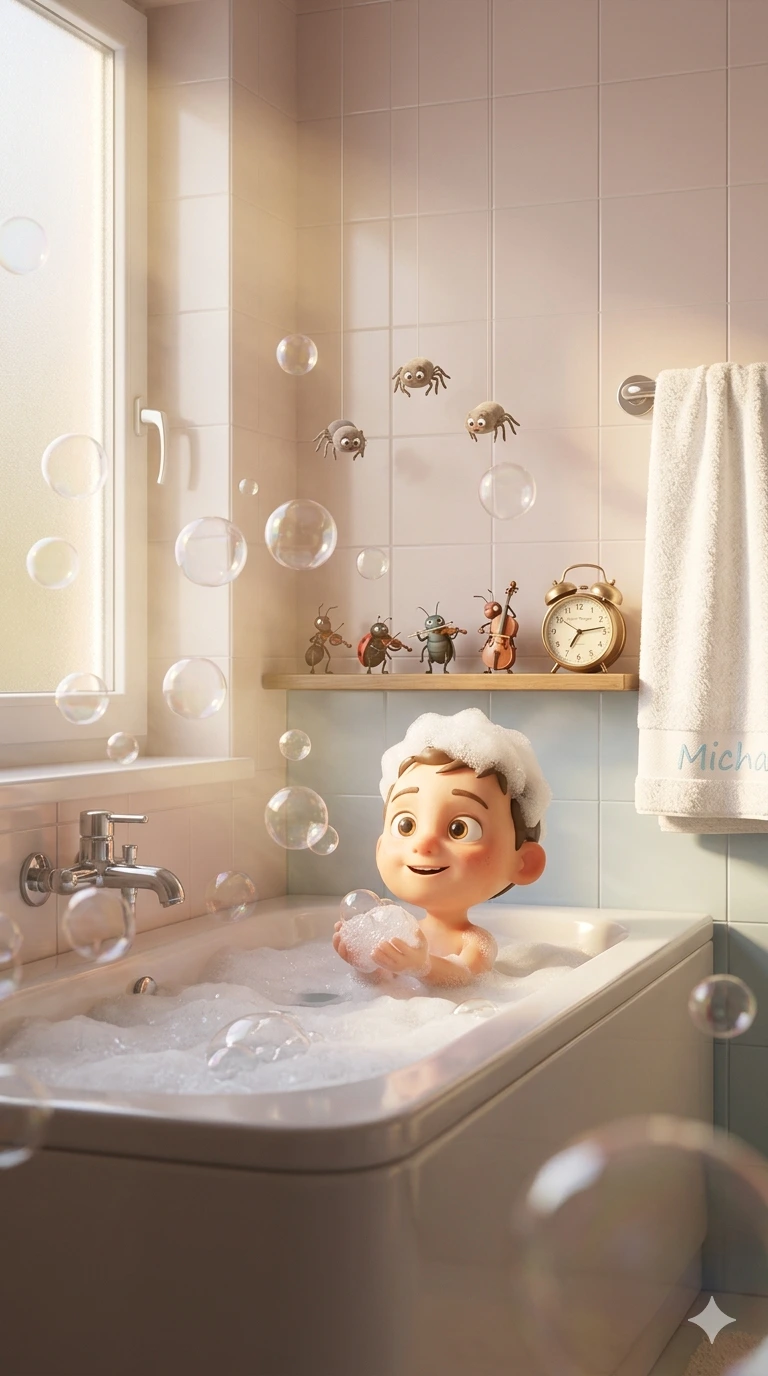
cinematic soft morning sunlight entering through frosted window, warm golden ambience, dreamy atmosphere, lots of transparent soap bubbles floating everywhere, realistic steam and foam, tiny cute cartoon spiders hanging on the wall with funny expressions, miniature insect orchestra playing instruments on small bathroom shelf, towel hanging with “Micha” text embroidered, small vintage alarm clock on shelf with “Guten Morgen” text, ultra clean glossy ceramic surfaces, adorable fantasy details, Pixar-style 3D character design, highly expressive facial emotions, subsurface skin scattering, realistic reflections and refractions in bubbles, soft volumetric lighting, depth of field, global illumination, octane render, unreal engine 5 quality, hyper detailed textures, cinematic composition, centered framing, cozy pastel tones, smooth rounded shapes, cute and funny atmosphere, photorealistic 3D render mixed with animated movie aesthetics, vertical portrait composition, ultra sharp focus, high detail, 8k render, masterpiece quality. Negative Prompt: low quality, blurry, extra limbs, bad anatomy, distorted face, deformed hands, duplicate objects, dark lighting, horror style, realistic human skin pores, text artifacts, watermark, cropped body, noisy image, flat lighting, low detail, ugly composition, bad proportions, oversaturated colors Use same face no alteration
About This Prompt
Auto GeneratedThis is a high-quality Anime AI prompt crafted by Admin. It is designed to produce detailed anime-style visuals with minimal iteration. The prompt uses carefully selected descriptors and stylistic cues optimised for Gemini AI, making it ideal for creators who want consistent, professional results.
How To Use
Reusable Guide- 1Copy the prompt using the "Copy Prompt" button above.
- 2Open your preferred AI model (Gemini AI) and paste the prompt into the input field.
- 3Optionally, replace bracketed placeholders (e.g. [subject], [style]) with your own values to personalise the output.
- 4Run the prompt and review the result — iterate by tweaking descriptors for different moods or compositions.
- 5Save or export your favourite generations directly from the AI tool's interface.
For best results, use this prompt as-is before making edits — the defaults are already optimised.