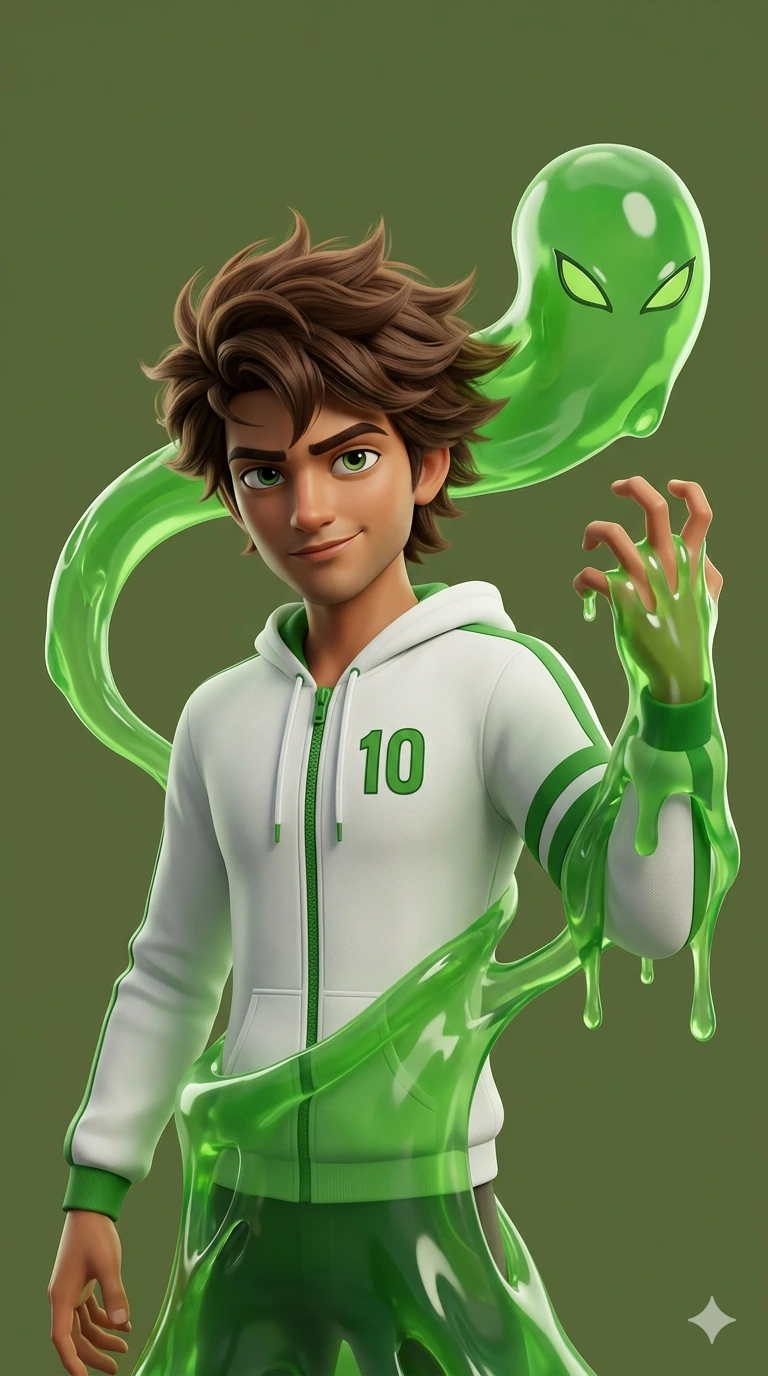
Goop Fusion Hero: Ben 10 Inspired Ultra-Realistic 3D Character Poster – Alien Slime Transformation Scene
Create an epic anime AI image using this high-quality prompt optimized for Gemini AI image generation.
Prompt Content
Use this prompt in your favorite AI image generator.
An young indian man is shown with his signature messy voluminous spiky brown, hair gently blowing the wind and green eyes. He is wearing a white hooded jacket with a green zipper, green stripes on the sleeves, and the number "10" prominently displayed in green on the left side of his chest. He has a confident, slight smirk. The Slime/Goop Element: Ben is partially enveloped by a translucent, vibrant green, viscous substance that resembles slime or the alien form "Goop." This substance wraps around his right arm, which is raised in a claw-like gesture. It also flows around his torso and behind his head, forming a separate, amorphous shape behind him that features two distinct, sharp-angled green eyes. Style and Composition: The art style is polished, reminiscent of modern 3D animated films or high-end character statues. The lighting is soft and professional, highlighting the glossy, reflective texture of the green slime. The background is a solid, muted olive-green, which keeps the focus entirely on the character.--ar 9:16
About This Prompt
Auto GeneratedThis is a high-quality Anime AI prompt crafted by Admin. It is designed to produce detailed anime-style visuals with minimal iteration. The prompt uses carefully selected descriptors and stylistic cues optimised for Gemini AI, making it ideal for creators who want consistent, professional results.
How To Use
Reusable Guide- 1Copy the prompt using the "Copy Prompt" button above.
- 2Open your preferred AI model (Gemini AI) and paste the prompt into the input field.
- 3Optionally, replace bracketed placeholders (e.g. [subject], [style]) with your own values to personalise the output.
- 4Run the prompt and review the result — iterate by tweaking descriptors for different moods or compositions.
- 5Save or export your favourite generations directly from the AI tool's interface.
For best results, use this prompt as-is before making edits — the defaults are already optimised.